9
10
TTLOCK APP OPERATION STEPS
Search Google play or APPLE Store with TTLOCK to download the APP.
Install it or scan the below QR code we provided to install the APP
program. You can also turn to us to download the application. please
read the manual carefully before installation and keep it properly.
Please turn on your phone’s Bluetooth
function before any operation.
When adding the door lock, operations must be completed near
the lock and the keypad is activated during paring.
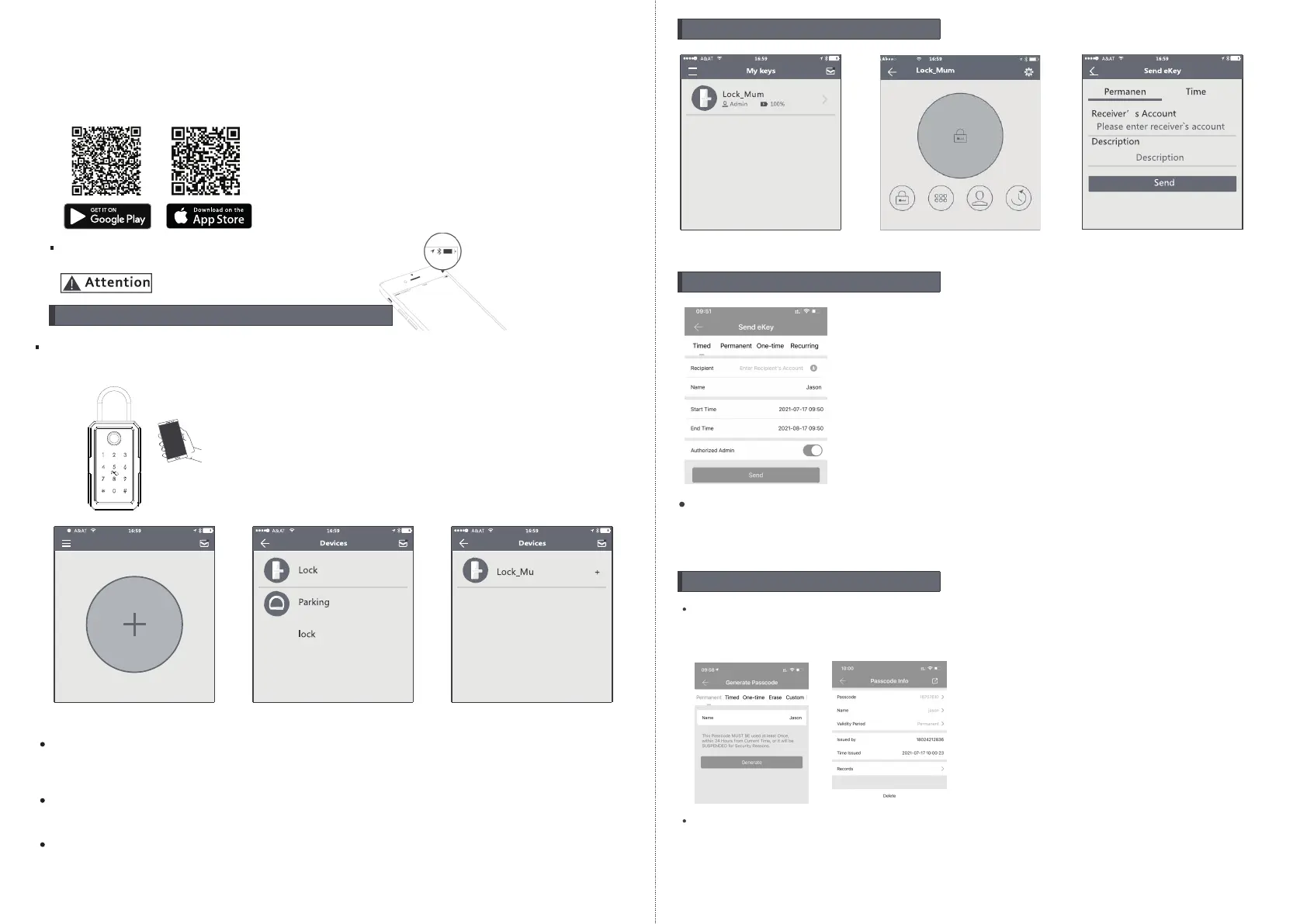
Step1: Click “+”button
Step2: Select the lock
Step3: Click device name
In step 3: there will be on “+”button after the name of the door lock, notice the
door lock can not be added if there I no “+” sign. The interface will jump back
to the key list after adding successfully.
If the operation is failed, please repeat the above steps and view the device
list in steps 3. Make sure your mobile is turned on with bluetooth feature and
door lock is powered with the battery already.
3. Send one timed eKey
During the authorized period of time, the receiver can unlock
the door without times limit, after the limitation of time, it will
be invalidated automatically
4. Send a timed passcode
Passcode is with four types:permanent,timed,cylic and one-time,
you can set the passcode accordingly and share to the receiver
by mail/wechat/whatsapp etc.
Permanent passcode will not expire, but the administrator can
delete them in the user list at any time.
2.Send one permanent eKey
Step1: Click device name
Step2: Click the eKey
Step3: Enter the receiver info
1.Add one smart lock on your phone



 To Next Page
 Loading...