13
14
6. Sales and Service Terms
Limited 1-year Electronic Warranty Limited Lifetime Mechanical
and Finish Warranty
This K3 product comes with a 1-year Limited Warranty on Electronic
Parts and a Limited lifetime. Mechanical and Finish Warranty against
defects in materials and workmanship under normal use to the
original residential user. Proof of purchase and ownership is
required for the warranty to be in effect.
Please read the manual carefully before use!
Any error or question in our manual or sales term, please feel free
to contact with us.
For any wrong operation or installation to the user, we do not
responsible for the duty.
For the damage caused by anthropic factor or inevitable reason,
we do not pay for the loss or maintain for free, please check our
after sale service terms.
Please do not take apart the lock if you are not technician, if
necessary, please make the operations under the guide of technician.
Notice: there maybe a little difference for product pictures with
real product, please subject to our real products.
Notice: The passcode shall be used once within 24 hours
after the start time, otherwise it will be invalid for security reason.
Notice: The recurring passcode is one week and can be used
cyclically for one defined period of time.
For example,if the time is valid when setting to 10:00-20:00 every
weekend, the user can only open the door at the setting time every
weekend and can not open the door at any other time. Also this
passcode shall be used once within 24 hours after the start time,
or it will be invalid.
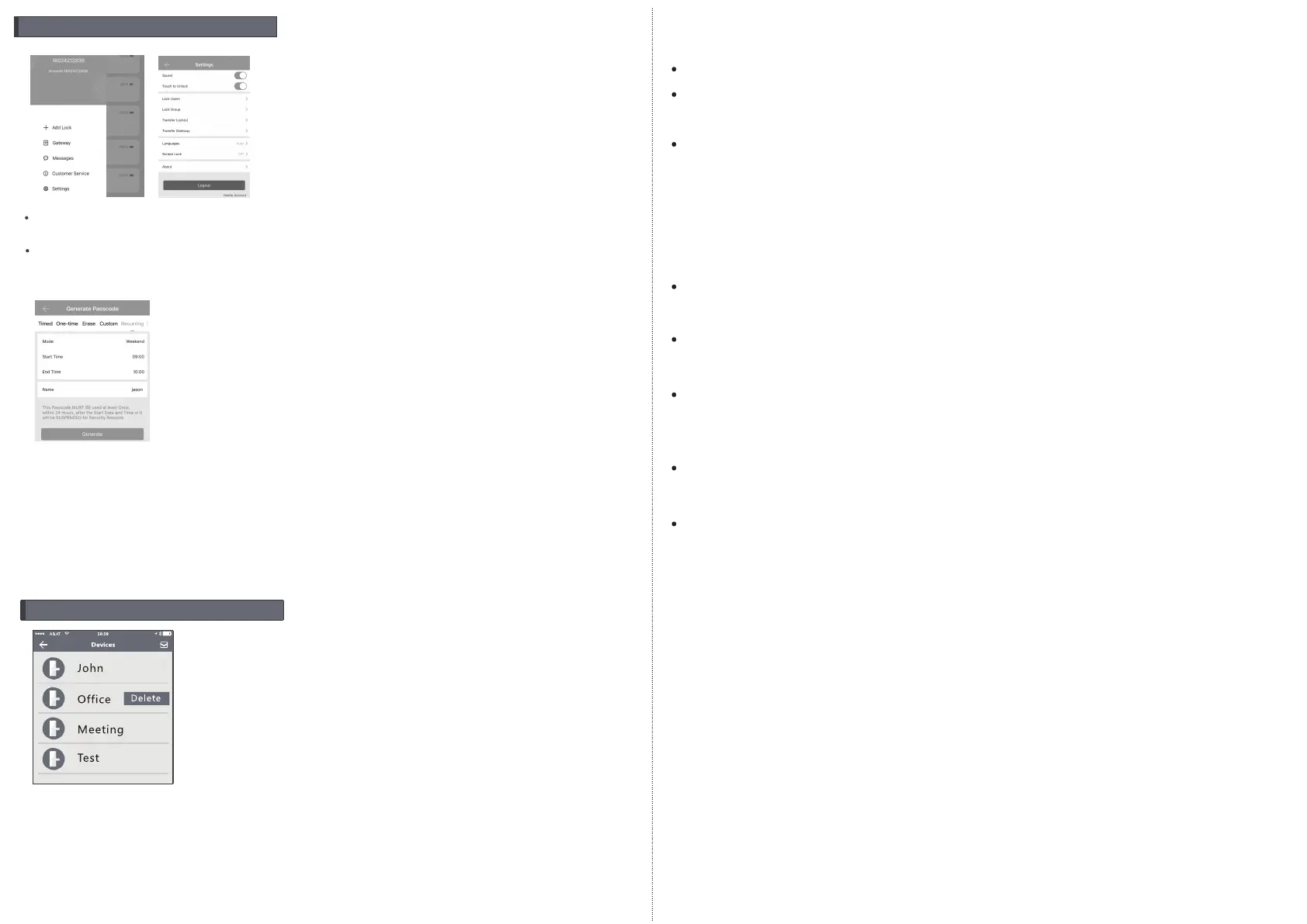
9. Delete the Lock
To delete the lock, find the name and left slide the delete button,
you can delete the lock in the APP. Also you can long press the reset
button on the rear side of front panel, so the other user can add this
lock as new device.
8.System Settings
Enter the interface and click the “≡”button, the options can be
selected in the pop-up users.



 To Previous Page
 Loading...