EasyManua.ls Logo

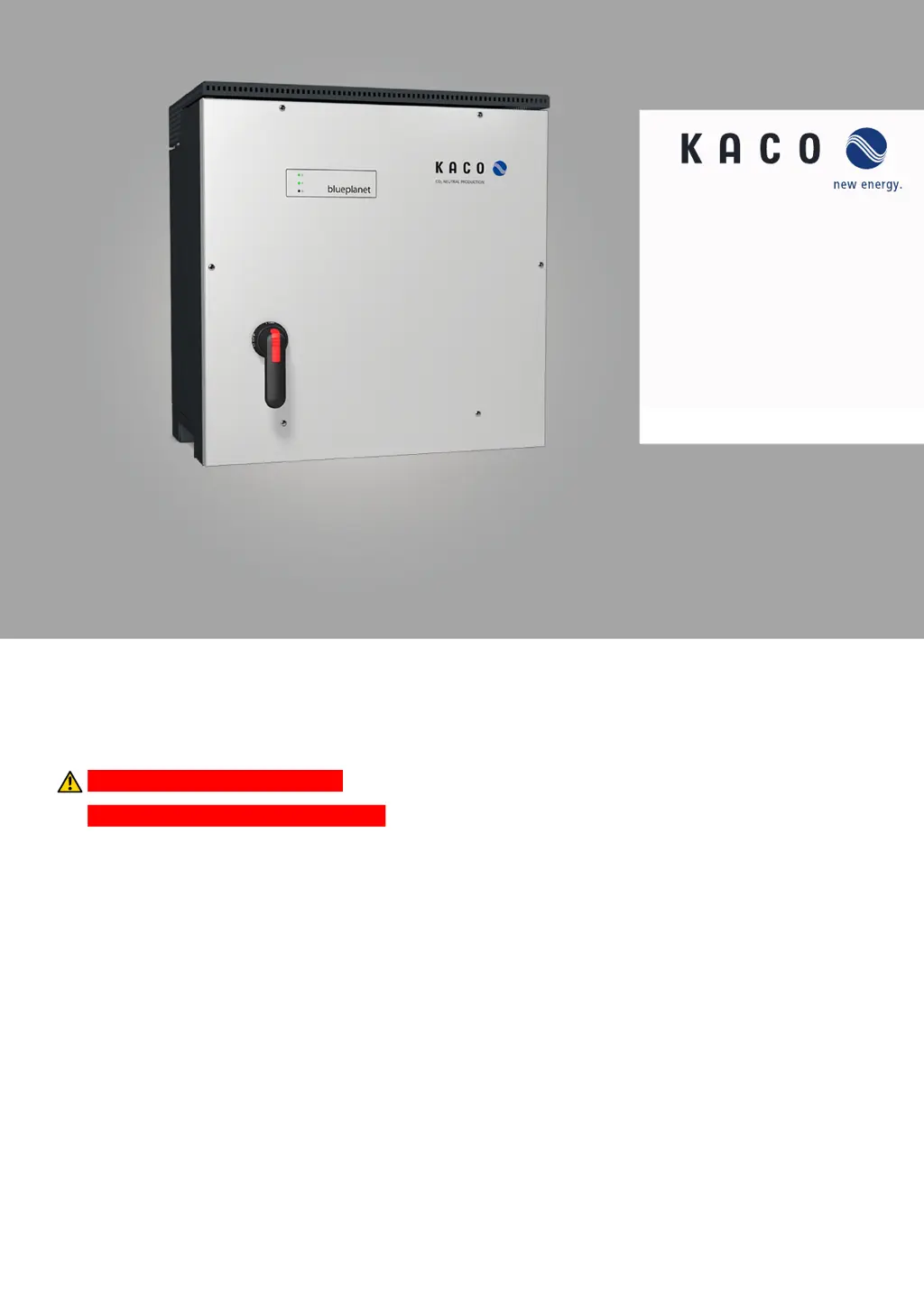
Kaco blueplanet 87.0 TL3 - User Manual

Kaco blueplanet 87.0 TL3
118 pages
Print Icon
To Next Page IconTo Next Page
Loading...
Manual
nEnglish translation of German original
KACO blueplanet 87.0 TL3
KACO blueplanet 92.0 TL3
KACO blueplanet 105 TL3
KACO blueplanet 110 TL3
KACO blueplanet 125 TL3
KACO blueplanet 137 TL3
KACO blueplanet 150 TL3
KACO blueplanet 155 TL3
KACO blueplanet 165 TL3
These instructions form part of the product and must be carefully read, observed and stored in a place which is freely accessible
at all times.
Authorised electrician
Important safety instructions

Table of Contents

Other manuals for Kaco blueplanet 87.0 TL3

Questions and Answers

  • J
    Joshua FinleyAug 18, 2025
    Why Kaco blueplanet 87.0 TL3 Inverter doesn't feed maximum power into the grid despite high radiation?
    • K
      Kelly ParkerAug 18, 2025
      If your Kaco inverter isn't feeding maximum power into the grid despite high radiation, it could be due to particular ambient conditions. Ensure sufficient cooling of the unit. Also, remove any foreign bodies present on the device and clean the cooling fins.
  • A
    Amy OconnorAug 20, 2025
    What to do if the grid fuse trips with Kaco blueplanet 87.0 TL3?
    • V
      Virginia OsbornAug 21, 2025
      If the grid fuse trips when using your Kaco Inverter, it may be because the grid fuse capacity is too low. Select a backup fuse with a capacity somewhat higher than the device’s maximum feed-in current. If this doesn't resolve the issue, there may be hardware damage, in which case you should contact KACO Service to test the hardware.
  • R
    Ryan RichAug 23, 2025
    How to troubleshoot Kaco Inverter when the LEDs do not light up?
    • R
      Russell WrightAug 23, 2025
      If the LEDs on your Kaco Inverter do not light up, it could be due to the grid voltage not being available. Check whether the DC and AC voltages are within the permitted limits. If the issue persists, notify KACO Service.
  • V
    valdezdesireeAug 26, 2025
    What to do if Kaco Inverter stops feeding into the grid shortly after being switched on?
    • C
      christopherjonesAug 26, 2025
      If your Kaco Inverter stops feeding into the grid shortly after being switched on, even with sunlight present, the cause may be defective circuit-breakers in the device. Ensure that there is sufficient PV generator power. Another potential cause is a defective grid separation relay, which should be replaced by KACO Service. If neither of these solutions work, notify KACO Service.
  • C
    cruzgwendolynAug 28, 2025
    Why is Kaco blueplanet 87.0 TL3 active but not connected to the grid?
    • D
      Daniel VargasAug 28, 2025
      If your Kaco Inverter is active but not connected to the grid, it might be due to a grid-feed interruption caused by a grid fault. Change the grid parameters within the permitted operating limits.
  • K
    Kristen MurrayAug 30, 2025
    What causes an impossible daily peak value on Kaco blueplanet 87.0 TL3 Inverter display?
    • M
      Mrs. Rita AllenAug 30, 2025
      If your Kaco Inverter displays an impossible daily peak value, it is likely due to faults in the grid. To reset the value immediately, switch the device off by disconnecting it from the grid and switching off the DC, then switch it back on.
  • M
    Mrs. Amanda RamirezSep 2, 2025
    What does 'Fault in fan 2' mean on my Kaco blueplanet 87.0 TL3 Inverter?
    • B
      Brian GibsonSep 2, 2025
      If your Kaco Inverter displays 'Fault in fan 2', the fan is malfunctioning. Notify KACO Service! With a defective fan, the power is reduced to 50% to avoid the device being destroyed.
  • J
    james04Sep 4, 2025
    What does 'Fault in fan 3' mean on my Kaco Inverter?
    • A
      ashleysmithSep 4, 2025
      If your Kaco Inverter displays 'Fault in fan 3', the fan is malfunctioning. Notify KACO Service! With a defective fan, the power is reduced to 50% to avoid the device being destroyed.
  • D
    David FergusonSep 7, 2025
    What to do if there is a fault in fan 1 of Kaco Inverter?
    • T
      Theresa MillerSep 7, 2025
      If there is a fault in fan 1 of your Kaco Inverter, it means that the fan is malfunctioning. Replace defective fan.
  • J
    Jeffery ZimmermanSep 9, 2025
    Why don't daily yields correspond to the yields on the feed-in meter of Kaco Inverter?
    • J
      Jason BrownSep 9, 2025
      If the daily yields on your Kaco Inverter do not correspond to the yields on the feed-in meter, it is due to tolerances of the measuring elements in the device. No action is required.

Summary

Safety

General Safety Regulations

Outlines essential safety rules and technical specifications for installation.

Device Description

Device Interfaces

Details the available communication ports (Ethernet, RS485, USB) for connectivity.

Technical Data

Electrical Input and Output Specifications

Provides detailed electrical parameters for various device models.

Installation and Preparation

Selecting an Installation Location

Defines criteria for choosing an appropriate and safe installation site.

Fastening the Mounting Bracket

Instructions for securely attaching the mounting bracket to the installation surface.

Installing and Securing the Device

Procedure for physically mounting and securing the inverter unit.

Installation

General Installation Safety

Mandatory safety precautions to be observed during the installation process.

Making Electrical Connections

Detailed instructions for performing all necessary electrical wiring.

Connecting to the Mains Supply

Procedure for establishing the electrical connection to the power grid.

Making the Grid Connection

Final steps for wiring the grid connection, including terminal assignments.

Connecting the PV Generator

Instructions for connecting the photovoltaic generator to the device.

Ground Fault Check on PV Generator

Procedure to detect potential ground faults in the PV system before connection.

Configuring the PV Generator

Settings and parameters for the connected PV generator.

Connecting the PV Generator to the Device

Detailed steps for physically connecting the PV strings to the inverter.

Inserting the Overvoltage Protection

Procedure for installing AC and DC surge protection modules.

Connecting the Interfaces

Steps for connecting communication ports like Ethernet, RS485, and USB.

Ethernet Connection Procedure

Step-by-step guide for establishing an Ethernet network connection.

RS485 Bus Connection Procedure

Instructions for connecting and configuring the RS485 communication bus.

Connecting Inverter Off Functionality

How to connect and configure the remote shutdown feature.

Start-up

Start-up Options Overview

Description of various methods available for initial device configuration.

Start-up via WiFi Connection

Procedure for configuring the device using a wireless network connection.

Start-up via Cable Connection (Ethernet)

Steps for configuring the device using a wired Ethernet connection.

Configuration and Operation

Navigating the User Interface

Overview of the device's display, menus, and navigation controls.

Web Interface Configuration Options

Detailed guide to configuring various device settings via the web interface.

Monitoring the Device

Procedures for checking device status, network connectivity, and parameters.

Firmware Update Procedure

Instructions for updating the device's firmware to the latest version.

Operating the Device with Multi-function Buttons

Performing key operations like firmware updates and network resets using device buttons.

Specifications

Fault Ride Through (FRT) Overview

Introduction to the device's capability to maintain grid connection during faults.

Advanced Islanding Detection

System for detecting and responding to unintended grid islands.

Maintenance and Troubleshooting

Shutting Down for Maintenance

Safe procedures for powering down the device before maintenance.

Rectifying Faults

Troubleshooting guide for common faults, including possible causes and remedies.

General Troubleshooting Guide

Comprehensive table of status messages, causes, actions, and LED indicators.

Decommissioning and Removal

Switching Off the Device Safely

Detailed steps for safely powering down the inverter before removal.

Uninstalling the Device from Mount

Procedure for detaching the inverter from its mounting hardware.

Kaco blueplanet 87.0 TL3 Specifications

General IconGeneral
BrandKaco
Modelblueplanet 87.0 TL3
CategoryInverter
LanguageEnglish

Related product manuals