This document is a remote controller manual for Kaden KCS Series Cassette Air Conditioners, specifically models KCS24, KCS36, KCS42, and KCS48. It provides instructions on how to use the remote control and its various functions.
Function Description
The remote controller allows users to operate the Kaden KCS Series Cassette Air Conditioners, controlling various modes, temperature settings, fan speeds, and advanced features.
Important Technical Specifications
- Model: RG66A1/BGEF
- Rated voltage: 3.0V (uses two R03/LR03 AAA dry batteries)
- Signal receiving range: 8 meters
- Environment: -5°C to 60°C
- Operating temperature range for units: 17°C to 30°C
- Temperature increments: 1°C
- Timer setting range: 0 to 24 hours
Usage Features
The remote controller offers a comprehensive set of features for controlling the air conditioner:
Basic Functions:
- ON/OFF: Turns the unit on or off.
- MODE: Scrolls through operation modes: AUTO, COOL, DRY (dehumidifying), HEAT, and FAN.
- AUTO mode: The unit automatically selects COOL, FAN, HEAT, or DRY based on the set temperature. Fan speed cannot be set in Auto mode.
- COOL mode: Sets the unit to cool.
- DRY operation (dehumidifying): Sets the unit to dehumidify. Fan speed cannot be set in DRY mode.
- FAN operation: Sets the unit to fan mode. Temperature cannot be set, and the remote control's LCD will not display temperature.
- HEAT operation: Sets the unit to heat. Performance may be affected by outdoor temperature; using other heating appliances in conjunction is recommended in such instances.
- TEMP + / -: Increases or decreases the temperature in 1°C increments.
- FAN: Scrolls through fan speeds: AUTO, LOW, MED, HIGH. Holding this button for 2 seconds activates Silent mode.
- TIMER: Sets a timer to turn the unit on (TIMER ON) or off (TIMER OFF) automatically.
- TIMER ON: Sets the time after which the unit will automatically turn on.
- TIMER OFF: Sets the time after which the unit will automatically turn off.
- When setting timers, the time increases in 30-minute increments up to 10 hours, then in 1-hour increments up to 24 hours. Setting the timer to "0.0h" turns off the function.
- Both TIMER ON and TIMER OFF can be set simultaneously.
- LED: Turns the indoor unit's LED display on and off.
Advanced Functions:
- SLEEP function: Decreases energy use during sleep. This function is not available in FAN or DRY mode.
- TURBO function: Allows the unit to reach the preset temperature in the shortest possible time. In COOL/HEAT mode, the unit blows cool/hot air with the strongest wind setting.
- SELF CLEAN function: Activates an automatic self-cleaning feature for the heat exchanger. The unit turns off automatically after cleaning. This function is only available in COOL or DRY mode.
- LOCK function: Locks or unlocks the remote control keyboard by pressing the Turbo and Self Clean buttons simultaneously for one second.
- FOLLOW ME function: Enables the remote control to measure the temperature at its current location and send this signal to the air conditioner every 3 minutes. This optimizes the temperature around the user in AUTO, COOL, or HEAT modes.
- SWING (horizontal louvre) button: Starts or stops horizontal louvre movement. Each press changes the angle by 6 degrees. Holding for more than 2 seconds activates the auto swing feature.
- SWING (vertical louvre) button: Starts or stops vertical louvre movement. Each press changes the angle by 6 degrees. Holding for more than 2 seconds activates the auto swing feature.
- Silent function: Activates or cancels Silent mode by holding the Fan button for 2 seconds. This mode operates at a low compressor frequency, which may result in insufficient cooling or heating capacity.
- Short cut function:
- Restores the current settings or resumes previous settings.
- If pressed when the remote controller is on, the system reverts to saved settings (operating mode, temperature, fan speed, and sleep feature).
- If held down for more than 2 seconds, the current operation settings (operating mode, temperature, fan speed, and sleep feature) are stored as a shortcut.
Maintenance Features
- Battery installation: The remote control uses two AAA batteries. Instructions are provided for inserting and replacing them, ensuring correct polarity.
- Battery notes:
- Do not mix old and new batteries or different types.
- Remove batteries if the remote control will not be used for more than 2 months.
- Battery disposal: Batteries should not be disposed of as unsorted municipal waste; local laws for proper disposal should be followed.
- Remote control holder: A holder is provided to attach the remote controller to a wall or stand.
- Tips for using remote control:
- Use within 8 meters of the unit.
- The unit will beep upon receiving a signal.
- Curtains, other materials, or direct sunlight can interfere with the infrared signal receiver.

 Need help?
 General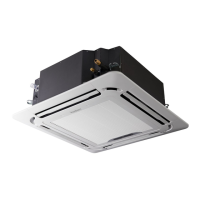

 To Next Page