This document is a remote controller manual for Kaden KSI Series wall-mounted air conditioners, including models KSI06, KSI09, KSI12, KSI18, KSI24, and KSI28. It provides detailed instructions on how to use the remote controller, its functions, and indicators.
Function Description
The remote controller allows users to operate their Kaden air conditioning unit with various modes and settings.
Basic Functions:
- ON/OFF: Turns the air conditioning unit on or off.
- MODE: Cycles through different operation modes: AUTO, COOL, DRY, HEAT, and FAN. Note that HEAT mode is not supported by cooling-only appliances.
- Temperature Adjustment (TEMP ▲/▼): Increases or decreases the set temperature in 1°C (1°F) increments. The maximum temperature is 30°C (86°F), and the minimum is 16°C (60°F). Pressing both TEMP ▲ and TEMP ▼ buttons simultaneously for 3 seconds alternates the temperature display between °C and °F.
- FAN SPEED: Selects fan speeds in a sequence: AU → 20% → 40% → 60% → 80% → 100%. The TEMP ▲ or TEMP ▼ buttons can also be used to increase/decrease fan speed in 1% increments. Fan speed cannot be adjusted in AUTO or DRY mode.
- SWING: Initiates or stops horizontal louvre movement. Holding the button for 2 seconds activates the vertical louvre auto swing feature.
- TIMER ON/OFF: Sets a period of time after which the unit will automatically turn on or off. The timer setting range is 0-24 hours. For up to 10 hours, time increases in 30-minute increments; after 10 hours, it increases in 1-hour increments. Setting the timer to "0.0h" cancels the function.
- SET: Scrolls through operation functions such as Fresh, Sleep, Follow Me, and AP mode. Pressing OK confirms the selection.
- OK: Confirms selected functions.
Advanced Functions:
- ECO/GEAR: Enters energy-efficient modes. Cycles through ECO → GEAR (75%) → GEAR (50%) → Previous setting mode → ECO. This function is only available in COOL mode. In ECO operation, the air conditioner automatically operates at 24°C with Auto fan speed. Pressing ON/OFF, changing mode, or adjusting temperature below 24°C will stop ECO operation.
- TURBO: Enables the unit to reach the preset temperature in the shortest possible time by blowing cool/hot air with the strongest wind setting.
- CLEAN: Starts or stops the Self Clean or Active Clean function (model dependent). This technology washes away dust, mold, and grease by freezing and thawing the heat exchanger. After cleaning, the internal wind wheel operates with hot air to dry the evaporator. This function is only activated in COOL or DRY mode.
- LED: Turns the indoor unit's LED display and air conditioner buzzer on and off (model dependent) for a comfortable and quiet environment.
- BREEZE AWAY: This feature avoids direct airflow blowing on the body and is available in COOL, FAN, and DRY modes.
- AP Function: Used for wireless network configuration. For some units, it requires pressing the LED button seven times in 10 seconds to enter AP mode.
- FRESH Function: Initiates the ion generator to purify the air in the room.
- LOCK Function: Locks or unlocks the remote controller keyboard by pressing the Turbo and Clean buttons simultaneously for one second.
- SILENT Function: Activates or cancels SILENT mode by holding the Fan button for 2 seconds. Due to low frequency operation of the compressor, it may result in insufficient cooling and heating capacity.
- FOLLOW ME Function: Enables the remote control to measure the temperature at its current location and send this signal to the air conditioner every 3 minutes. This optimizes temperature around the user in AUTO, COOL, or HEAT modes.
- SLEEP Function: Decreases energy use while sleeping. This function is only activated via remote control and is not available in FAN or DRY mode.
Important Technical Specifications
- Model: RG66A1/BGEF
- Rated Voltage: 3.0V (uses two R03/LR03 AAA dry batteries)
- Signal Receiving Range: 8 meters
- Environment: -5°C to 60°C
- Operating Temperature Range (for units): 17°C - 30°C (60°F - 86°F) or 20°C - 28°C (68°F - 82°F) (model dependent).
Usage Features
- Remote Control Placement: The remote control must be used within 8 meters of the indoor unit.
- Signal Confirmation: The unit will beep when a remote signal is received.
- Interference: Curtains, other materials, and direct sunlight can interfere with the infrared signal receiver.
- Battery Installation: Requires two AAA batteries. Ensure correct polarity (+/-) when inserting.
- Remote Control Holder: The remote controller can be attached to a wall or stand using the provided holder and screws. Ensure the air conditioner receives signals properly before installation.
- LCD Screen Indicators: The remote controller's LCD screen displays current mode, set temperature, fan speed, timer settings, and activated functions (e.g., Breeze Away, Active Clean, Sleep mode, Follow Me, ECO, GEAR, LOCK, TURBO). All indicators are shown for clear presentation, but only relevant signs appear during actual operation.
Maintenance Features
- Battery Notes:
- Do not mix old and new batteries or batteries of different types.
- Remove batteries if the remote control will not be used for more than 2 months to prevent leakage and damage.
- Battery Disposal: Do not dispose of batteries as unsorted municipal waste. Refer to local laws for proper disposal.
- Active Clean Function: This self-cleaning feature helps maintain the indoor unit's hygiene by washing away dust, mold, and grease from the heat exchanger.

 Need help?
 General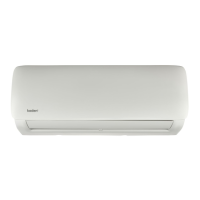

 To Next Page