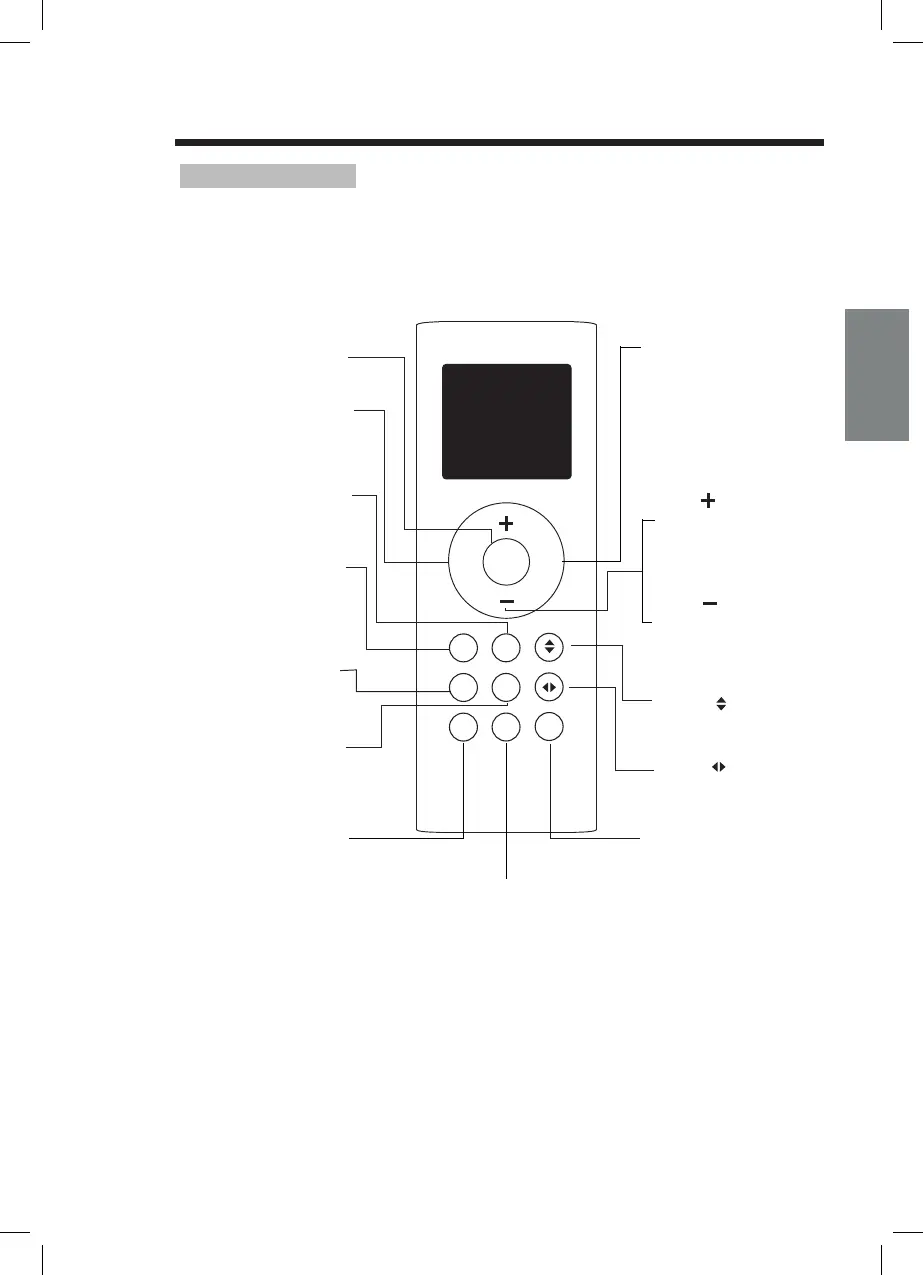
Remote Controller Specifications
NOTE:
Buttons design is based on typical model and might be slightly different from the
actual one you purchased,the actual shape shall prevail.
All the functions described are accomplished by the unit. If the unit has no this
feature, there is no corresponding operation happened when press the relative
button on the remote controller.
When there are wide differences between Remote controller Illustration and
USER'S MANUAL on function description, the description of USER'S MANUAL
shall prevail.
,,
,,
,,
,,
,,
,,
NOT SURE WHAT A FUNCTION DOES?
Refer to the How to Use Basic Functions
and How to Use Advanced Functions
sections of this manual for a detailed
description of how to use your air conditioner.
SPECIAL NOTE
Button designs on your unit may differ
slightly from the example shown.
If the indoor unit does not have a particular
function, pressing that function s button on
the remote control will have no effect.
TIPS FOR USING REMOTE CONTROL
The remote control must be used within 8
meters of the unit.
The unit will beep when remote signal is
received.
Curtains, other materials and direct
sunlight can interfere with the infrared
signal receiver.
Remove batteries if the remote control
will not be used more than 2 months.
INSERTING AND REPLACING BATTERIES
INSTALLING REMOTE CONTROL HOLDER
Your air conditioning unit comes with two
AAA batteries. Put the batteries in the
remote control before use:
1. Remove the back cover from the remote
control, exposing the battery compartment.
2. Insert the batteries, paying attention to
match up the (+) and (-) ends of the
batteries with the symbols inside the
battery compartment.
3. Install the back cover on.
The remote controller can be attached to a wall
or stand by using a remote controller holder
(optional part, not supplied with the unit).
Before installing the remote controller, check
that the air conditioner receives the signals
properly.
the remote controller in the holder.
1.
2. Install the holder with two screws.
3. Put
BATTERY NOTES
For optimum product performance:
Do not mix old and new batteries, or
batteries of different types.
Do not leave batteries in the remote control
if you don t plan on using the device for
more than 2 months.
BATTERY DISPOSAL
Do not dispose of batteries as unsorted
municipal waste. Refer to local laws for
proper disposal of batteries.
,
,
HANDLING THE REMOTE CONTROLLER
Remove the back cover
to install batteries
Put the remote controller
in the holder.
type. Heat mode is not supported by the cooling only appliance.
activate Silence feature.
Max. temperature is
Min. temperature is
display on and off.
self clean feature.
button.
control. The following is a brief introduction to the remote control itself. For instructions on how to
this manual.
favourite pre-settings.



 To Next Page