Pg 2PhotoMakerUser Manual
PhotoMaker
4. Installing the software (PC)
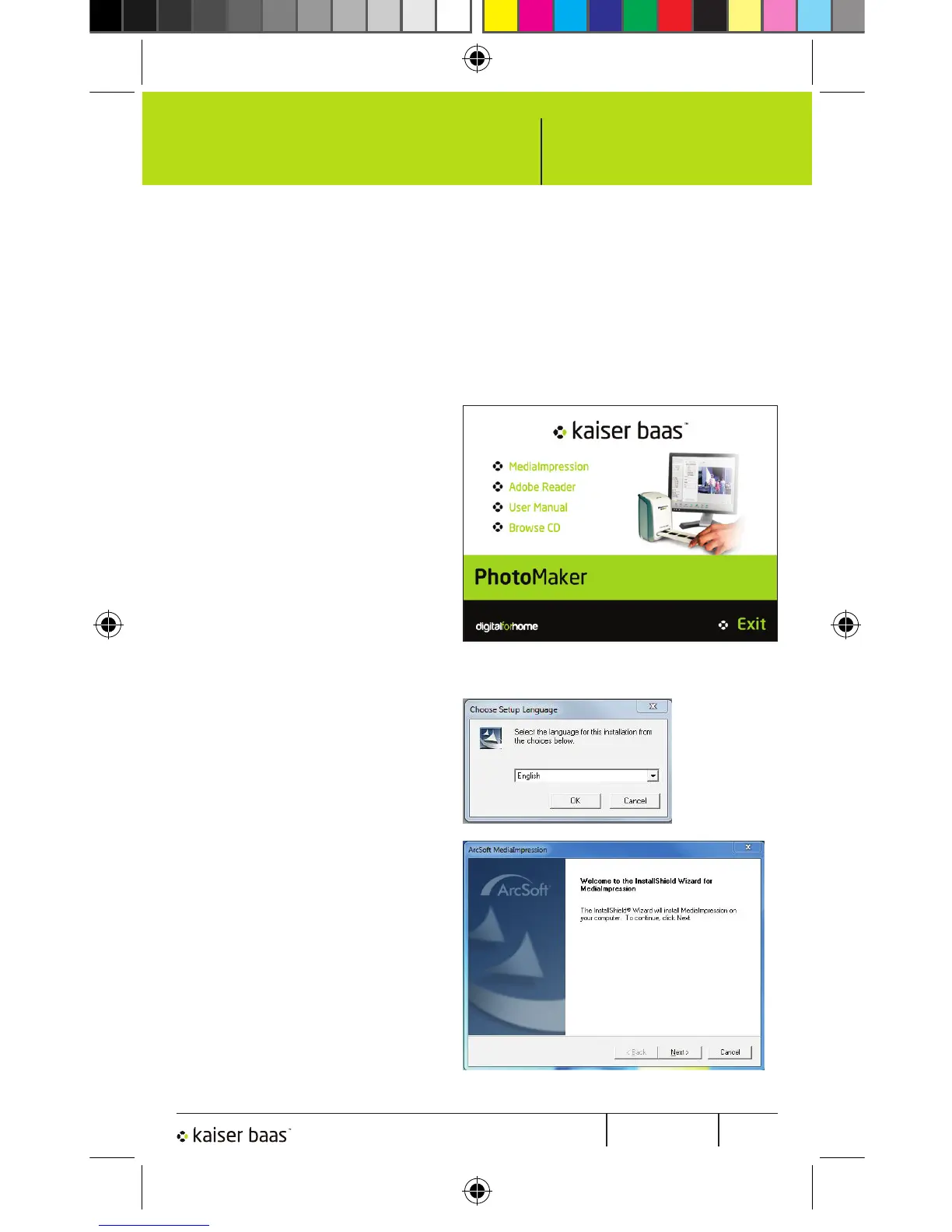
Insert the provided CD into the CD/DVD ROM drive on your
computer. The following screen should appear:
Select ‘MediaImpression’
to start the installation of
Arcsoft MediaImpression
on your computer.
If the operating system
asks for permission click
‘Yes’.
The Setup Language box
will appear. The default
is English. Choose your
language then press ‘OK’.
The next screen informs
you that InstallShield
Wizard will install Arcsoft
MediaImpression on your
computer.
Click ‘Next’.
1.
2.
3.
5
PhotoMaker Mac Manual.indd 7 12/01/2011 4:46:16 PM


 To Next Page