Need help?
Do you have a question about the kala Arkane 1650 and is the answer not in the manual?
Choose a suitable installation space with adequate access to all machine parts and surrounding area.
Remove protective packaging, including lid, cardboard ends, and securing brackets, to access the machine.
Ensure machine voltage matches the network and connection adheres to relevant electrical standards like CEI 60309-1.
Place laminator on a flat floor near an accessible plug, ensure ventilation, and avoid water proximity.
Understand safety mechanisms including laser protection, emergency stop buttons, and feeding tray interlock.
Turn on the machine using the main switch and then press the power button on the control board.
Adjust the upper roller temperature using the control panel keys, with ready light indicating target reached.
Adjust roller opening in millimeters and pressure from 1 to 5 based on material thickness for optimal lamination.
Set the machine speed using control panel keys, with memorization of last set value for selected memory.
Operate the machine in forward, stop, or reverse modes using control panel keys or foot switch.
Store and recall frequent speed and temperature settings using memory modes M1-M4.
Utilize the foot switch for hands-free operation, allowing precise print feeding and control.
Adjust film reel tension using brake handles to ensure proper lamination without excessive tightness.
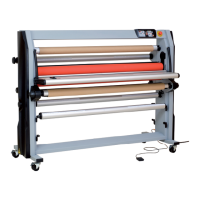
Utilize four locations on the machine for storing film reels on their blocking shafts.
The pivoting feeding tray aids print centering and includes a safety switch that stops the motor when lifted.
The removable back tray supports flat boards during lamination and can be stored at the machine's base.
An optional unwinding shaft is available for preserving prints on small rolls from dust and damage.
A safety cutter is provided to trim material efficiently, minimizing media wastage.
A metal feeding plate assists media installation and reduces wastage, stored conveniently at the machine's base.
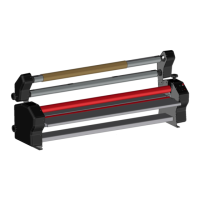
Load media onto self-blocking shafts by inserting the shaft into the mandrel and centering it using graduations.
Mount self-blocking shafts into the machine's holders, ensuring correct winding direction and shaft locking.
Install film with the glue facing outwards, considering winding direction for proper protection paper take-up.
Table detailing media positions for various lamination applications like single-side, double-side, and encapsulation.
Install upper film on a blocking shaft, ensure sticky side faces user, and use a second shaft for protection paper take-up.
Install waste paper, adhesive, or print roll on position 3, align with film, and secure the shaft.
Install application tape on position 1, sticky side facing user, and guide directly to the roller, avoiding the separation bar.
Install two lamination films, align, and secure shafts, then stick media onto the upper film.
Mount boards by lifting rollers, removing protection paper, inserting board, and adjusting speed.
Install film/vinyl, lift roller, tear film/vinyl, insert board, and start rollers for direct application.
Load print rolls onto shafts for dust-free, easy handling of laminated prints, and set up rewinding system.
Select pressure and speed, feed print straight and tight, using the paper guide for flatness.
Clean rollers, feeding tray, and back tray immediately or weekly using soap and water as specified.
User maintenance is limited to listed actions; contact distributor for further inquiries or issues.
Laminators contain no environmentally unfriendly components; recycling must be handled by an authorized company.


 To Next Page
 General