Need help?
Do you have a question about the kala Mistral 1650 and is the answer not in the manual?
Guide on choosing the optimal installation site for the laminating machine.
Instructions for safely removing the laminating machine from its packaging.
Details on the necessary electrical specifications and connection requirements for safe operation.
Procedures and guidelines for correctly installing the laminating machine.
Crucial safety information and mechanisms of the laminator, including laser and emergency stops.
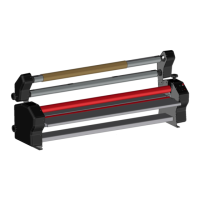
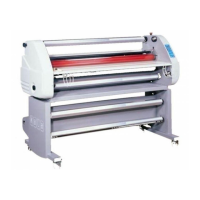
Diagram showing the different parts of the laminating machine.
Explanation of the control panel layout and its functions.
Step-by-step guide for powering on the laminating machine.
Instructions for setting and adjusting the upper roller temperature for lamination.
Guide on adjusting roller opening and pressure for optimal lamination results.
How to set and memorize the working speed of the laminating machine.
Controls for operating the machine in forward, stop, and reverse modes.
Functionality for saving and recalling frequently used speed and temperature settings.
How to use the foot switch for controlling the machine during operation.
Method for adjusting the tension of film reels for proper lamination.
Information on how to store film reels on the machine's shafts.
Features and use of the feeding tray, including its safety switch and squaring guide.
Details on the removable back tray and its role in rewinding prints.
Use of the unwinding shaft for preserving prints and for positioning on the machine.
Functionality of the safety cutter for precise material cutting and waste reduction.
Purpose and use of the feeding plate to aid media installation and reduce waste.
Step-by-step guide for mounting film reels onto the self-locking shafts.
Procedure for correctly installing the loaded self-locking shafts into the machine.
How the film winding affects its feeding and take-up during lamination.
Table detailing media positioning for various lamination applications.
Instructions for loading and using the rewinding system for continuous roll lamination.
Steps for feeding prints into the machine, ensuring alignment and tension.
Recommended cleaning procedures for the machine's components and frequency.
Information on user maintenance tasks and when to contact a distributor.
Guidelines regarding the environmentally friendly recycling of the laminator.

 To Next Page
 General