EasyManua.ls Logo

Kaleidescape 3U Server - User Manual

Kaleidescape 3U Server
3 pages
Print Icon
To Next Page IconTo Next Page
Loading...
This document is for informational purposes only. Kaleidescape makes no representations or warranties, express or implied, regarding the accuracy or completeness of the information
contained herein and Kaleidescape shall have no obligation to provide updates to this information in the future. Copyright © 2010–2011 Kaleidescape, Inc. All rights reserved. Kaleidescape
and the Kaleidescape logo are trademarks of Kaleidescape, Inc. and are registered in the United States and certain other jurisdictions. Other trademarks and trade names are owned by
third parties and may be registered in some jurisdictions. Kaleidescape Part No. 101-0181-04 Rev 1.
Disk Cartridge Replacement
Kaleidescape 3U Server, Slot 4
The RMA Info email includes the RMA number, system name, server type,
server serial number, slot number, serial number of disk cartridge to
replace, and return shipping address. This information may also be found
on the Kaleidescape Dealer Extranet.
Use this disk cartridge only in the slot and server specied in the RMA
Info email.
If any disk cartridge other than the one in the slot identied has an amber
light or the status light is not lit, call Kaleidescape Support BEFORE
replacing the disk cartridge.
Disk cartridges are sensitive mechanical devices susceptible to damage
from shock. Protect from bumps and drops. For a video on proper disk
cartridge handling procedures, go to
www.kaleidescape.com/go/drive-handling.
Always transport and ship disk cartridges in antistatic, well-cushioned
containers, preferably in the same packaging supplied by Kaleidescape.
RMA Information
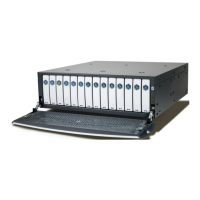
This disk cartridge is for replacing the disk
cartridge in slot 4 of a 3U Server. The disk
cartridge in slot 4 is identied in red in the
gure to the right.
Question and Answer IconNeed help?

Do you have a question about the Kaleidescape 3U Server and is the answer not in the manual?

Summary

RMA Information and Handling

RMA Details and Verification

Information included in RMA email and on Extranet, plus serial number verification.

Disk Cartridge Handling and Shipping

Guidelines for protecting disk cartridges from damage during handling and transport.

Disk Cartridge Replacement Procedure

Preparation and Initial Checks

Verify server power status, open front panel, and check power connection if needed.

Removing the Old Disk Cartridge

Press eject, wait, slide out cartridge, and verify serial number against RMA.

Inserting the New Disk Cartridge

Handle new cartridge carefully, insert into slot, and check status light after installation.

Post-Replacement Procedures and Support

Finalizing Replacement and Returns

Close front panel, keep server online for 48 hours, pack and return old cartridge.

Kaleidescape Support Contact Information

How to contact Kaleidescape Support via email or phone for assistance.

Overview

This document outlines the procedure for replacing a disk cartridge in a Kaleidescape 3U Server, specifically for slot 4. The Kaleidescape 3U Server is a storage device designed to house multiple disk cartridges, which are essential for its operation, likely involving media storage and management. The server features a front panel that indicates its power status (blue or amber when on) and individual slots for disk cartridges, each with a status light.

Function Description

The Kaleidescape 3U Server is a robust storage solution that relies on disk cartridges for its functionality. These cartridges are critical components, likely storing media files or system data. The server is designed to operate with multiple disk cartridges, providing a scalable and potentially redundant storage system. The replacement procedure detailed in the manual suggests that the server can continue to function even with a failed drive, and it incorporates new disk cartridges into its file system automatically. This indicates a degree of fault tolerance and ease of maintenance. The server's ability to integrate new drives and manage its file system over time, even requiring an internet connection for 48 hours after a replacement, points to sophisticated internal management of its storage array.

Usage Features

The Kaleidescape 3U Server is designed for straightforward operation and maintenance, even for tasks like disk cartridge replacement.

  • Visual Indicators: The server provides clear visual cues for its operational status. The front panel glows blue or amber when powered on, indicating its general status. Each disk cartridge slot also has a status light (solid blue, blinking blue, or amber) to indicate the health and operational state of individual cartridges. A solid blue light typically signifies a healthy, active drive, while a blinking blue light might indicate a "hot spare" drive that is ready to take over if another drive fails. An amber light, however, is a critical indicator of a problem, prompting the user to contact support.
  • Easy Access: The front panel of the server can be opened to access the disk cartridge slots, making replacement a relatively simple process.
  • Eject Mechanism: Each disk cartridge is equipped with an "EJECT" button (featuring the Kaleidescape logo), allowing for easy and safe removal of a cartridge from its slot. A brief waiting period after pressing the eject button ensures that the system is ready for removal.
  • Guided Insertion: Disk cartridges are inserted into the empty slot with the logo facing up, and a firm but gentle push ensures they lock into place. This design minimizes the risk of incorrect insertion.
  • Automatic Integration: After a new disk cartridge is inserted, the server automatically begins the process of incorporating it into the file system. This process requires the server to remain powered on and connected to the Internet for approximately 48 hours, during which the new cartridge becomes fully integrated. This feature simplifies the user's role, as manual configuration steps are minimized.
  • Fault Tolerance: The server is capable of running with two failed drives, highlighting its robust design and ability to maintain operation even under partial component failure. This is a significant feature for systems requiring high availability of stored data.
  • Hot Spare Functionality: When replacing multiple drives, the second new disk cartridge inserted becomes a "hot spare," indicated by a blinking blue light. This means it is ready to immediately take over if another drive fails, further enhancing the system's reliability and data protection.

Maintenance Features

The Kaleidescape 3U Server incorporates several features to facilitate maintenance and ensure the longevity and proper functioning of its storage system.

  • Clear Replacement Procedure: The manual provides a step-by-step guide for replacing a disk cartridge, complete with visual aids, making the process accessible even for users who may not be IT professionals.
  • Serial Number Verification: Users are instructed to verify the serial number of the removed disk cartridge against the RMA (Return Merchandise Authorization) information. This crucial step ensures that the correct cartridge is being replaced and returned, preventing potential mix-ups and ensuring proper tracking.
  • Handling Guidelines: The document emphasizes the importance of careful handling of disk cartridges, noting their sensitivity to shock and recommending transport and shipping in antistatic, well-cushioned containers. A link to a video on proper drive handling procedures is also provided, demonstrating a commitment to educating users on best practices for maintaining the hardware.
  • Support Contact Information: Comprehensive support information is provided, including an email address and a phone number. Users are advised to have the server's serial number and RMA number ready when contacting support, streamlining the troubleshooting process. The location of the serial number label (behind the front panel and on the back of the server) is also specified for convenience.
  • Pre-emptive Troubleshooting Advice: Before replacing a disk cartridge, users are advised to check the status lights of other cartridges. If any other cartridge shows an amber light or no light, users are instructed to call Kaleidescape Support before proceeding with the replacement. This proactive advice helps prevent further issues and ensures that the root cause of any problems is addressed.
  • Staggered Replacement for Multiple Drives: If replacing multiple failed drives, the manual advises adding one disk cartridge, waiting for it to integrate, and then adding the second. Furthermore, it explicitly states not to replace another disk cartridge for at least 48 hours after a replacement. This staggered approach is critical for maintaining data integrity and allowing the server's file system to properly rebuild and integrate the new drives, preventing potential data loss or system instability.
  • Packaging Guidelines for Returns: The manual directs users to specific packaging guidelines for returning products to Kaleidescape, ensuring that returned items are handled and shipped correctly to avoid damage during transit. This attention to detail in the return process reflects a commitment to efficient and effective customer service.

In summary, the Kaleidescape 3U Server is designed as a user-friendly, robust storage solution with clear indicators, easy access for maintenance, and automated integration processes. Its maintenance features prioritize user guidance, careful handling, and readily available support, all contributing to a reliable and manageable system for media storage.

Kaleidescape 3U Server Specifications

General IconGeneral
NetworkGigabit Ethernet
Form Factor3U
Audio Formats SupportedDTS-HD Master Audio
RAID SupportRAID 5
Power SupplyRedundant power supplies
Operating SystemKaleidescape OS
CompatibilityKaleidescape

Related product manuals