KDISK Installation January 2021
101-0267-00 Rev 2 Page 2 of 6
Identify the Terra Server
Terra Servers can look a lot like Strato players, here’s how to tell them apart
and find the serial number.
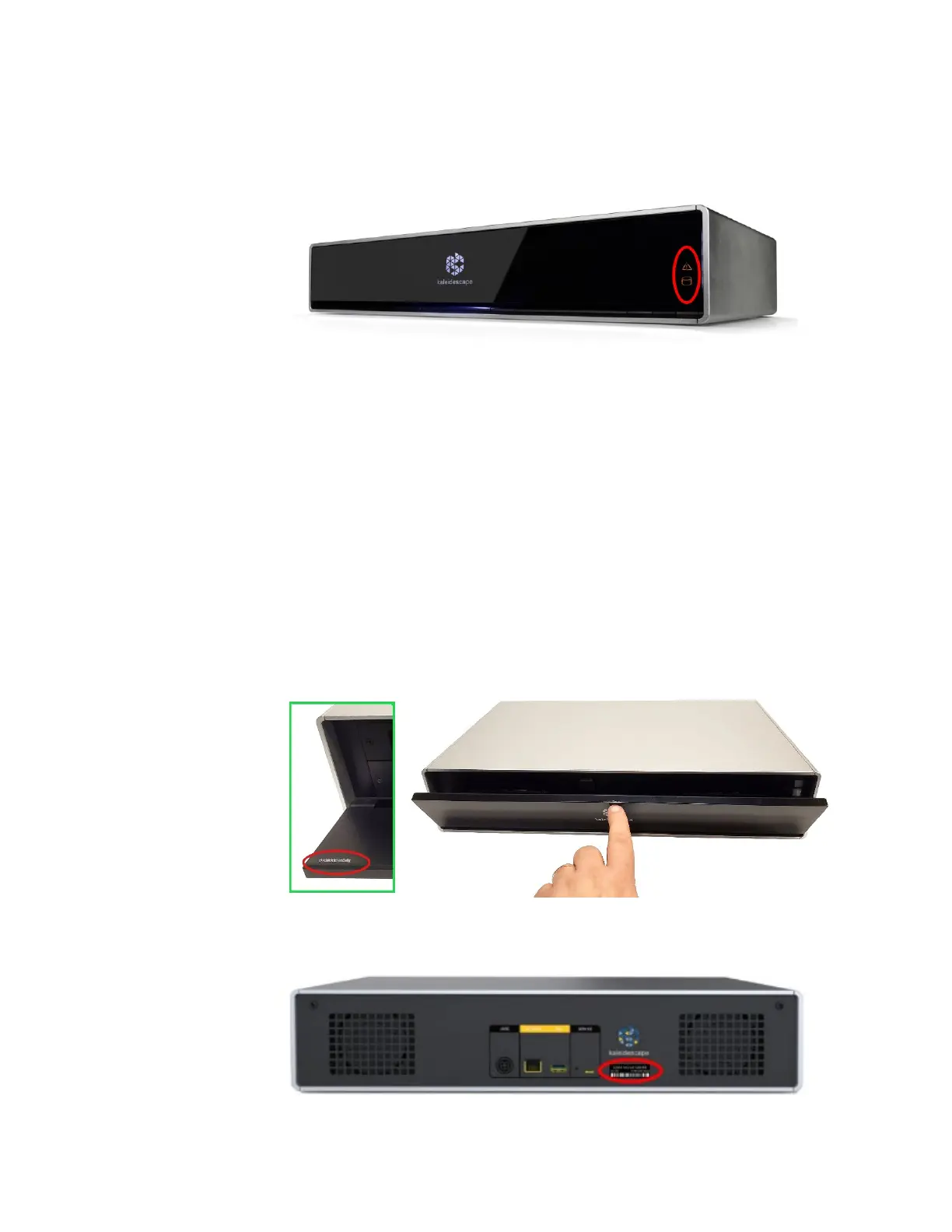
Hint: Servers requiring attention will have a lit HDD and Error icon.
Terra servers are visually different than Strato players in a few subtle ways:
• They are a full 2RU in height.
• They do not have a power button at the bottom right.
• The front panel will flip down after pushing on the top center.
• They have two round, black, hinges at the front bottom left and right
corners, in the air vent, slightly recessed from the front panel.
Confirm the Terra is the correct serial number. The serial numbers can be
found in two locations, from the front or rear of the server:
Inside front door: Press and release the top center of the front panel to open
the front panel. The serial number will be found in the left corner.
Rear of unit: Serial number is to the right of the connectors.


 To Next Page