EasyManua.ls Logo

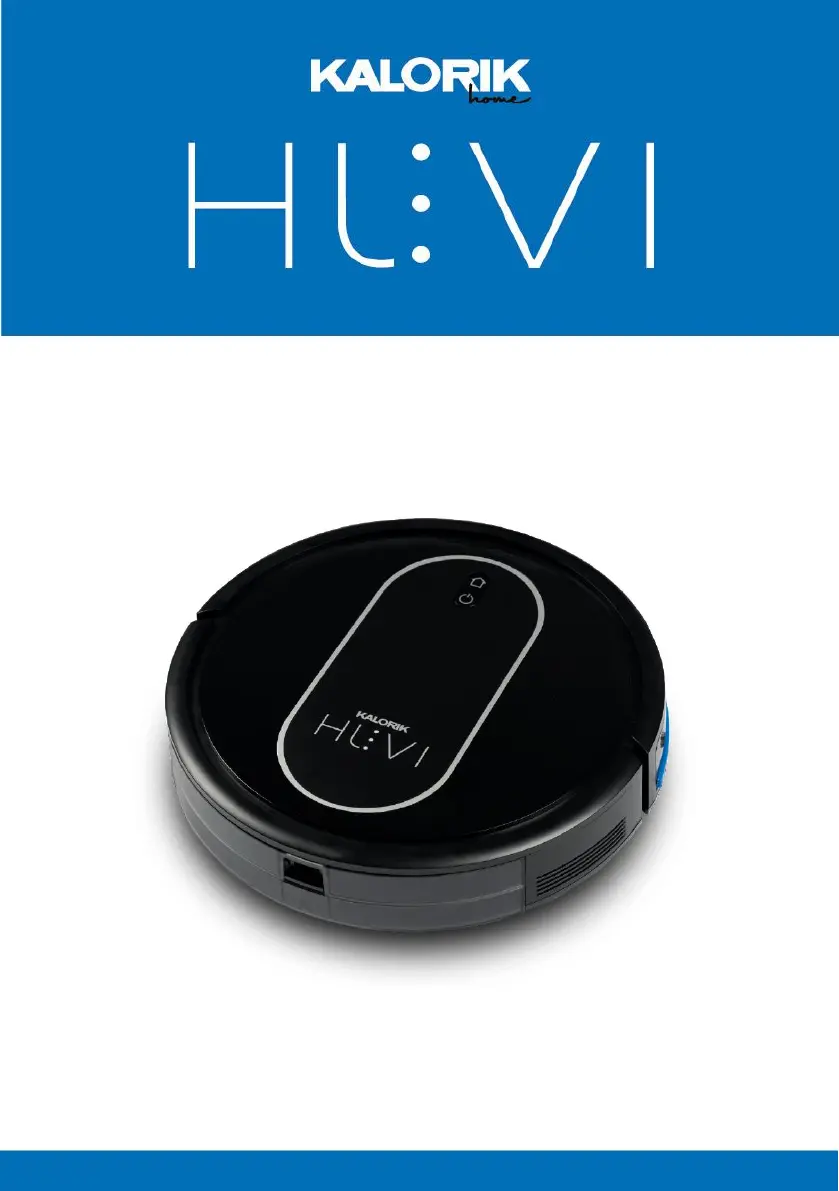
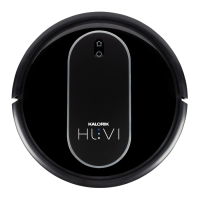
Kalorik HUVI R1 - User Manual

Kalorik HUVI R1
70 pages
Print Icon
To Next Page IconTo Next Page
Loading...
1
www.KALORIK.com
220131
ROBOT VACUUM R1
ASPIRATEUR ROBOT R1
EN……....2
FR….......36

Table of Contents

Questions and Answers

  • D
    Dorothy MartinezAug 16, 2025
    How to fix Kalorik HUVI R1 Vacuum Cleaner (HUVI) when it is not charging?
    • S
      Stephanie BerryAug 17, 2025
      If your Kalorik Vacuum Cleaner (HUVI) isn't charging, there are a few potential reasons. First, ensure that HUVI is switched on. Second, check that HUVI's charging contacts are properly connected to the charging base's pins. Finally, if the battery is discharged, try reactivating it by switching HUVI on, placing it on the charging station for 3 minutes, removing it, and repeating this process three times before charging normally.
  • V
    Vicki Fernandez DDSAug 19, 2025
    Why does my Kalorik HUVI R1 Vacuum Cleaner (HUVI) not clean at the scheduled time?
    • B
      Brittany PenningtonAug 19, 2025
      If your Kalorik Vacuum Cleaner (HUVI) isn't cleaning at the scheduled time, there could be several reasons: * The schedule function may have been canceled. Use the HUVI app to schedule specific cleaning times. * HUVI might be switched off. Ensure HUVI is switched on. * The battery may be low. Keep HUVI switched on and connected to the charging station, ensuring it's fully charged before operating. * The roller brush or suction intake may be blocked. Turn off HUVI and clean the dust bin, roller brush, side brushes, and suction intake.
  • M
    Meredith BaileyAug 22, 2025
    What to do if Kalorik HUVI R1 Vacuum Cleaner (HUVI) is not able to connect to WiFi?
    • V
      vzamoraAug 22, 2025
      If your Kalorik Vacuum Cleaner (HUVI) is unable to connect to your home WiFi network, consider the following: * Verify that you've entered the correct WiFi username and password. * Ensure that HUVI is within range of the WiFi signal. * If the network connection was started before HUVI was ready, refer to the CONNECTING TO THE HUVI APP section for connection instructions. Make sure the HUVI’s indicator is flashing when connecting through the app and that you are connecting to the 2.4 GHz signal. * Update your smart device’s operating system. * Restart your smart device, reboot HUVI, and restart your router before connecting again.
  • B
    Brittney BowmanAug 26, 2025
    Why does my Kalorik HUVI R1 Vacuum Cleaner (HUVI) get stuck and stop operating?
    • J
      John LiuAug 26, 2025
      If your Kalorik Vacuum Cleaner (HUVI) gets stuck while running and stops operating, it may have been obstructed by something on the floor, such as cords, curtains, or carpet fringes. HUVI will attempt to free itself. If it remains stuck, remove the obstacles by hand and restart it.
  • A
    adavisAug 28, 2025
    Why Kalorik HUVI R1 (HUVI) does not clean the entire area?
    • S
      Stephanie GarciaAug 28, 2025
      If your Kalorik Vacuum Cleaner (HUVI) isn't cleaning the entire area, it might be due to obstructions on the floor blocking its path. Remove any obstructions and small objects from the area before HUVI starts cleaning.
  • W
    William BlairAug 31, 2025
    How to fix Kalorik HUVI R1 (HUVI) not charging?
    • V
      Victoria CollinsAug 31, 2025
      If your Kalorik Vacuum Cleaner (HUVI) is not charging, ensure that it is switched on. Also, check that the charging contacts on HUVI are properly connected to the pins on the charging base. If the battery is discharged, reactivate it by switching HUVI on, placing it on the charging station for 3 minutes, removing it, and repeating this process three times before charging normally.
  • N
    Nicholas StarkSep 3, 2025
    Why Kalorik HUVI R1 (HUVI) does not clean at the scheduled time?
    • M
      millermarySep 3, 2025
      If your Kalorik Vacuum Cleaner (HUVI) does not clean at the scheduled time, first ensure that the schedule function hasn't been cancelled by checking the HUVI app to schedule specific cleaning times. Also, make sure HUVI is switched on and connected to the charging station with a fully charged battery before operating. This behavior is normal if HUVI has finished the scheduled cleaning. Finally, check if the roller brush or suction intake is blocked; if so, turn off HUVI, clean the dust bin, roller brush, side brushes, and suction intake.
  • S
    Sarah MillsSep 6, 2025
    What to do if Kalorik HUVI R1 (HUVI) gets stuck while running?
    • J
      John JohnsonSep 6, 2025
      If your Kalorik Vacuum Cleaner (HUVI) gets stuck while running and stops operating, it may be obstructed by cords, curtains, or carpet fringes on the floor. HUVI will attempt to free itself. If it remains stuck, manually remove the obstacles and restart the device.
  • J
    Jessica FisherSep 9, 2025
    Why Kalorik HUVI R1 (HUVI) is not able to connect to WiFi?
    • A
      Alicia MosesSep 9, 2025
      If your Kalorik Vacuum Cleaner (HUVI) is not able to connect to your home WiFi network, ensure that you are entering the correct WiFi username and password. Also, verify that HUVI is within range of the WiFi signal. Refer to the CONNECTING TO THE HUVI APP section for connection instructions and make sure the HUVI’s indicator is flashing when connecting through the app and that you are connecting to the 2.4 GHz signal.
  • J
    Jonathan RomeroSep 12, 2025
    Why Kalorik HUVI R1 Vacuum Cleaner (HUVI) returns to base before cleaning is complete?
    • B
      butlerbenjaminSep 12, 2025
      If your Kalorik Vacuum Cleaner (HUVI) returns to the charging base before it has finished cleaning, it is either because the battery is low and HUVI is automatically returning to recharge, or because the working time varies depending on the floor surface, room complexity, and cleaning mode selected. Both of these behaviors are normal, and no action is needed.

Summary

Product Registration and Technical Details

Technical Specifications

Detailed technical data including model, voltage, battery, and power.

HUVI Robot Interface and Indicators

Essential Safety Precautions

General Safety Guidelines

Essential safety instructions to prevent injury and product damage during use.

Initial Setup and Preparation

Connecting to the HUVI Mobile App

App Connection Requirements

Prerequisites for connecting HUVI to the mobile app, including WiFi and device setup.

Voice Control Integration

Amazon Alexa Integration

Guide to linking HUVI with Amazon Alexa for convenient voice command operation.

Google Assistant Integration

Guide to linking HUVI with Google Assistant for enhanced voice control capabilities.

Operating the HUVI Robot

Advanced App Settings and Automation

Maintenance and Cleaning Procedures

General Cleaning and Maintenance Guide

Comprehensive instructions for cleaning the robot's components and performing regular maintenance.

Component Cleaning and Battery Replacement

Troubleshooting and Problem Solving

Charging and Connectivity Issues

Solutions for common problems like the robot not charging or failing to connect to WiFi.

Warranty and Customer Support

Warranty Terms and Coverage

Details of the product warranty, coverage period, limitations, and exclusions.

Kalorik HUVI R1 Specifications

General IconGeneral
BrandKalorik
ModelHUVI R1
CategoryVacuum Cleaner
LanguageEnglish

Related product manuals