ILDA show mode - This mode plays each individual animation on the SD card. It allows the user to cycle through each animation
individually. To operate in this mode, select ILD show from the Mode menu, then scroll down and select Exit. All available ILDA files
are then listed. Rotate the Menu Control knob to view the files. To select and play a file, simply press the Menu Control knob. To
select another ILDA file from the list, simply rotate the Menu Control knob until you see the file you wish to play and then press the
Menu Control knob. To pause an animation, press the Menu Control knob once, press the knob again to resume.
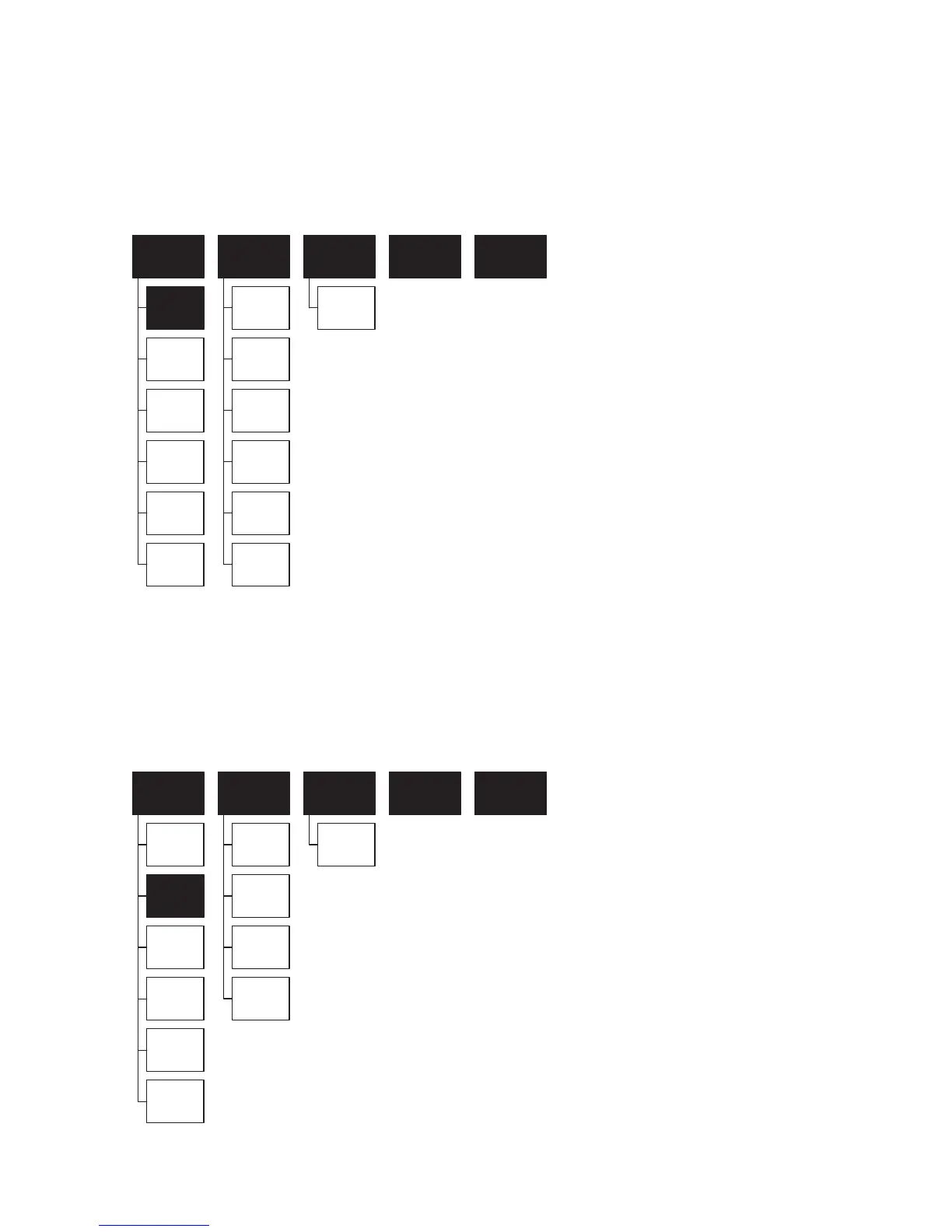
The layout for the ILD show mode menu is illustrated below:
X mirror
Sound range
0-87
Y mirror
Colour setting:
Single colour
RGY
Multi-colour
Scan rate
Play speed
Exit
Setting Sensitivity Back Exit
Mode
ILD show
PRG ILD list
Built-in show
DMX
Sound active
Exit
PRG ILD list mode - This mode plays a group of animations. To operate in this mode, select PRG ILD list from the Mode menu,
then scroll down and select Exit. Rotate the Menu Control knob to view the available folders. To select and play the contents of a
folder, simply press the Menu Control knob when the chosen folder name is visible. All files from within the selected folder will
automatically begin to play. If you wish to stop playing the contents of a folder, simply rotate the Menu Control knob. To begin playing
the folder contents again, rotate the Menu Control knob until the word ‘LIST.ist’ appears, the files will now begin to play again.
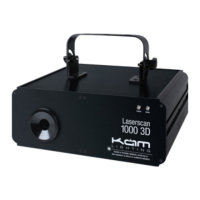
The layout for the PRG ILD list mode menu is illustrated below:
X mirror
Sound range
0-87
Y mirror
Colour setting:
Single colour
RGY
Multi-colour
Exit
Setting Sensitivity Back Exit
Mode
ILD show
PRG ILD list
Built-in show
DMX
Sound active
Exit


 To Next Page