Allfourbatteriesprovidedarerechargeable.
Beforeinstallingthebatteriesintothecamera,
pleaseusea18650batterychargerand
batteries.
Wecan'tguaranteethesafetyofotherbrands
ofbatteriesorchargers.
7
8
Step2
AfterloggingintoyourKamiHomeApp,tapthe
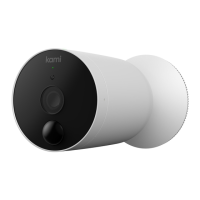
"+"signandselectKamiWire-FreeOutdoor
Camera.
Step3
Onceallfourbatteriesareinstalled,replacetheback
coverandrotatetosecure.
Step1
DownloadtheKamiHomeApp.RegisteraKami
accountandlogin.
4.Pairingyourcamera
Step3
Ensurethatyourcellphoneisonthe2.4GHzWiFi
network.
Step4
PresstheOperatingButtontopoweronthedevice.
Whenthelightblinksand"Waitingtoconnect"is
heard,tap"Iheard'Waitingtoconnect'"onyour
screen.


 To Next Page