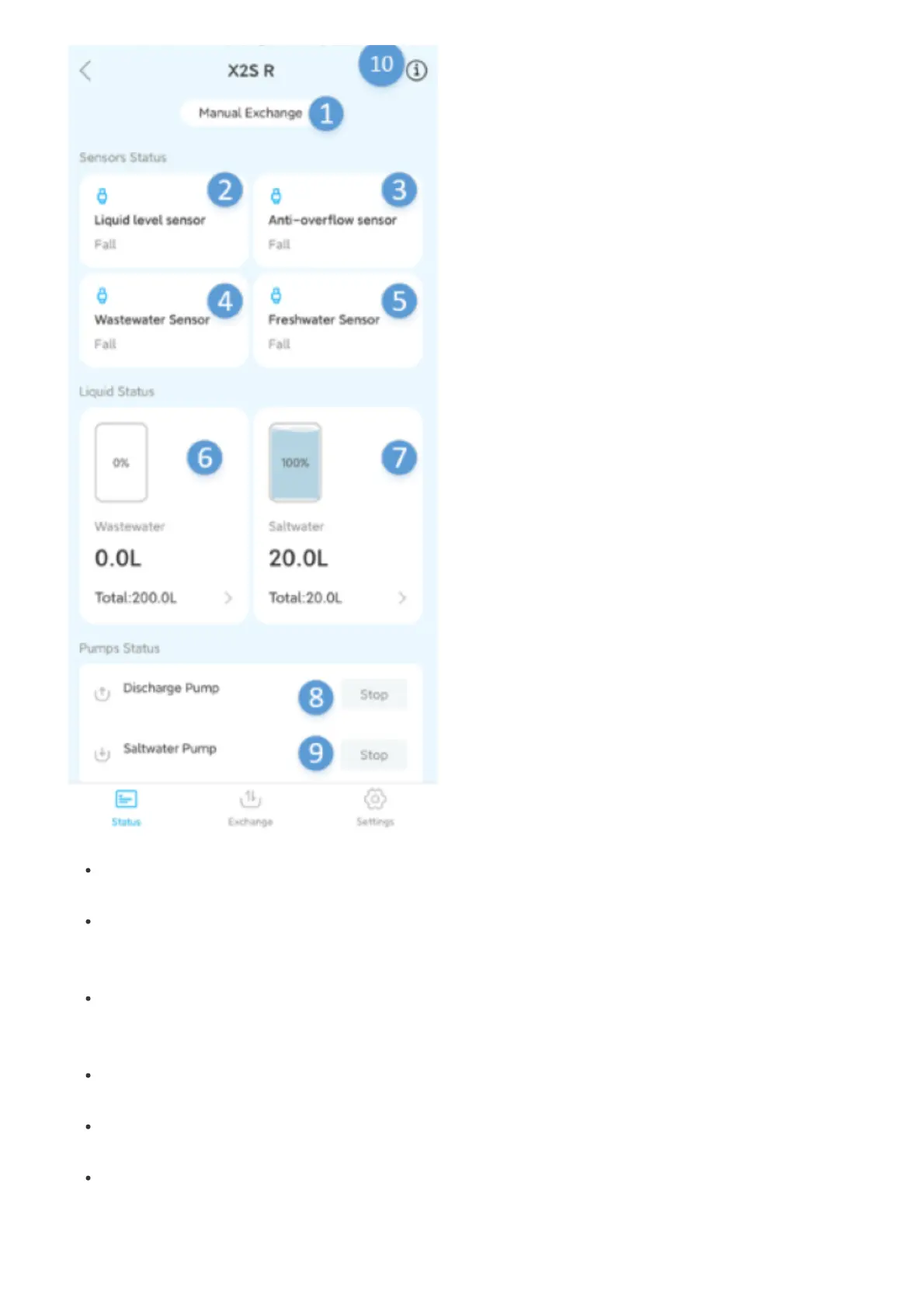
1. Manual water change/automatic water change:The water change status display can be switched in
the title bar of the water change module.
2. Liquid level sensor:The liquid level sensor that decides whether to replenish fresh water. When the
water in the cylinder is low and the float is lower than the page, the automatic water replenishment will
start until the page returns to the float position;
3.Anti-overflow sensor: When the liquid level sensor is broken and the water is refilled, the water level
will continue to rise until the anti-overflow sensor. At this time, the device will send an alarm to the
mobile phone and stop the current automatic water replenishment;
4.Waste liquid sensor:When it recognizes that the water level of the waste water bucket is full, send an
alarm to the App;
5.Fresh water sensor:When it recognizes that the fresh water bucket is empty, it sends an alarm to the
App;
6.Waste water bucket:Identify whether the waste water bucket is full, click to set the volume of the
waste water bucket


 To Next Page
 Loading...