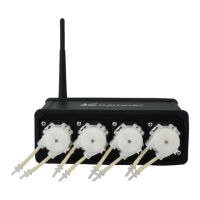
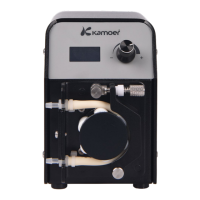
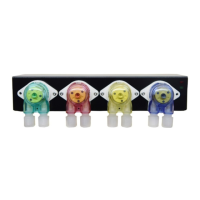
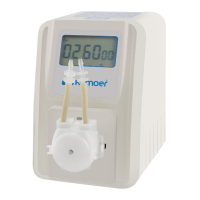
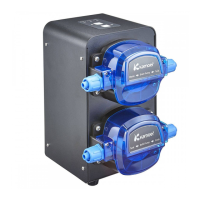
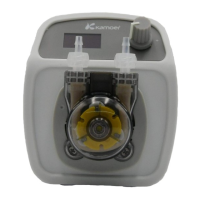
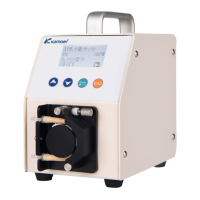
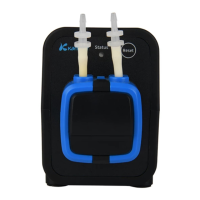
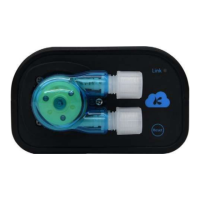
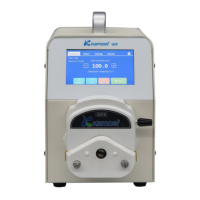
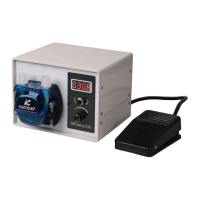
The Kamoer F1 Dosing Pump is a single-channel intelligent dosing pump designed for precise and automated addition of various elements essential for marine life growth, such as calcium, magnesium, KH booster, and trace elements, to marine life aquariums. It features both WiFi and Bluetooth control functions, allowing for timing, quantitative, and accurate dosing. The automation provided by the F1 dosing pump significantly reduces manual labor and helps prevent errors like leakage, over-dosing, or under-dosing.
Technical Specifications
- Dimensions (LWH): 1009063 mm (including pump head)
- Weight: 205g (power adapter not included)
- Power Adapter:
- Input: 100VAC - 240VAC
- Output: DC12V 1A
- Dosing Channel: 1 KXF-B06 pump head
- Flow Rate: >33ml/min
- Number of Dosing: 24 times/day - 1 time/99 days
- Dosing Accuracy: <±2%
- Volume Range: 0.1ml-9999ml
- Interface: WiFi & Bluetooth
- Working Environment:
- Temperatures: 0 - 70°C
- Humidity: 10% - 90% (non-condensation)
- Storage Environment:
- Temperature: -20°C - 85°C
- Humidity: 10% - 90% (non-condensation)
Usage Features
The F1 Dosing Pump is controlled via a dedicated mobile application, "Kamoer Remote," available for both iOS (9.1 and above) and Android (4.4 and above) devices.
- App Download and Account Registration: Users can download the app by scanning a QR code on the packaging or within the manual, or by searching "Kamoer Remote" in the App Store or Google Play. Account registration can be done via mobile phone or email. It is crucial to select the correct region during registration, preferably by scanning the device's QR code, to ensure successful network configuration.
- Device Connection:
- Ensure the wireless router is connected to the internet and your phone is connected to the router's 2.4 GHz WiFi hotspot (the device does not support 5G WiFi). Bluetooth permission on your phone must be enabled.
- Open the Kamoer Remote App, log in, and click the "+" icon in the upper right corner.
- Select "Add Device" and then "F1 Dosing Pump" from the list of supported devices.
- The app will automatically search for nearby F1 dosing pumps via Bluetooth. Once found, click the device icon to add it.
- The app will then enter the WiFi selection page. Select your WiFi network and enter the password.
- The indicator light will flash red during the connection process. Upon successful connection, the app will confirm, and the indicator light will turn blue. If the connection fails, the app will provide troubleshooting prompts.
- Binding F1: There are two methods to bind the F1 pump:
- Through the network configuration process described above.
- If the dosing pump is already connected to the cloud via a router, and the mobile phone is connected to the same wireless router, the app will scan and display locally available dosing pumps. Users can directly click the "Bind" button next to the dosing pump to complete the binding.
- Unbinding F1: To unbind the device, press and hold the corresponding dosing pump icon on the device list page. A "Remove" icon will pop up at the bottom; click it to unbind.
- Indicator Light Status:
- On: Connected to the cloud.
- Flashing red: In network configuration.
- Flashing blue: Disconnected from the cloud.
- Off: No power supply or power failure.
- Tutorials: The app provides a "Tutorial" page (accessed by clicking the "?" icon on the device list page) where users can find the user manual and frequently asked questions specifically for the F1 Dosing Pump.
Maintenance Features
- Proper Power Supply: Always use the product's own power adapter and operate within the specified working environment.
- WiFi Compatibility: The device exclusively supports 2.4G WiFi and is not compatible with 5G WiFi networks.
- Placement and Tubing:
- The dosing pump should be placed in a reasonable position, ensuring the height difference between the liquid inlet and outlet is within 0.5 meters.
- The connection pipe for the liquid inlet should be as short as possible.
- The outlet connection pipe should be suspended above the target container to prevent back-siphoning or other issues.
- Connection Verification: Carefully check that the inlet and outlet connections are in the correct direction to ensure proper operation.
- Consumables: Consumable and wearing parts, such as the pump tube, connectors, and connecting tubes, are not covered under the free warranty.
- Warranty: The warranty service is valid for users who have correctly installed, used, and maintained the device according to the manual. It covers damages caused by manufacturing processes or components for one year from the date of purchase. It does not cover man-made faults, damages from improper use, unauthorized modifications, or expired warranty periods. Proof of purchase should be kept for warranty claims.

 Need help?
 General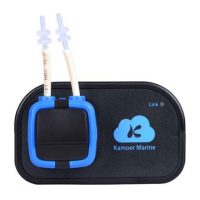

 To Next Page