EasyManua.ls Logo

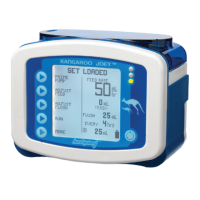
Kangaroo E-PUMP User Manual

Default Icon
2 pages
To Next Page IconTo Next Page
Page #1 background imageLoading...
Page #1 background image
KANGAROO E-PUMP INSTRUCTIONS FOR FEED/FLUSH ONLY
(adapted from Kangaroo ePump Instructions for Use Manual)
CC.12.10A BC Children’s Hospital Child & Youth Health Policy and Procedure Manual Page 1 of 2
May 1
st
, 2012 Refer to online version – Print copy may not be current – Discard after use
Battery Life:
o 15 hours @125ml per hour
o 8 hour recharge time will recharge while plugged in and running.
24 Hou Memory: r
o Pump will retain settings and volume to be delivered even if pump is turned off
Operating Range: 1-400ml in 1ml increments
E Pump Tubing: 13ml in tubing
1. ON/OFF:
o To power on, press POWER button on right hand corner of control panel
o To power off, hold the POWER button for countdown 3,2,1 until the pump display turns off. Then release
because if held too long it will turn back on.
2. Keep or Clear Prior Pump Settings: Immediately after powering up the pump, if the prior feed or flush settings
were not cleared, 2 options are given:
o KEEP SETTINGS - to start with the same settings that were most recently programmed into the
pump. Any of the previously-programmed settings can be modified, if needed. The feed volume
totals, “mL FED” (Continuous Feed Mode) or “BOLUSES FED” (Intermittent Feed Mode) and “mL
FLUSH” are also maintained
o CLEAR SETTINGS - to reset all settings and feed totals to zero. It will then be necessary to program
all settings before running the pump.
Note: The feed totals (“mL FED,” “BOLUSES FED,” “mL FLUSH”) can be cleared at any time, and without
clearing the pump settings, by doing the following:
Start the pump RUNNING
PressHOLD
PressCLEAR VOLUME
the pump will then show LOAD A SET or, if the Pump Set is already loaded, it will show SET
LOADED
3. Load Feeding Set:
a. Open Blue door, load set. (Do not overstretch tubing)
o Use new ePump Feeding Set Only.
o No more Drip Chamber!
o Hang Height 18 inches: in order to achieve proper accuracy, the bottom of the feeding set
container must be 18 inches above the top of the feeding pump.
b. Screen shows CLEAR SETTINGS/KEEP SETTINGS (Choose an Option)
o Keep settings = same patient, same prescription
o Clear Setting = resets all settings and feed totals to zero
4. Adjust Feed
o FEED RATE (This is the icon to adjust the rate)
o Select Feed Rate and press ENTER (a value must be entered)
o FEED VTBD (Volume to be delivered)
o Select Volume to be delivered and press ENTER (This is optional only if you want to use this feature)
o After these have been entered press DONE to ensure the settings are saved
5. Prime Pump:
o Press AUTO PRIME until it shows Autoprime is complete.
o Then press HOLD TO PRIME FEED to complete priming (this will bring the formula to the end of the
tubing).
o Press DONE
6. Press RUN when ready to start.
7. To Stop, press HOLD button (This will hold for 10 minutes before it alarms). If you would like to extend the hold,
press RESUME IN __ MIN (this will automatically stop the pump for 30 minutes and then it will restart
automatically).
Question and Answer IconNeed help?

Do you have a question about the Kangaroo E-PUMP and is the answer not in the manual?

Kangaroo E-PUMP Specifications

General IconGeneral
Accuracy±5%
Increments0.1 mL/hr
Battery TypeRechargeable Lithium-Ion
DisplayLCD with backlight
TypeInfusion Pump
Occlusion Pressure SettingsLow, Medium, High
AlarmsAir-in-line, Occlusion, Low battery, Door open
Operating Temperature10°C to 40°C
Operating Humidity20% to 90% RH non-condensing
Flow Rate Range0.1 to 400 mL/hr (0.1 mL/hr increments)

Summary

Pump Operation: ON/OFF

Prior Pump Settings Management

Keep Prior Settings

Retains and allows modification of the last programmed settings, including feed volume totals.

Clear Prior Settings

Resets all settings and feed totals to zero, requiring full reprogramming before use.

Loading the Feeding Set

Adjusting Feed Parameters

Feed Rate Adjustment

Adjust the feed rate using the dedicated icon and enter a value.

Volume to be Delivered (VTBD)

Optional setting to specify the total volume to be delivered during the feed.

Priming the Pump

Starting and Stopping the Pump

Clearing Feed Totals

Keep Tube Open (KTO) Feature

Lock Feature Operation

Pump Options Menu

Buzzer/Alarm Volume

Adjust the volume of the buzzer or alarm.

History Log

Access the past 72-hour history of pump operations.

Language Settings

Adjust or confirm the pump's language settings.

Feed Mode Selection

Choose between Continuous or Intermittent feed modes.

Rinsing the Bag

Error, Warning, and Information Screens

HOLD ERROR

Occurs if the pump is in HOLD mode without input for over 10 minutes.

ROTOR ERROR

Indicates an unusual rotor operating condition, often due to tubing.

FLOW ERROR

Signifies a downstream occlusion in the pump-patient line.

FEED OR FLUSH ERROR

Indicates an upstream occlusion in the bag-pump line.

PUMP SET DISLODGED

Alerts that the pump set has not been properly loaded.

BATTERY LOW

Indicates the battery needs immediate recharging.

SYSTEM ERROR

A general error; requires return to Biomedical Engineering.

FEEDING COMPLETE

Notification that the programmed feeding has finished.

Pump Set Usage Warning

Indicates the pump set has been used for 24 hours or more; replacement recommended.

Related product manuals