Assembly InstructionsWallaby II
8
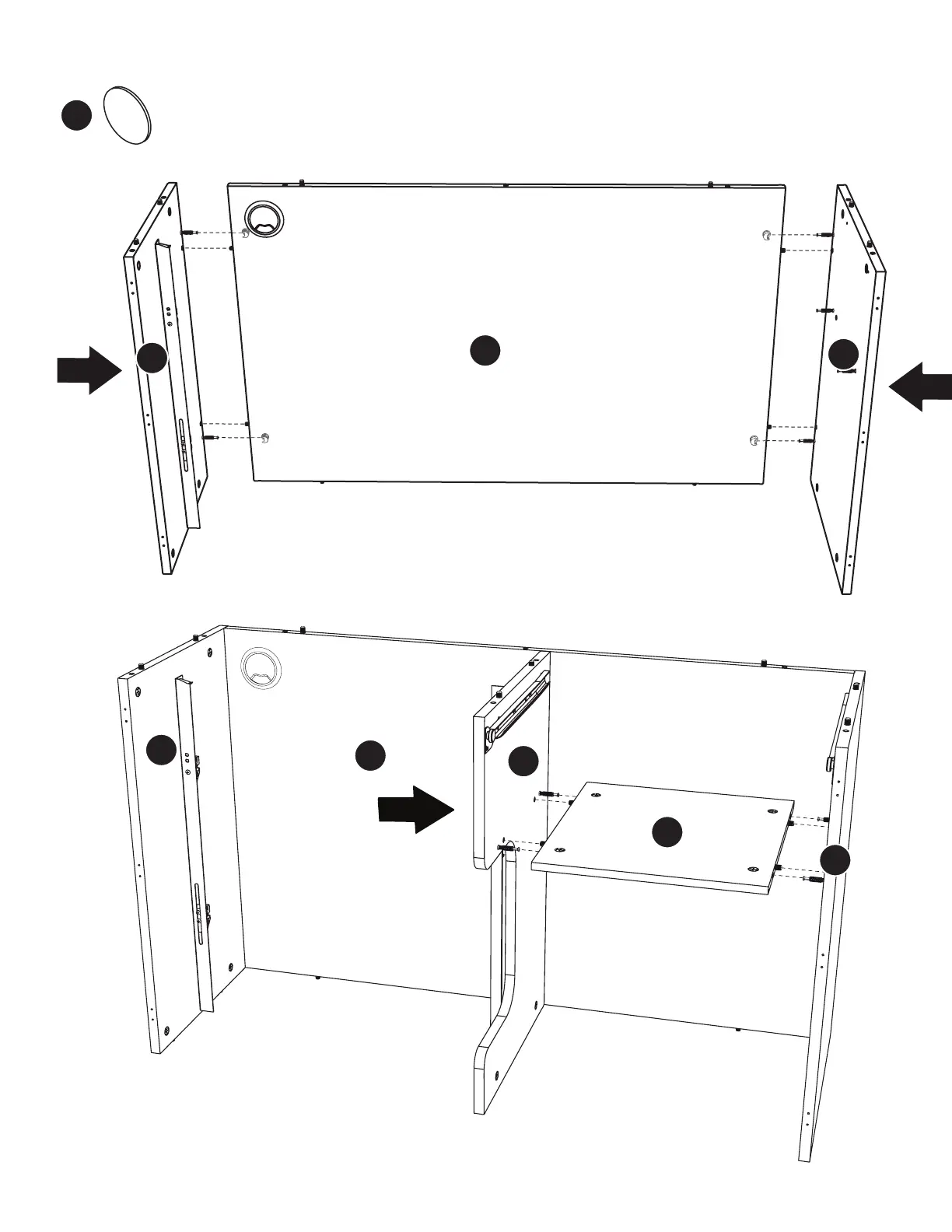
Step 2: Cabinet Sides and Back
5
⁄
8
“ Cam Cover x8
Attach Panels X and Z to Panel D. Tighten Cam Locks and apply Cam Covers
Note: We recommend doing this step with panels upside down as shown so panels are in correct position to attach Panel G.
Note: Cam Locks on Panel D will be facing the back of the cabinet.
Attach Panel F to Panels X and Y. Tighten Cam
Locks and apply Cam Covers


 To Next Page