8
Put 4 AA-size batteries in and make certain the batteries are correctly oriented.
New alkaline battery or rechargeable Ni-MH battery can be used. Never mix battery types, or battery
leakage or damage to the instrument may occur.
Replace the compartment cover (refer to figure ③). The compartment cover will be automatically locked.
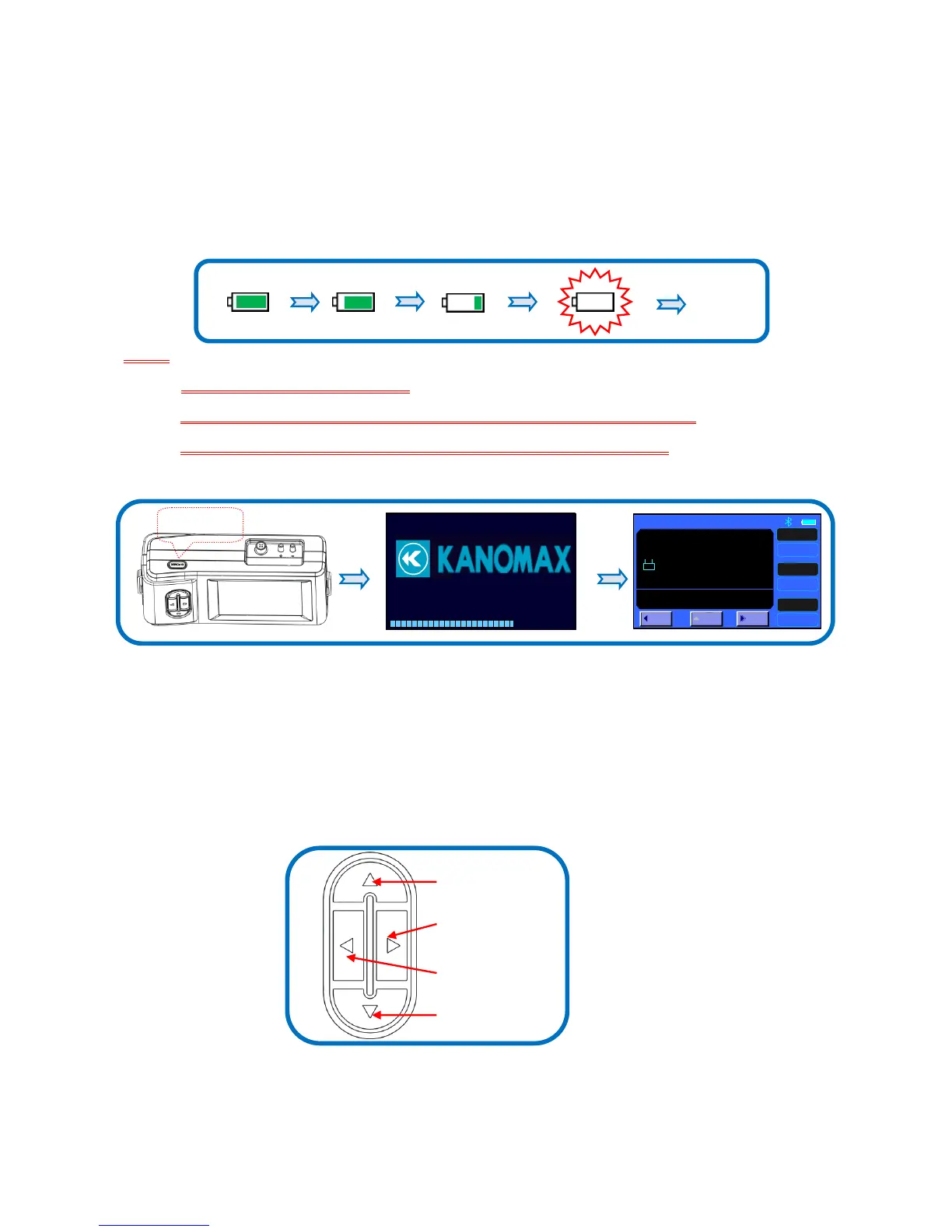
When power is supplied with batteries, the current charge value will be displayed on the upper of the LCD.
When the batteries run out of power, the instrument will turn off.
Note:
1) Do not test with low battery power.
2) Do not mixing use full power battery with low power ones for ensure testing well.
3) Change the batteries in time when power shows low for ensure testing well.
4.2. Start On / Power Off
1. Start On
Press button【POWER】for 2 seconds for start On, displaying “ KANOMAX” then enter into the testing
interface.
2. Power Off
Press【POWER】for 2 seconds, shut down and power off.
4.3. Keypad operation
UP:Value increasing or Cursors upward moving.
SAVE:Save the current test results
SET:Store changes or enter into the selected option’s next level interface
MENU:On the main screen holding this down for 2 seconds will enter into the main “MENU”


 To Next Page