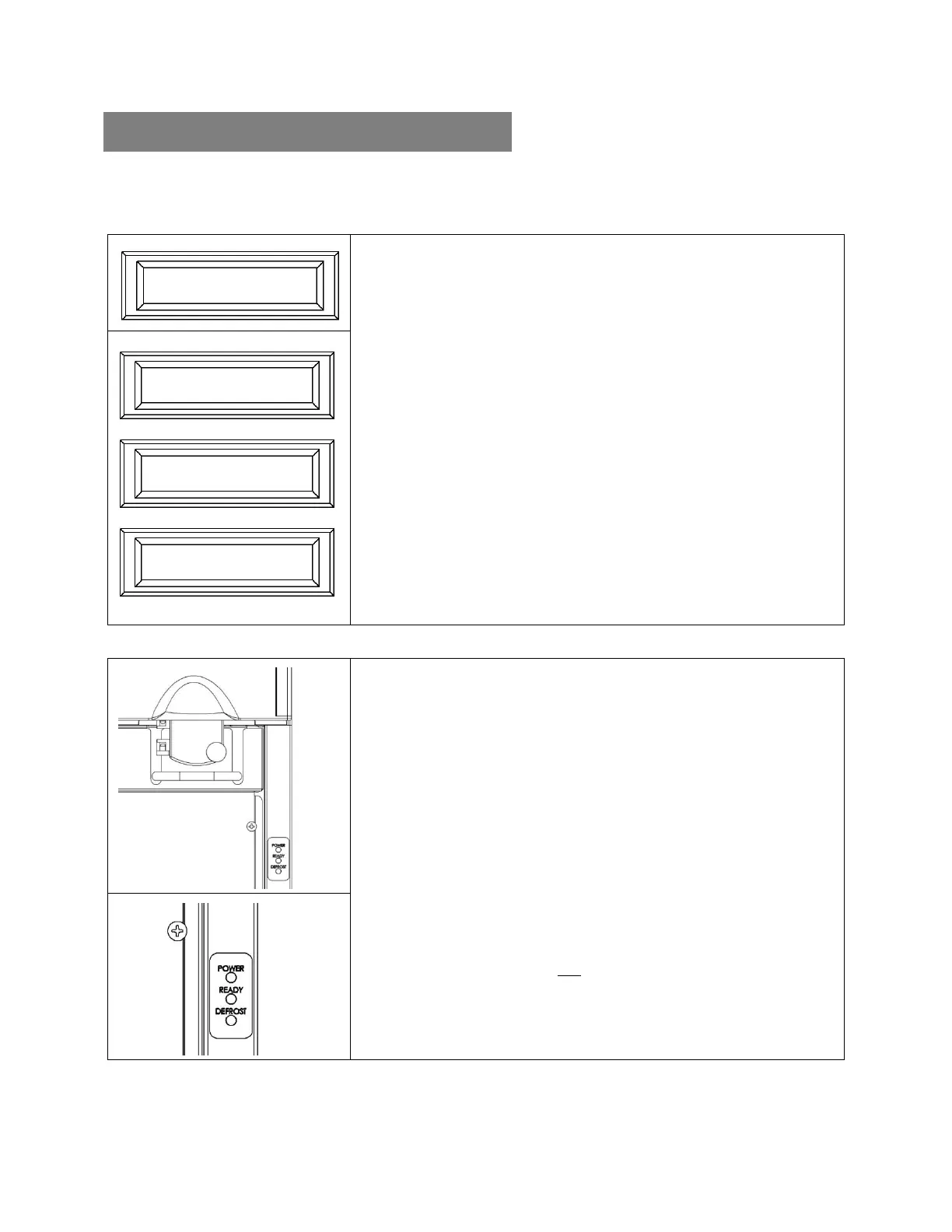
The CDG Series dispensers have multiple display options available. Reference the applicable
display option(s) for your dispenser.
LCD
CONFIRMS POWER
LCD turns ON by switching the power control switch ON.
o “ALWAYS FRESH” = Power is ON.
o No display = Power is OFF.
INFORMATION DISPLAYED
LCD indicates the compartment temperature.
o “ALWAYS FRESH” + flash compartment temperature.
LCD indicates the compressor cycle.
o Asterisk “*” identifies compressor cycle in progress.
o “ALWAYS FRESH” + alternately flashing asterisk and
compartment temperature.
LCD indicates the automatic defrost cycle or service.
o “ALWAYS FRESH DEF” = Automatic defrost in progress.
o “ALWAYS FRESH ERR” = Service is required.
Contact KanPak Equipment Service when unit requires servicing.
LED INDICATOR
CONFIRMS POWER
POWER LED turns ON by switching the power control switch ON.
o Solid Green = Power is ON.
o No light = Power is OFF.
INFORMATION DISPLAYED
READY LED indicates the compartment temperature.
o Solid Green = Temperature is 32°F to 41°F (0°C to 5°C).
o Flashing Green = Temperature is 42°F to 46°F (5.6°C to 7.8°C).
o No Light = Temperature is not 32°F to 46°F (0°C to 7.8°C), or
automatic defrost cycle in progress.
DEFROST LED indicates the automatic defrost cycle or service.
o Solid Yellow = Automatic defrost in progress.
o Flashing Yellow = Service is required.
o No Light = Defrost is not in progress.
Contact KanPak Equipment Service when unit requires servicing.
Always allow the dispenser to run empty for one hour to achieve proper operating temperature.
Compartment temperature during normal operation should be 32°F to 41°F (0°C to 5°C).


 To Next Page