7
Supporting your digital lifestyle
™
Connecting Audio Sources
Connecting a Turntable
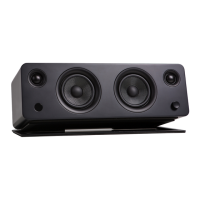
YU6 features a high quality DAC (digital-to-analog converter) for the optical inputs that
supports data streams up to 24-bit/96 kHz resolution.
YU6 supports Bluetooth 4.0 with Qualcomm® aptX™ technology.
Use the appropriate audio cable to connect your audio source components to your
speakers.
• 3.5 mm stereo mini-jack AUX cable
• Stereo RCA to 3.5 mm stereo mini-jack ‘Y’ cable
• Optical Toslink cable
YU6 features a built in Phono Pre-Amp that allows you to connect directly to a turntable.
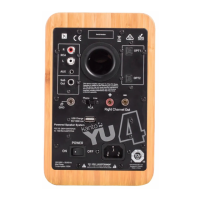
• connect your turntable to the RCA L/R inputs on the back of the YU6
• connect your turntables grounding wire to the grounding post (not all turntables
feature a ground wire)
• If your turntable does not have a built in Phono Pre-Amp, use the “Phono” setting
on the Phono switch.
• If your turntable has a built in Phono Pre-Amp, use the “Line” setting on the Phono
switch.
ATTENTION
Some models of turntables include a built-in Phono Pre-Amp. If your turntable has a
built in Phono Pre-Amp, DO NOT use the Phono setting on the RCA switch. Doing so
will void your warranty and could cause severe damage to your speakers.


 To Next Page