COMMANDS
28
MORse code TX RX V 2.84
KAM CW
Where: code is entered as a combination of * and - characters; TX represents a keyboard charac-
ter entered in hex or decimal and RX denotes the character(s) displayed upon reception, entered
in hex, decimal or two alpha characters.
This command is used to define the desired keyboard character and display character(s) for each
code listed in the table below. Only those codes listed may defined using the MORSE command;
standard MORSE codes may not be redefined.
For example, suppose you wish to define the "wait" code *-*** by the keystroke ^ and have it
displayed as BB. You would enter:
cmd: MORSE *-*** $5e $4242 <CR> (4 precedes hex codes)
If you try to define a previously defined code, you will get the message TX CHARACTER ALREADY
DEFINED. In order to delete an entry use the command MORSE code 00 0000 to clear the code
and then redefine it. Standard codes may not be redefined. Refer to the ASCII Chart at the end of
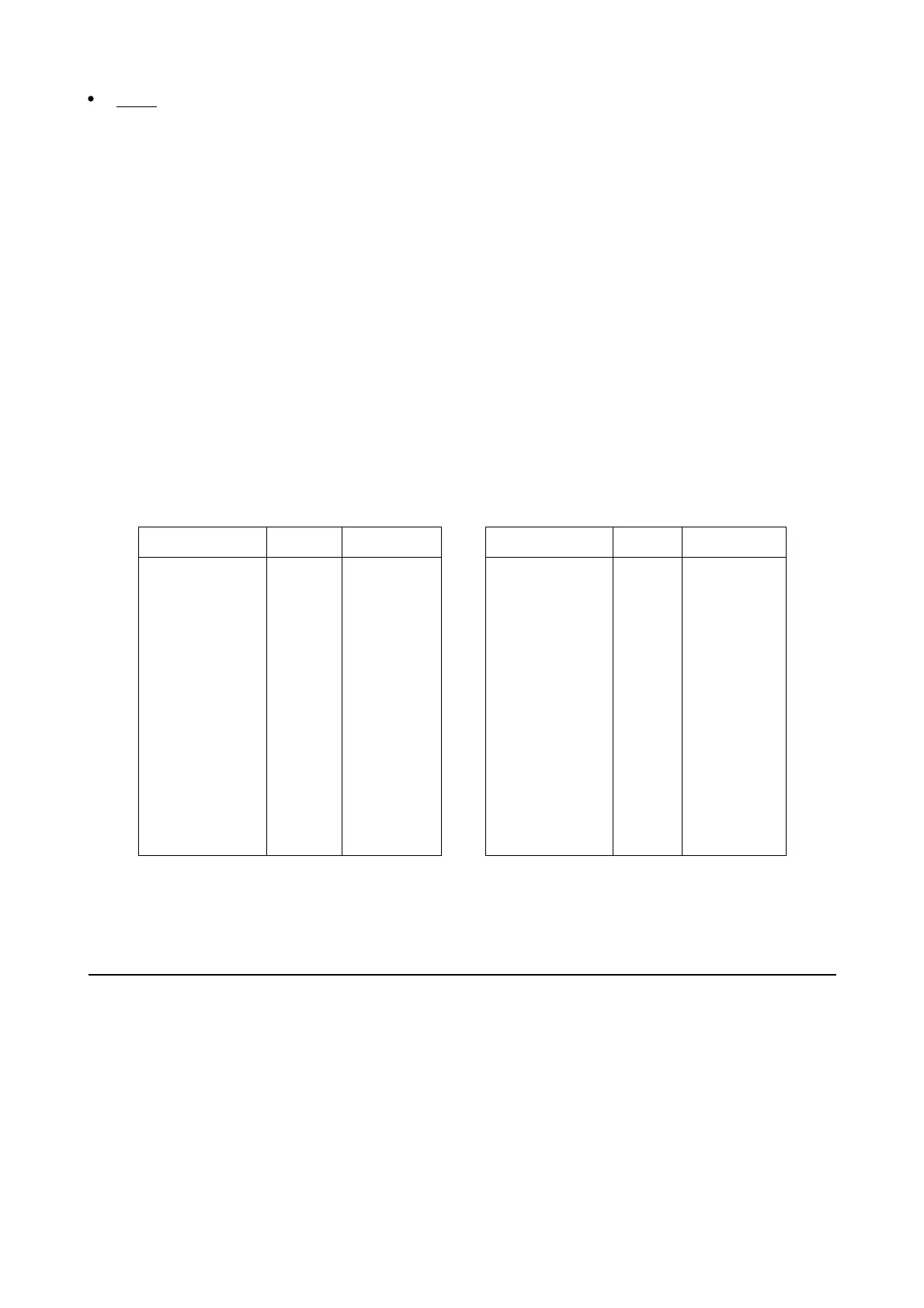
this book for a listing of hex codes. Codes available for definition by MORSE are:
MORSE CODE TX RX MORSE CODE TX RX
**--
---*
***-*
**-*-
*-***
*-*-*
*--**
*---*
-**--
-*-*-
-*---
--*-*
---*-
*-***-
$00
$00
$21 (!)
$00
$25 (%)
$2B (+)
$00
$00
$00
$26 (&)
$00
$00
$00
$00
$00
$00
$534E (SN)
$00
$4253 (AS)
$4152 (AR)
$00
$00
$00
$4B41 (KA)
$00
$00
$00
$00
*-*-
-----
**-**
**--*
*-**-
*-*--
*--*-
-**-*
-*-**
-*--*
--**-
--*--
***-*-
$2A (*)
$00
$00
$00
$00
$00
$00
$2F (/)
$00
$28 (()
$00
$00
$23 (#)
$4141 (AA)
$00
$00
$00
$00
$00
$00
$2F (/)
$00
$28 (()
$00
$00
$534B (SK)
If SCREENL is set to a value from 1 to 60. the above table will be displayed in one column instead
of two columns.
See also: cw, prosign


 To Next Page
 Loading...


