Getting started
- 3 -
2 . Interface panel
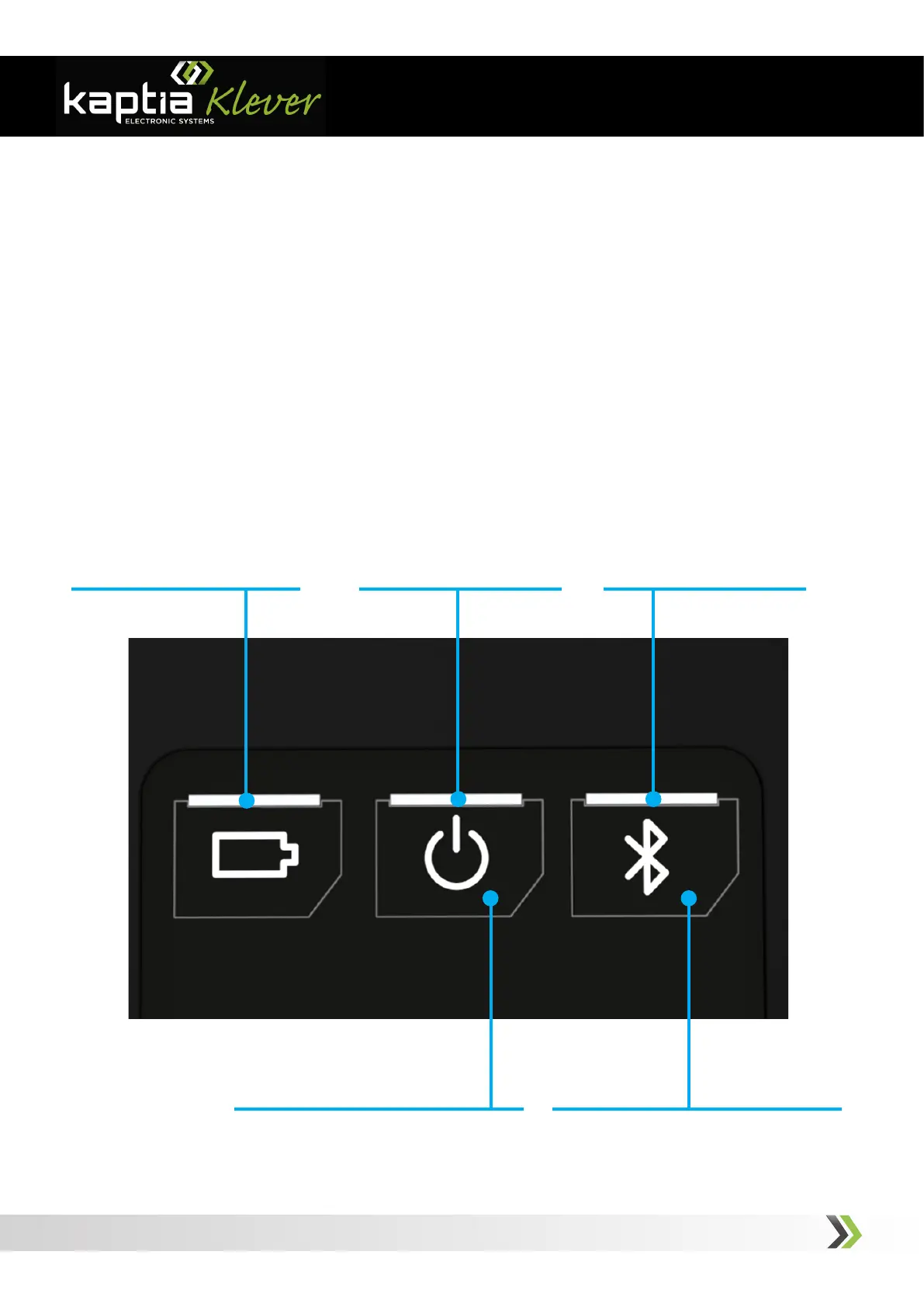
1 - Battery Status Indicator
Figure 2: Interface Panel
The interface panel is used for interacting directly with the console. It has buttons and led
indicators that shows the user some states and functions.
1 - Battery Charge Indicator. It indicates if the charge proccess is running (red) or if it is
finished (green).
2 - On/Off Status Indicator. The main function for this led is indicating if the device is
on. Other advanced functions are described within this manual.
3 - Bluetooth Link Indicator. It indicates if the Bluetooth interface is enabled (blue led
flashing) or if a device has been linked to it (blue led on)
4 - On/Off Pushbutton. It switches on and off the console.
5 - Bluetooth On/Off Enable Button. It switches on and off the Bluetooth radio link.
2 - On/O Status Indicator 3 - Bluetooth Link Indicator
4 - On/O Pushbutton 5 - Bluetooth On/O Enable Pushbutton



 To Next Page