The KaraPure Unit
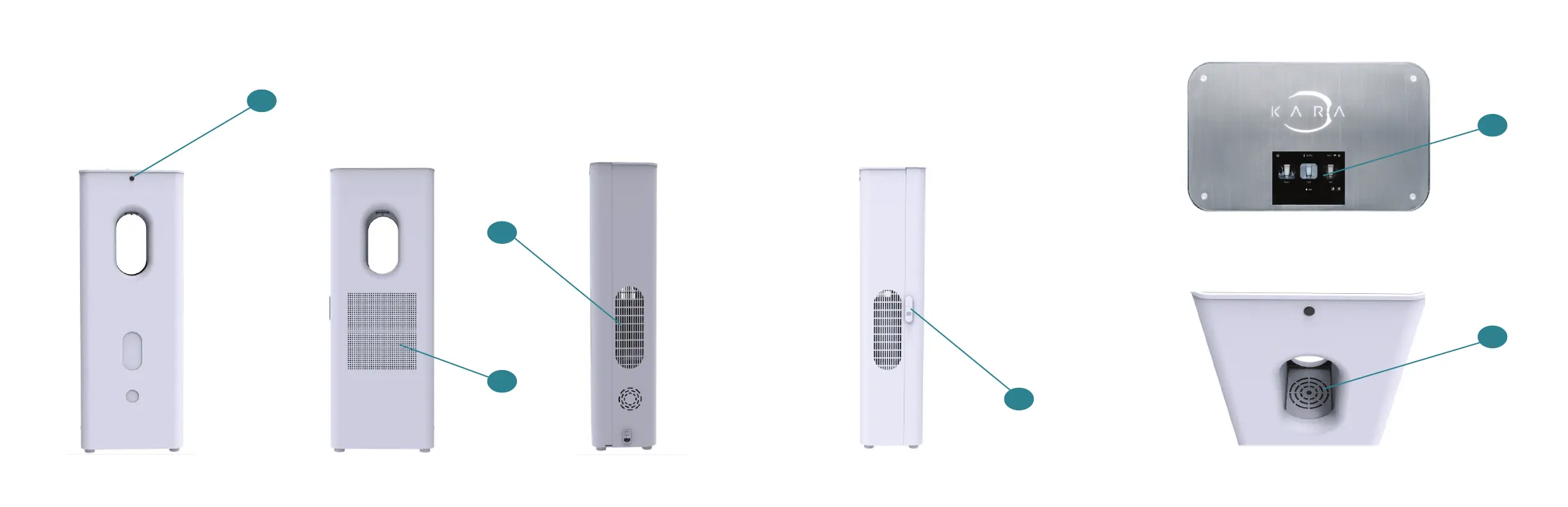
Parts of the unit
10
Accessing the Filters
To open the unit, posi on Kara Pure away from any
obstruc ons. Unplug the unit. Locate the key that
arrived with the unit. Locate the locking mechanism
on the right hand side of the unit. Use the key to
open the lock. You can now open the back door.
11
Front Back Right L e Top Front
To p
Key
1. Pour Bu on
2. Air Filter Vent
3. Main Power Bu on
4. Door Lock
5. LCD Interface
6. Drip Tray
3
2
1
4
6
5



 To Next Page