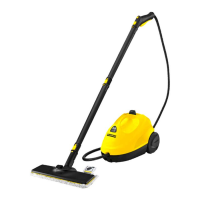
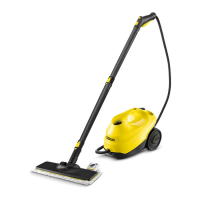
Need help?
Do you have a question about the Kärcher SC 1 and is the answer not in the manual?
Indicates levels of danger: DANGER, WARNING, CAUTION, ATTENTION.
Covers asphyxiation risk, proper usage, supervision, and child safety.
Details precautions against electric shock, including wet hands and wiring.
Covers risks during operation, including scalding, tilting, and general precautions.
Ensures stability and safe placement for upright appliance models.
Highlights safety precautions before and during maintenance.
Safety notes for descaling the steam boiler, avoiding damage.
Warns about potential circulation issues from prolonged vibration use.
Emphasizes not modifying or bypassing safety devices for user protection.
Explains symbols for burn risk and reading instructions.
Details the purpose of the safety lock and its pressure relief function.
Describes initial smoke emission and steam output irregularities during first use.
Instructions on how to attach accessories to the steam nozzle or gun.
Step-by-step guide for attaching various accessories and extension tubes.
Instructions on how to safely detach accessories from the appliance.
Instructions for filling the water tank with distilled or tap water.
Steps for connecting power and preparing the appliance for use.
Procedure for refilling the steam boiler when steam output reduces.
Steps to safely turn off and unplug the appliance.
Instructions for cleaning the steam boiler after use to remove lime residue.
Steps for disconnecting accessories and storing the appliance.
Guidelines for cleaning floors and freshening up textiles.
Warnings about cleaning coated, painted, and glass surfaces.
How to use the steam nozzle, steam gun, and spotlight nozzle for various tasks.
Instructions for using the power nozzle and manual nozzle with microfibre cover.
Guide to attaching the floor nozzle, cloth, and removing the cloth.
Caution regarding heat and humidity damage to surfaces with the floor nozzle.
Detailed steps for descaling, including water hardness and descaler safety.
Solutions for common issues like reduced steam, no steam, and water spitting.
Details electrical, performance, and dimension details of the appliance.
Fields for recording purchase details and product information.
Provides hotline, email, and website for customer service inquiries.
Details the 12-month warranty for material/design defects and required documents.
Lists conditions that void the warranty and user obligations.
 General
| Type | Portable steam cleaner |
|---|---|
| Capacity | 0.2 L |
| Cord length | 4 m |
| International Protection (IP) code | IPX4 |
| AC input voltage | 220 - 240 V |
| AC input frequency | 50 - 60 Hz |
| Steam pressure | 3 bar |
| Continuous steam performance | 35 g/min |
| Hard floor brush | Yes |
 Weight and Dimensions
| Depth | 320.5 mm |
|---|---|
| Width | 127.4 mm |
| Height | 185.7 mm |
| Weight | 1500 g |

 To Next Page