5
OPERATION CONTROLS
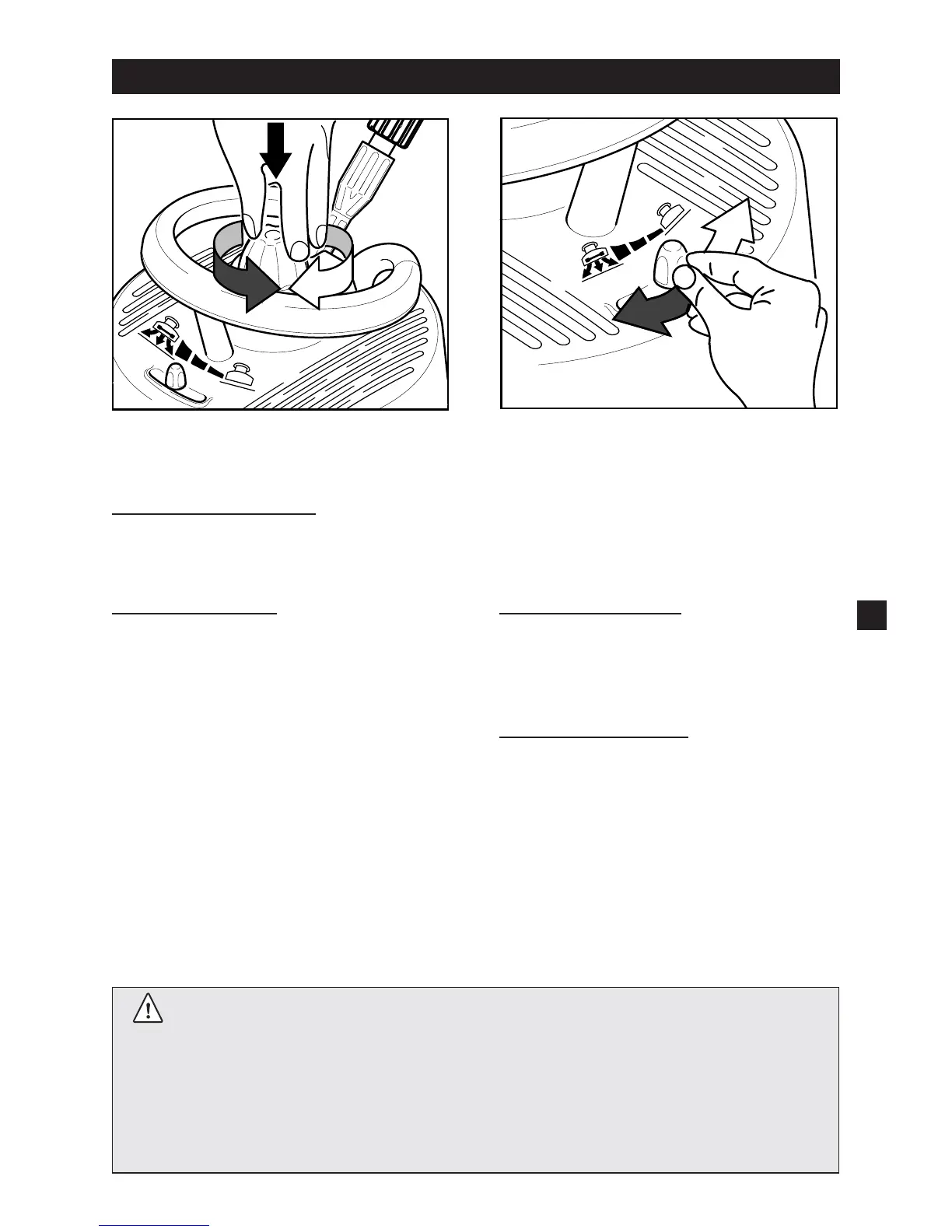
Spray Power
Adjust height of propeller spray head.
For sensitive surfaces
• Turn nozzle height adjustment
clockwise.
For hard surfaces
• Turn nozzle height adjustment
counterclockwise.
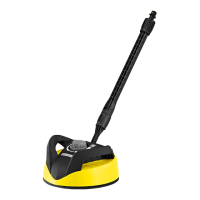
Air Flow Control
Adjust the hovercraft effect of the
T-Racer by pushing the Air Flow Con-
trol into one of the positions from “No
hovercraft effect” to “Full hovercraft
effect”.
No hovercraft effect
(Air flow vents closed)
• Push counterclockwise to the
stop.
Full hovercraft effect
(Air flow vents opened)
• Push clockwise to the stop.
Please Note:
• For optimum setting test the T-Racer in an inconspicuous area first.
• Never operate in the same area for more than 2 seconds, damage
may occur.
• Do not use on windows.


 To Next Page