English 19
Check the contents of the packaging for completeness and damages when unpack-
ing. If you detect any damages please contact your dealer.
Illustrations on fold-out page!
Illustrations on Page 2
1 Reduction piece (G
3
/
4
)
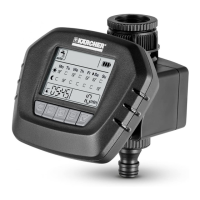
2 Water connection (G 1) with filter gasket
3 Valve unit
4 Hose connection
5 Coupling element for hose connection
6 Control unit
7 Battery compartment
8 Display
9 Keypad
Illustrations on Page 3
1 Menu bar
2 Automatic irrigation
3 Manual irrigation
4 Countdown function watering
5 Interruption watering
6 Battery status control unit
7 Display day of the week
8 Display watering programme (activated/deactivated)
9 Irrigation duration
10 Display watering is active
11 Confirmation button activation/deactivation watering
12 menu / esc button
13 OK button
14 Arrow keys
15 Time / time of irrigation
16 Display watering time
17 Display current time
18 Watering period (in the morning/evening)
Operation
Description of the Appliance
Description of the display


 To Next Page