EasyManua.ls Logo

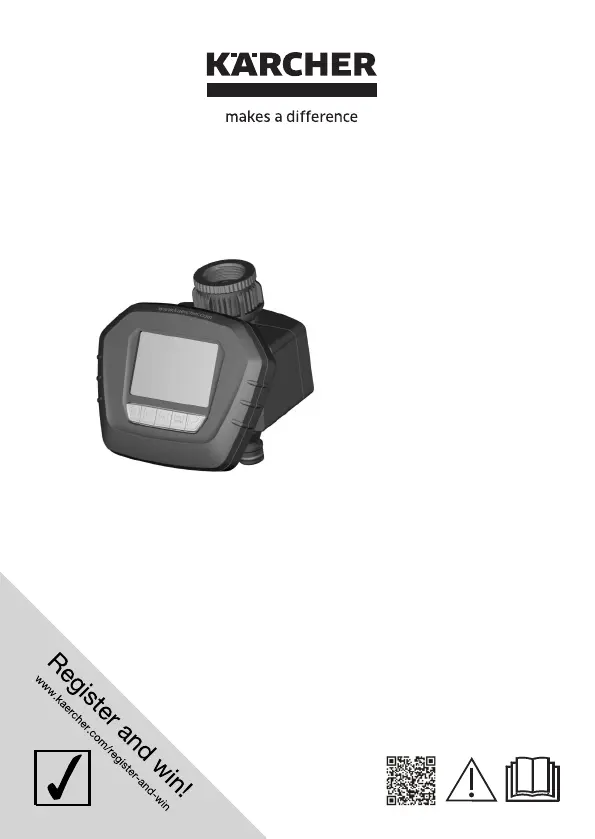
Kärcher WT 5 - User Manual

Kärcher WT 5
15 pages
Print Icon
To Next Page IconTo Next Page
Loading...
Deutsch. . . . . 5
English . . . . . 17
Français . . . . 29
Italiano . . . . . 41
Nederlands . . .53
Español. . . . .65
Português . . . 77
Ελληνικά . . . . 89
WT 5
59681640
(10/17)

Other manuals for Kärcher WT 5

Questions and Answers

Summary

General Information

Proper Use

Appliance is designed for private households and regulates water flow.

Environmental Protection

Guidance on recycling packaging, old appliances, and batteries.

Information on Ingredients (REACH)

Latest information on ingredients can be found online.

Warranty

Symbols in the Operating Instructions

Explains the caution symbol for dangerous situations.

Safety Instructions

Operation and Features

Description of the Appliance

Lists and describes the components of the watering device.

Description of the Display

Identifies and explains the elements of the device's display.

Functions and Modes

Automatic Irrigation

Allows setting individual watering periods automatically.

Manual Irrigation

Allows manual switching of watering on or off.

Countdown Function Watering

Automatically switches off watering after a set period.

Interruption of the Watering

Interrupts automatic watering for 24 hours.

Before Startup

Instructions on how to prepare the device before initial use.

Preparation Control Unit

Guides on inserting the battery into the control unit.

Setting Time and Day

Guides for setting the current time and day of the week.

Setting Automatic Watering

Instructions for configuring automatic watering times and durations.

Setting Manual Watering

Steps to set the manual watering mode.

Setting Countdown Function Watering

Steps to set the countdown function watering mode.

Interruption Watering

Steps to set the interruption watering mode.

Operation and Maintenance

Finish Operation

Instructions for proper shutdown and storage at the end of the season.

Care and Maintenance

Clean the Filter Gasket

Instructions for cleaning the filter gasket.

Change the Battery

Steps for replacing the battery in the control unit.

Maintenance Overview

States that the appliance is maintenance-free.

Troubleshooting and Specifications

Performing a Reset

How to reset the device settings.

Accessories and Spare Parts

Information on available accessories and spare parts.

Technical Specifications

Details on operating pressure, temperature, and battery type.

Summary

General Information

Proper Use

Appliance is designed for private households and regulates water flow.

Environmental Protection

Guidance on recycling packaging, old appliances, and batteries.

Information on Ingredients (REACH)

Latest information on ingredients can be found online.

Warranty

Symbols in the Operating Instructions

Explains the caution symbol for dangerous situations.

Safety Instructions

Operation and Features

Description of the Appliance

Lists and describes the components of the watering device.

Description of the Display

Identifies and explains the elements of the device's display.

Functions and Modes

Automatic Irrigation

Allows setting individual watering periods automatically.

Manual Irrigation

Allows manual switching of watering on or off.

Countdown Function Watering

Automatically switches off watering after a set period.

Interruption of the Watering

Interrupts automatic watering for 24 hours.

Before Startup

Instructions on how to prepare the device before initial use.

Preparation Control Unit

Guides on inserting the battery into the control unit.

Setting Time and Day

Guides for setting the current time and day of the week.

Setting Automatic Watering

Instructions for configuring automatic watering times and durations.

Setting Manual Watering

Steps to set the manual watering mode.

Setting Countdown Function Watering

Steps to set the countdown function watering mode.

Interruption Watering

Steps to set the interruption watering mode.

Operation and Maintenance

Finish Operation

Instructions for proper shutdown and storage at the end of the season.

Care and Maintenance

Clean the Filter Gasket

Instructions for cleaning the filter gasket.

Change the Battery

Steps for replacing the battery in the control unit.

Maintenance Overview

States that the appliance is maintenance-free.

Troubleshooting and Specifications

Performing a Reset

How to reset the device settings.

Accessories and Spare Parts

Information on available accessories and spare parts.

Technical Specifications

Details on operating pressure, temperature, and battery type.

Kärcher WT 5 Specifications

General IconGeneral
Timer modesAutomatic watering, Countdown watering, Manual watering
Control typeButtons
Product typeDigital watering timer
Product colorBlack
Built-in displayYes
Number of outlets1
Quantity per pack1 pc(s)
Maximum watering time120 min
Number of timer modes4
Maximum operating pressure10 bar
Minimum operating pressure1 bar
Maximum input water temperature35 °C
Battery type6LR61
Battery voltage9 V
Operating temperature (T-T)1 - 60 °C
Battery includedNo
Weight and Dimensions IconWeight and Dimensions
Depth112 mm
Width125 mm
Height129 mm
Weight300 g

Related product manuals