15
0104
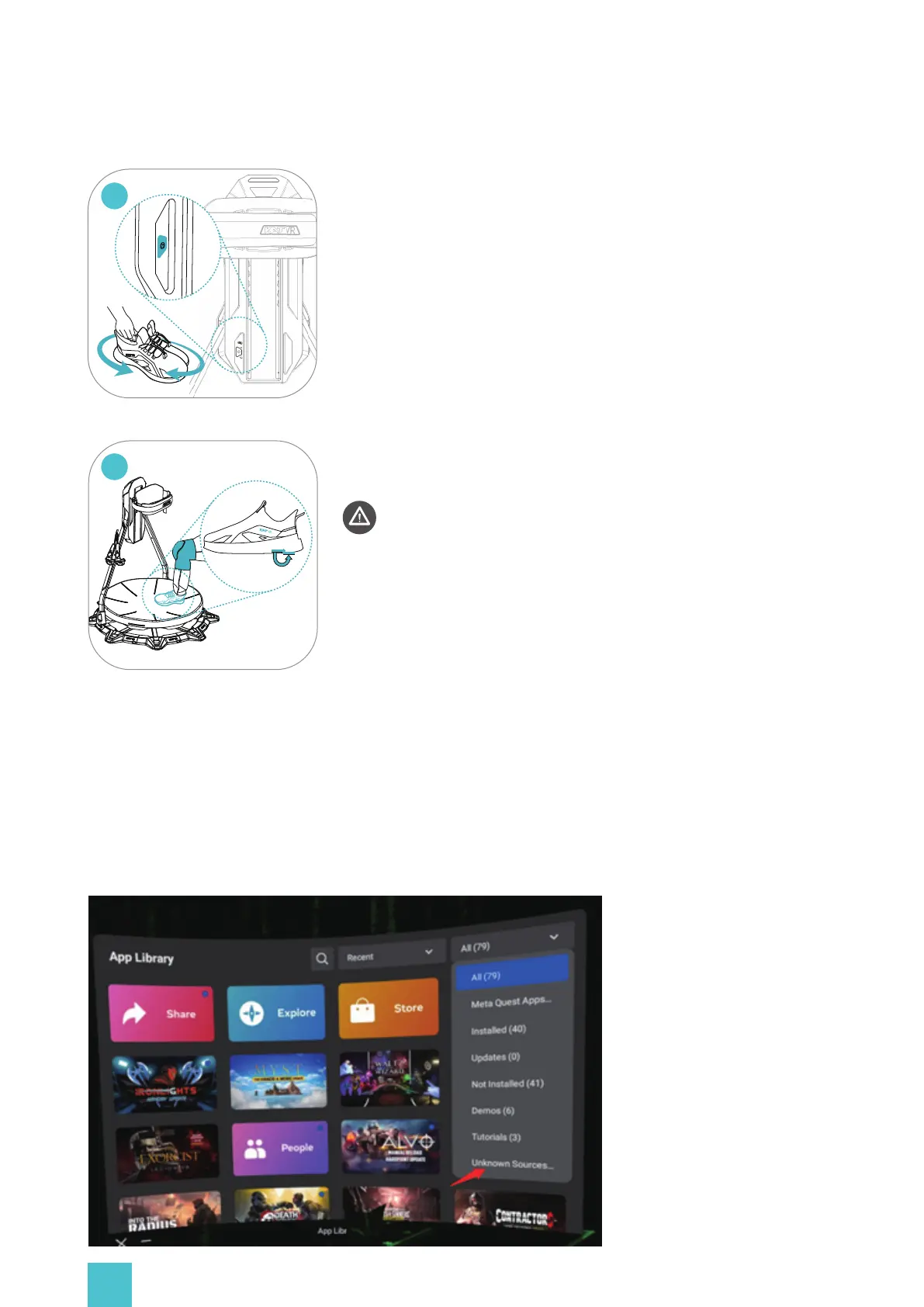
C2 as an example:
Before getting on or when sensors enter sleep mode (inactive ≥ 30min), click
the main button and shake the shoes. Check the sensor light:
* Flashing: no connection
Constant: successful connection
None: sleep mode / no power.
0105
Hang the HMD and controllers on the storage hooks. Ensure the anti-
slip protection lock is enabled and the base surface is clean. Equip a pair of
kneepads and step onto the platform.
* supported weight: 130kg (286 lbs.)
Entering the Platform (IMPORTANT!)
Opening KAT Gateway
Put your headset on, open the Oculus App Library>ALL>Unknown Sources, find the app "KAT
Gateway" and open it, (choose 'confirm' in the popups if needed). Make sure the sensors are
connected and select a game to open it.


 To Next Page