17
-KAT Walk C 2 Sensors / KAT Vehicle Hub Sensor:Click ″+" to see the details about the sensor
status.
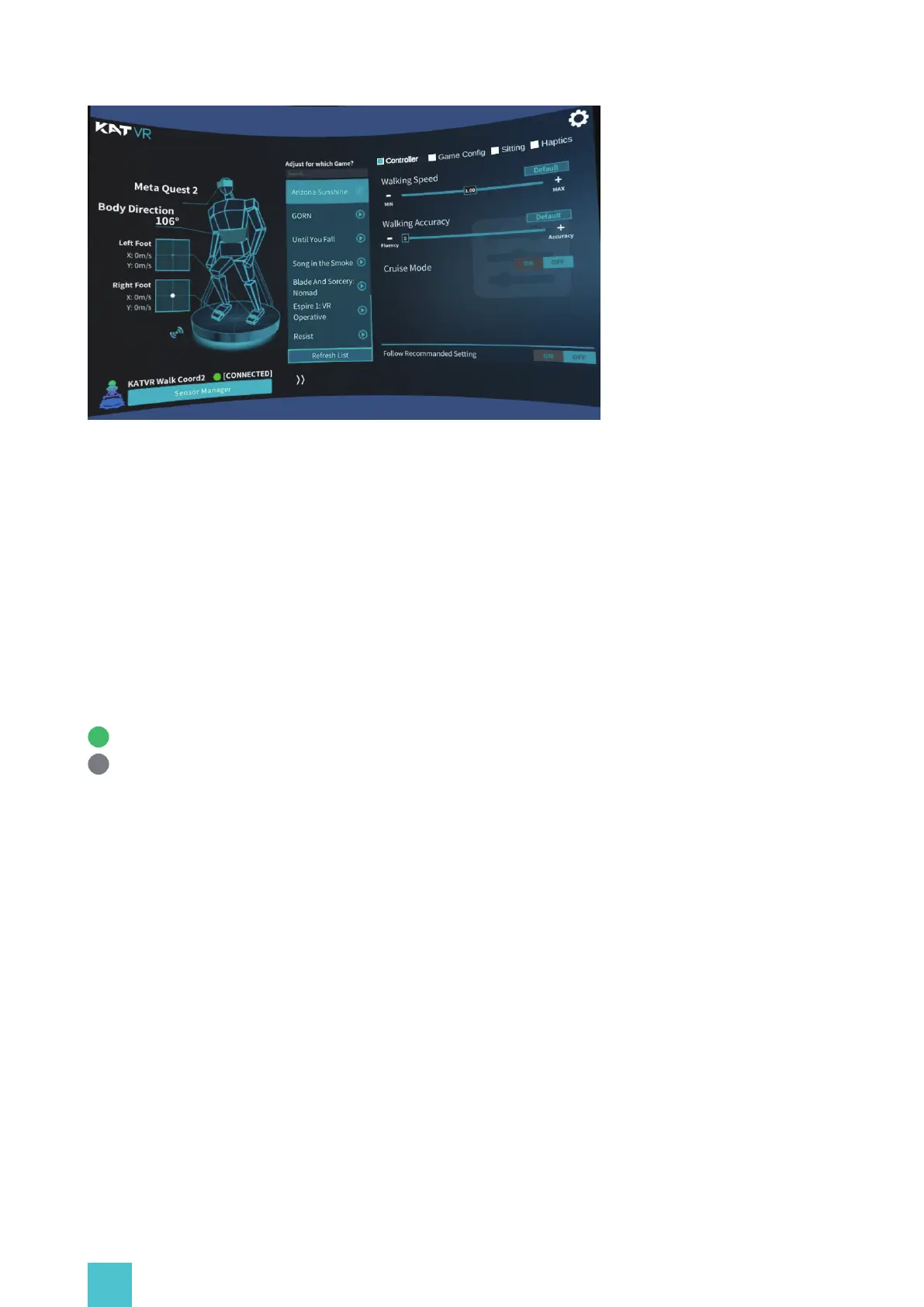
Home page of KAT Gateway displays the current device connection status:
-Direction of the inner sensor, low battery reminder;
-Direction of the left foot sensor, low battery reminder;
-Direction of the right foot sensor, low battery reminder;
-Vehicle hub status (C2+)
-Haptics status (C2+)
-The Current device Icon, device name, connection status and Sensor Manager
Connected
Disconnected: Sensors may enter the sleep mode. Click the main button on the direction
sensor and shake the shoe sensors to wake them up. Ensure the sensors are charged. You
can pair the sensors in the Sensor Manager.
-Device switch:
This function was designed to help you switch between different KAT devices that you may own.
Click 'expand' and select the device to switch to it.


 To Next Page