W H E E L B L A N C E R
- 19 -
Note: Before and after the system balance, the last step is to clear the base
of the balance shaft as described in 5.7.1.
Abnormal phenomena and elimination of self – calibration
1. 100g self - calibrating lead
is not added
2. The lead wire of pressure
sensor is broken
3. Computer board failure
1. Plus 100 grams of lead
2. Check the connection wire and
connect it properly
3. Replace the computer board
1. The pressure sensor is not
installed correctly
2. The calibration sequence
is wrong first lateral then
medial
1. Check whether the piezoelectric
sensor is reversed
2. Calibrate according to correct
operation
If you cannot solve the problem through the above methods, please contact our
service
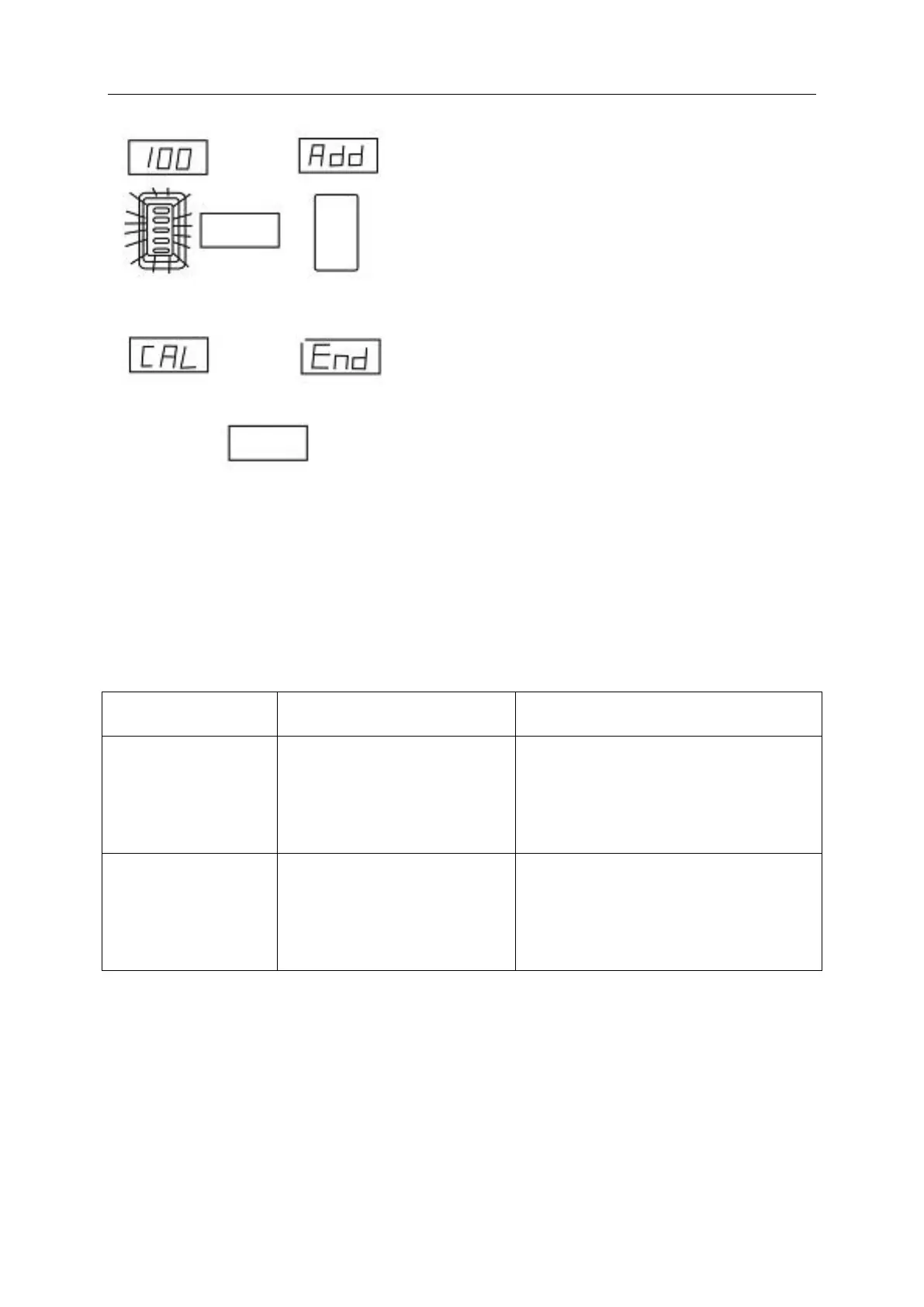
Ⅳ At this point, the display board displays "END"
and "CAL" to indicate the END of self-correction. If
there is an error code prompt, please press the error
prompt to detect the balancing machine.
Ⅲ At this point, the display board displays "100" "Add".
Slowly turn the tire until the inboard indicator is
fully on and add 100g counterweight at 12 o 'clock
on the inside of the wheel. Then, press the Start
button, and the wheel spins for a few seconds and
then brakes automatically.


 To Next Page