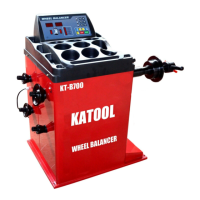
W H E E L B L A N C E R
- 20 -
5.5 Modify the memory parameters of the local computer
If the program is lost due to operation error or other reasons, you can make the
following adjustments to make the computer work again. Correct setting of
machine parameters can ensure its balance accuracy.
Fault phenomenon: self - calibration after the phase is not accurate or large
numerical deviation.
The correction method is as follows:
2. After pressing the distance dimension A [↓], A [↑] and F keys continuously, the display
window displays "Re" and "5", indicating unbalance and below 5 grams display 0. Can press
the B button [↓], B button [↑], adjust to 10 grams, 20 grams and 50 grams.
Note: When the computer board, phase sensor or pressure sensor is replaced,
it must be self-calibrated again. When the computer board is replaced, its
parameters should be set according to the parameter values marked in the
machine or the parameters of the original board. After modification, it must
be self-calibrated again.
1. After holding C key, press F key and hold at
the same time, the display window will display
"Cal Cal Cal" phase indicator light on and
flashing, and let go when the indicator light
does not flash.


 To Next Page