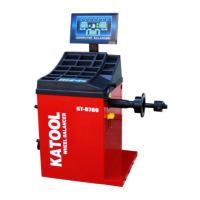
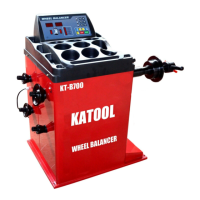
W H E E L B L A N C E R
- 21 -
3. Press A [↑] button again and the display window displays: "AUT" and "ON/OFF",
indicating whether there is width ruler measurement. Press B button [↓] and B button [↑] to
select "ON" or "OFF".
4. Press A [↑] button again and the display window displays: "LAS" and "ON/OFF",
indicating whether the laser indicating device is installed. Press B button [↓] and B button
[↑] to select "ON" or "OFF".
5. Press A [↑] button again and the display window displays: "DA +" "02", diameter
measurement fine-tuning parameters. Because the ruler and the balance shaft is not parallel,
may make the diameter of the size of the tire measurement is not too accurate, can press the B
key [↓], B key [↑] for minor adjustment.
5.6 Collection of common faults of wheel balancing instrument (if the above
methods cannot be solved, please contact with service)
1. Check the external circuit
2. Check whether the switch is
damaged
1. Check with a multimeter
2. replace
After boot, the display is
normal, but it does not start
and has a buzzing sound.
ERR1 is displayed
1. Motor capacitance failure
2.380V power supply phase
loss
1. Replace a capacitor of 20uF
/400V
2. Check the power supply
1. Press Start to stop the car
2. Press Start without brakes
Check the computer board,
power board and photoelectric
board
1. Did not install the wheel
2. Only one steel ring, not on
the tire
3. The spindle matcher is not
installed tightly
4. The wheel was installed
incorrectly and did not lock
properly
5. The belt is too loose or tight
1. Try it on a wheel
2. On the tire
3. Retighten the retaining bolts
4. Choose the right cone and
install it correctly
5. To readjust


 To Next Page
 Loading...