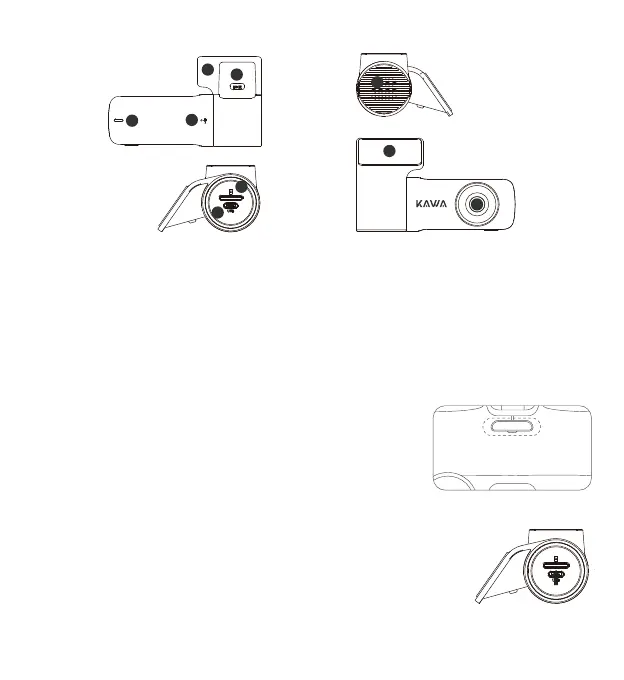
Product Appearance
Product Installation
1. LED
2. MIC
3. Holder
4. Holder switch
5. Speaker
8. Camera
9. Heat-resistant adhesive paper6. Micro SD card slot
7. USB port
1. Install the Anti-static Film
1
Install the anti-static film onto the windshield in the dotted area indicated
in the figure. Please select a smooth and clean area (other than edges) on
the windshield to install the anti-static film.
Wipe the installation area before installation, and fully compress the air
bubbles between the anti-static film and windshield during installation.
Note: the product, accessories, interface shown in the user manual are for your reference only. Due to the upgrade
of product, your device may be slightly different with the schematic diagrams. Pls refer to the actual device.
5
7
6
8
9
3
4
1
2
2. Install the Micro SD Card
Insert the Micro SD card into the Micro SD card slot with the contact side down,
until you hear a "click" sound.



 To Next Page