Add Camera to the Baby Monitor
Baby Monitor and Baby Camera are paired out of the box. Please
refer to the following steps when adding additional Baby Cameras
or after resetting a Baby Camera :
Please make sure the Baby Monitor version matches the Baby
Camera version.
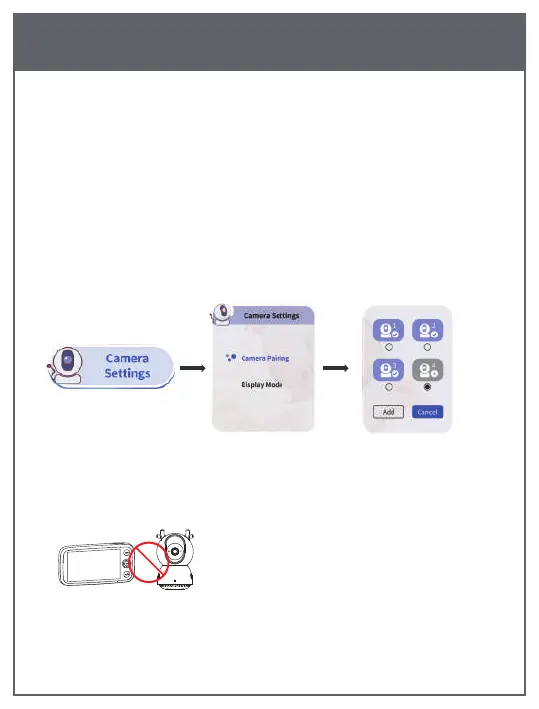
1) Press the【MENU】button to open the menu, select Camera
Setting →Camera Pairing, press 【OK】to add Camera.
2) Hold down the pair button on the back of the Camera for
second until you hear the ticking prompt.
Note: If you restore the initial plant settings, press the OK button
in the "Please add a camera" interface to add Camera.
After the Monitor and Camera are
successfully connected, please do not
place the Camera and Monitor too close,
otherwise it may cause howling .
10
EN


 To Next Page