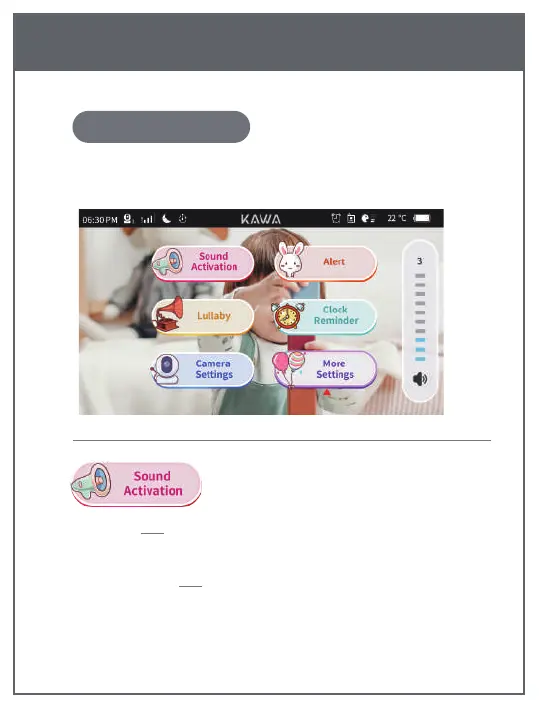
Press the 【MENU】 button on the Monitor to display the functional
interface, as shown below:
Monitor Menu Settings & Icons Description
VOX Mode When you turn on the VOX mode, the screen will be
turned on automatically if the noise is detected above your pre-set level.
Alert Threshold 1-5 thresholds are optional.
13
1. Menu settings
EN


 To Next Page