CS11/CS8 MIDI Settings Manual
4
MIDI Settings
2
Send Program Change Number
The Send Program Change Number function is used to send a Program Change Number (1-128) to the connected
MIDI device.
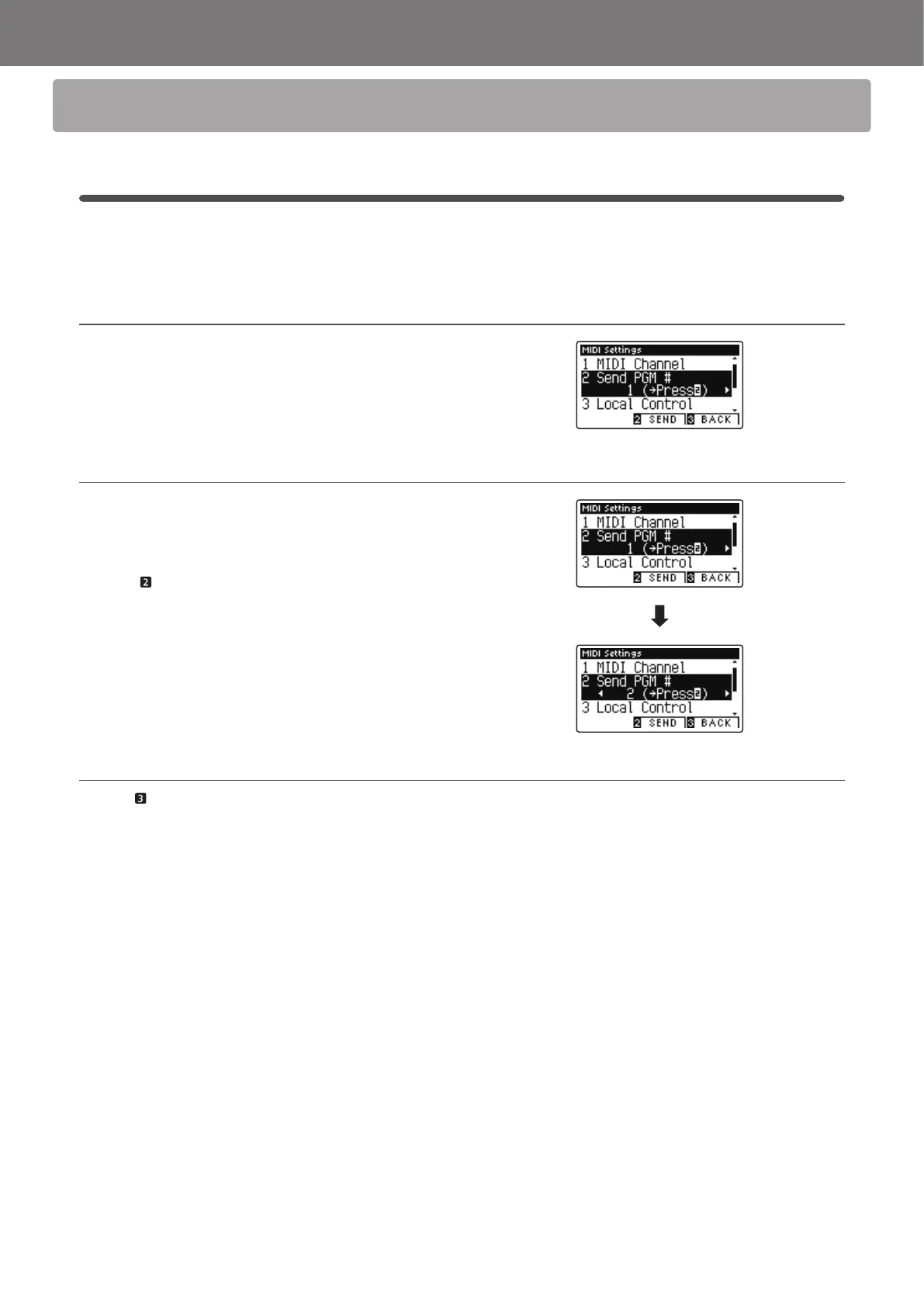
1. Selecting the Send Program Change Number function
After entering the MIDI Settings menu (page 2):
Press the or
buttons to select the Send Program Change
Number function.
2. Specifying and transmitting a Program Change Number
Press the or buttons to decrease or increase the Program
Change Number.
* The program change number can be set within the range of 1-128.
Press the FUNCTION button (SEND) to send the specied
Program Change Number.
3. Exiting the Send Program Change Number function
Press the FUNCTION button (BACK) to exit the Send Program
Change Number function and return to the Function Menus
screen.



 To Next Page