EasyManua.ls Logo

Kawai CN39 - User Manual

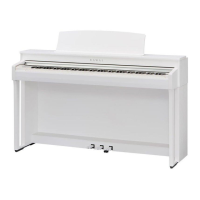
Kawai CN39
152 pages
Print Icon
To Next Page IconTo Next Page
Loading...
CN39
Owners Manual
Introduction
Playing the Piano
Music Menu
Recorder
Settings
Appendix

Table of Contents

Other manuals for Kawai CN39

Questions and Answers

  • M
    Maurice GarciaAug 14, 2025
    What to do if my Kawai CN39 Musical Instrument has no sound?
    • A
      Ariana ChaseAug 14, 2025
      If the Kawai Musical Instrument produces no sound when keys are pressed, ensure the MASTER VOLUME slider isn't at its lowest setting. Also, check that headphones or headphone adaptors aren't plugged into the PHONES jacks. Finally, verify that the ‘Local Control’ setting in the MIDI Settings menu is set to On.
  • B
    Brandon DavisAug 17, 2025
    Why does my Kawai Musical Instrument sound distorted at high volumes?
    • J
      Joy WalshAug 18, 2025
      If the Kawai Musical Instrument sound distorts when playing at very loud volumes, ensure the MASTER VOLUME slider is set appropriately, reducing volume if distortion is excessive. If connected to an amplifier/mixer via Line Out jacks, reduce the ‘Line Out Volume’ in the Basic Settings menu.
  • D
    derekschmidtAug 21, 2025
    How to fix a Kawai CN39 Musical Instrument that won't turn on?
    • D
      Dominique AdamsAug 21, 2025
      If the Kawai Musical Instrument does not turn on, check that the power cable is firmly attached to the instrument and connected to a working AC outlet.
  • D
    dawn17Aug 26, 2025
    What to do if Kawai Musical Instrument pedals are not working?
    • M
      mjohnsonAug 26, 2025
      If the Kawai Musical Instrument pedals are unreliable or not functioning, check that the pedal cable is firmly connected to the instrument.
  • S
    Sarah EnglishAug 28, 2025
    Why does my Kawai CN39 Musical Instrument keep turning off?
    • R
      robert86Aug 29, 2025
      If the Kawai Musical Instrument turns itself off, ensure the ‘Auto Power Off’ function is disabled.
  • K
    Kenneth SolisSep 2, 2025
    What are the strange noises when playing piano on my Kawai CN39 Musical Instrument?
    • N
      Noah AverySep 2, 2025
      If you hear strange sounds or noises when playing piano sounds on the Kawai Musical Instrument, these tones enhance realism. To reduce their prominence or disable them, adjust the settings in the Virtual Technician menu.
  • M
    Michael ParkerSep 5, 2025
    How to increase headphone volume on Kawai Musical Instrument?
    • T
      troycarterSep 5, 2025
      If the Kawai Musical Instrument headphone volume is too low, and if the ‘Nominal Impedance’ specification of the headphones is less than 100 ? (ohms), set the ‘Phones Volume’ setting in the Phones Settings menu to High.
  • T
    Tom RoseSep 9, 2025
    What to do if Kawai CN39 Musical Instrument pedal board flexes?
    • A
      Alexandra JohnsonSep 9, 2025
      If, when depressing a pedal on the Kawai Musical Instrument, the pedal board flexes and isn't firm, check that the pedal support bolt is fully extended.

Summary

Introduction

Setting Up the Piano

Instructions on connecting the power adaptor and turning on the instrument.

Playing the Piano

Virtual Technician

Introduces the Virtual Technician feature for adjusting piano characteristics.

Recorder

Internal Recorder

Overview of recording songs in internal memory.

USB Recorder

Recording performances as digital audio to a USB device.

Settings

Function menus Overview

Summary of the function menus for adjusting operation and sound.

Basic Settings

Covers pitch, tuning, sound adjustments, and panel settings.

Virtual Technician Settings

Adjusting advanced parameters like hammer hardness and cabinet resonance.

Phones Settings

Settings for headphone sound modes, type, and volume.

Appendix

Assembly Instructions

Step-by-step guide for assembling the digital piano.

Troubleshooting

Common issues and their solutions for Power, Sound, Pedals, and Headphones.

Kawai CN39 Specifications

General IconGeneral
Polyphony256 notes
MetronomeYes
KeyboardResponsive Hammer III (RHIII) action with Let-off, Triple sensor, Ivory Touch key surfaces
Sound SourceHarmonic Imaging XL (HI-XL)
DisplayLCD display
Amplifier2 x 20W
Speakers12 cm × 2
Weight54 kg
Reverb6 types
Lesson FunctionBurgmüller 25 (25 Etudes Faciles, Opus 100), Czerny 30 (Etudes de Mécanisme, Opus 849), Beyer 106 (Vorübungen im Klavierspiel, Opus 101), Alfred’s Basic Piano Library Lesson Book Level 1A
Recorder3 song, approximately 90, 000 notes total
Headphone Jacks2
MIDIMIDI IN, MIDI OUT
USBYes (to Host, to Device)
BluetoothBluetooth MIDI
Included Accessoriesmusic rest

Related product manuals