8
Table of Contents
Important Safety Instructions ....................... 3
Table of Contents .................................... 8
Introduction
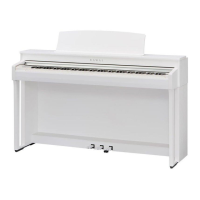
Welcome to the Kawai CN39 digital piano ......... 10
1. Feature Highlights ............................10
2. Owner’s Manual Conventions ................. 11
Part Names and Functions .......................... 12
Setting Up the Piano ................................14
1. Power .........................................14
2. Key cover and music rest ...................... 15
3. Volume and headphones .....................16
4. Pedals ......................................... 17
Playing the Piano
Selecting Sounds ....................................19
Dual Mode ........................................... 20
Split Mode ........................................... 22
Four Hands Mode ...................................24
Reverb ...............................................26
Eects ...............................................28
Virtual Technician ...................................30
1. Smart Mode ................................... 30
2. Advanced Mode ..............................31
Metronome / Drum Rhythms .......................32
Registration Memories .............................. 34
1. Selecting a Registration memory .............34
2. Storing a Registration memory ...............35
3. Registration Edit menu .......................36
Panel Lock ........................................... 37
Music Menu
Demo Songs .........................................38
Piano Music .........................................39
Lesson Function .....................................40
1. Selecting a lesson book/song .................40
2. Listening to the selected lesson song .........41
3. Lesson Function settings .....................42
4. Repeating sections of a lesson song ..........43
5. Recording a lesson song practice .............44
6. Finger Exercises ...............................45
Concert Magic .......................................46
1. Performing a Concert Magic song ............46
2. Concert Magic demo mode ...................47
3. Concert Magic settings .......................48
Steady Beat mode ............................48
4. Concert Magic song arrangement types ...... 49
Recorder
Internal Recorder ...................................50
1. Recording a song .............................50
2. Playing a song ................................52
3. Internal Recorder Edit menu ..................53
4. Erasing a part/song ...........................54
5. Converting a song to an audio le ............55
USB Recorder ........................................ 56
1. Recording an MP3/WAV audio le ............56
2. Playing an MP3/WAV audio le ...............58
3. Recording a MIDI song le ....................60
4. Playing a MIDI song le .......................62
5. USB Recorder Edit menu ......................64
6. Converting a MIDI song le to an MP3/WAV
audio le ......................................65
7. Overdubbing an MP3/WAV audio le .........66
8. Recording to an existing MIDI song le .......67
Settings
Function menus .....................................68
Basic Settings .......................................69
1. Key Transpose ................................. 70
2. Song Transpose ...............................71
3. Tone Control ..................................72
User Tone Control .............................73
4. Speaker Volume ............................... 74
5. Tuning ........................................75
6. Damper Hold .................................76
7. Split ...........................................77
8. Four Hands ....................................78
9. Startup Setting ................................79
10. Factor y Reset .................................80
11. Auto Display O ..............................81
12. Auto Power O ................................82


 To Next Page