97
Settings
Virtual Technician Settings
11
Topboard Simulation
When playing an acoustic grand piano, the position of the instrument’s topboard (lid) aects both the volume and
‘openness’ of the tone produced. A fully open topboard allows sound waves to reect o the polished lid surface
and project into the room, while a closed lid has the opposite eect, resulting in a darker, more opaque tone.
The CN39 digital piano simulates these characteristics, with four dierent topboard positions.
* This Virtual Technician setting will aect acoustic piano sounds only.
Topboard positions
Topboard position Description
Open 3 (default) Simulates the character of a fully open topboard, with maximum sound projection.
Open 2 Simulates the character of a half open topboard, with reduced sound projection.
Open 1 Simulates the character of a partially open topboard, with limited sound projection.
Closed Simulates the character of a closed topboard, with minimum sound projection.
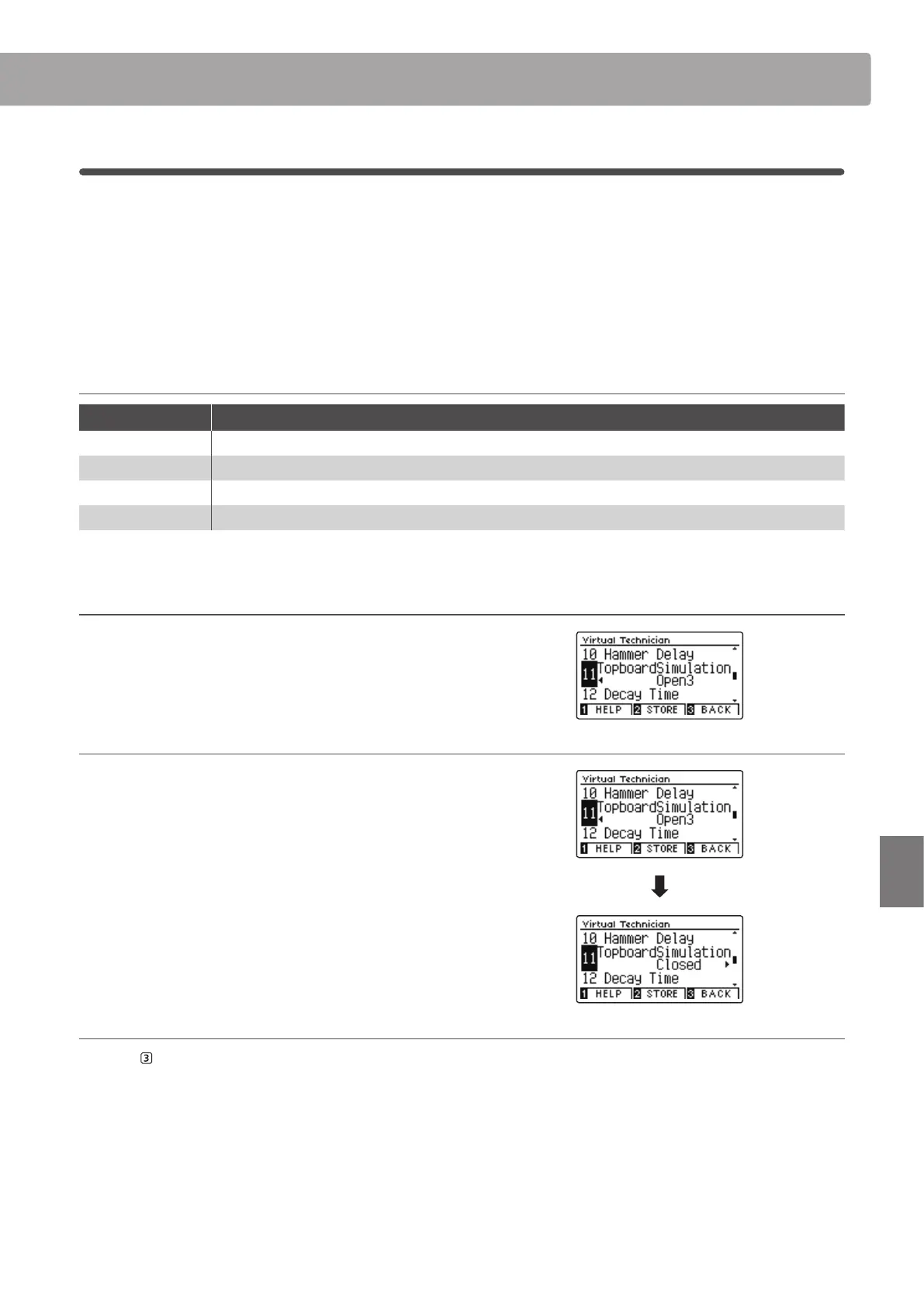
1. Selecting the Topboard setting
After entering the Virtual Technician menu (page 83):
Press the
or
buttons to select the Topboard setting.
2. Changing the Topboard position
Press the
or
buttons to cycle through the dierent
Topboard types.
* To reset the Topboard setting to the default position, press the
and
buttons simultaneously.
* Any changes made to the Topboard setting will remain until the
power is turned o.
* Preferred Topboard settings can be stored to the sound’s memory,
or a Registration memory for convenient recall. Please refer to pages
84 and 35 for more information.
3. Exiting the Topboard setting
Press the FUNCTION button (BACK) to exit the Topboard
setting and return to the Function Menus screen.


 To Next Page