44
Music Menu
5
Recording a lesson song practice
The Lesson Function’s Record feature allows the left or right-hand parts of the selected lesson song to be recorded
to internal memory, and then played back for self-evaluation.
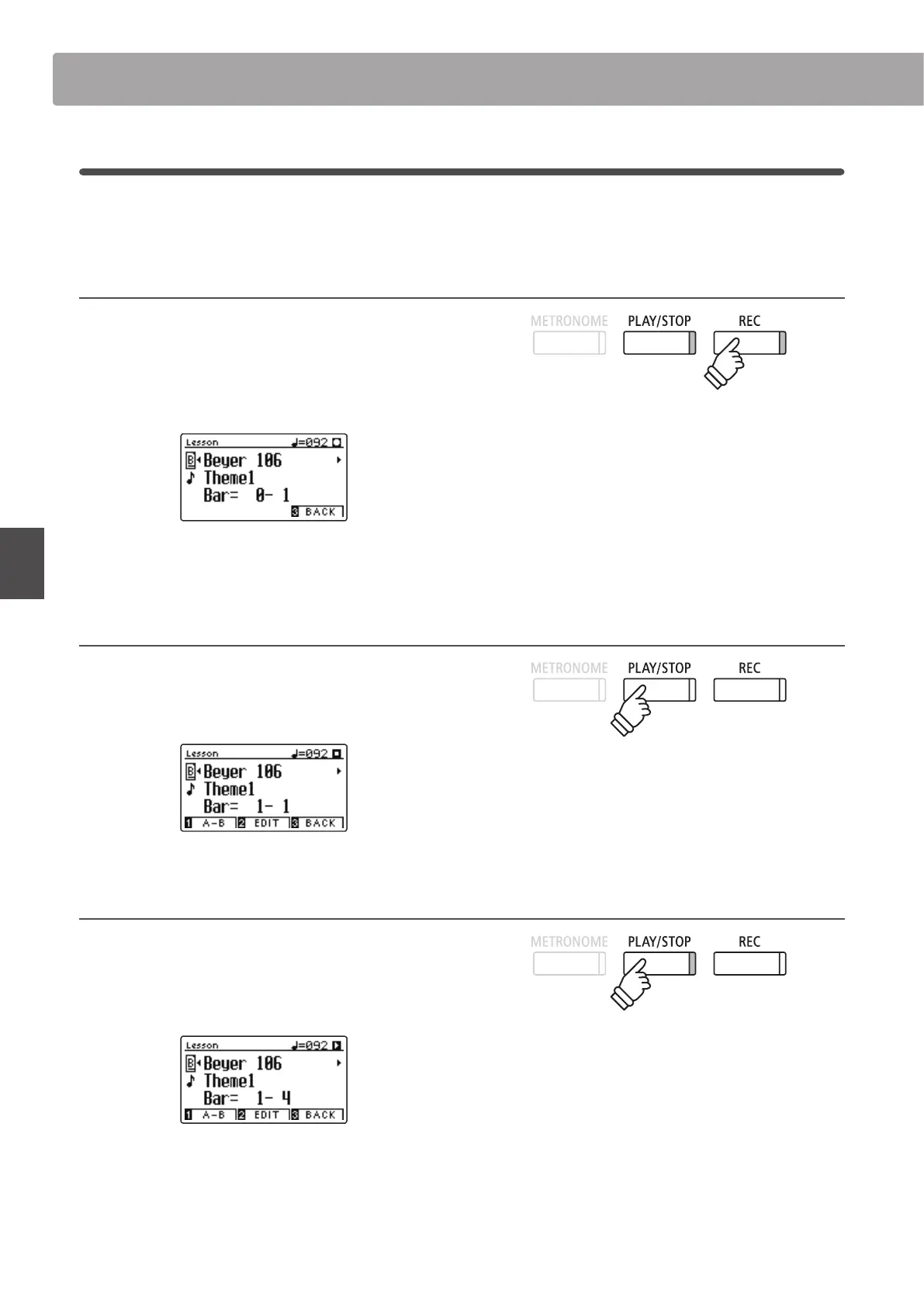
1. Starting the lesson song recording
After selecting a lesson book and song:
Press the REC button.
The LED indicators for the REC and PLAY/STOP buttons will turn
on to indicate that recording mode is in use.
A one bar count-in will be heard before the lesson song starts
to play and record.
2. Stopping the lesson song recording
Press the PLAY/STOP button.
The LED indicators for the REC and PLAY/STOP buttons will turn
o, and the lesson song recording and playback will stop.
3. Playing back the recorded lesson song
Press the PLAY/STOP button again.
The LED indicator for the PLAY/STOP button will turn on, and a
one bar count-in will be heard before the recorded lesson song
starts to play.
Press the PLAY/STOP button.
The LED indicator for the PLAY/STOP button will turn o, and
the recorded lesson song will stop playing.
Lesson Function
* It may be desirable to adjust the Balance and Tempo lesson function
settings before starting the recording.
* The Balance and Tempo lesson function settings can continue to be
adjusted while the recorded lesson song practise is playing.
* The ‘A-B’ loop function cannot be used when recording a lesson song
practice.
* Press the REC and PLAY/STOP buttons simultaneously to erase the
recorded lesson song practice. The recorded practice will be erased
automatically when a dierent lesson song is selected.


 To Next Page