65
Recorder
USB Recorder
6
Converting a MIDI song le to an MP3/WAV audio le
This function allows MIDI les or CN39 recorder songs stored on a USB memory device to be played back and saved
(converted) as an audio le (to the USB device) in either MP3 or WAV format.
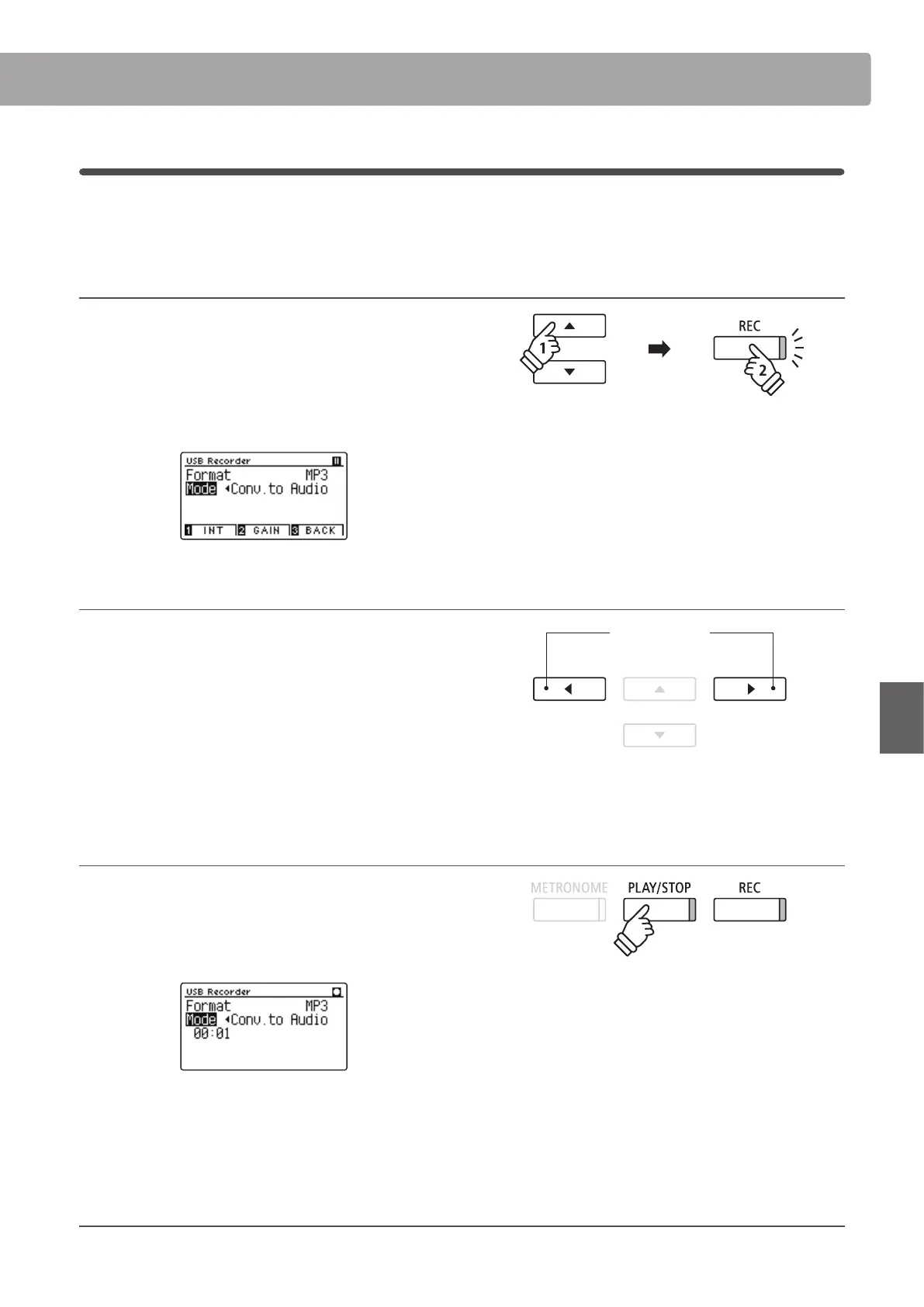
1. Selecting the MIDI song to be converted
While the Song Browser Player screen is shown in the LCD display:
Press the
or
buttons to move the selection cursor over the
desired MIDI le, then press the REC button.
The LED indicator for the REC button will start to ash, and the
Convert MIDI to Audio screen will be shown in the LCD display.
2. Selecting the audio le format
With the Format setting selected, press the
or
buttons to
select the desired USB recorder audio le format (WAV or MP3).
It is also possible to adjust the recording gain at this stage.
* For more information about the instrument’s audio recorder gain
setting, please refer to page 56.
* It is also possible to record a new song directly to the USB device (i.e.
not convert the previously selected song to an audio le) by changing
the Mode setting to ‘New Song’.
3. Starting the conversion
Press the PLAY/STOP button, or a key on the keyboard.
The LED indicator for the PLAY/STOP and REC buttons will turn
on, the selected song will play, and the convert to audio process
will start.
* Notes played on the keyboard will also be recorded to the audio le.
When the end of the song is reached, the save conrmation
screen will be shown in the LCD display.
Naming and saving the converted audio le
Please follow the ‘Recording an MP3/WAV audio le’ instructions on pages 56~57. from step 4.
buttons:
Select audio recorder format.


 To Next Page