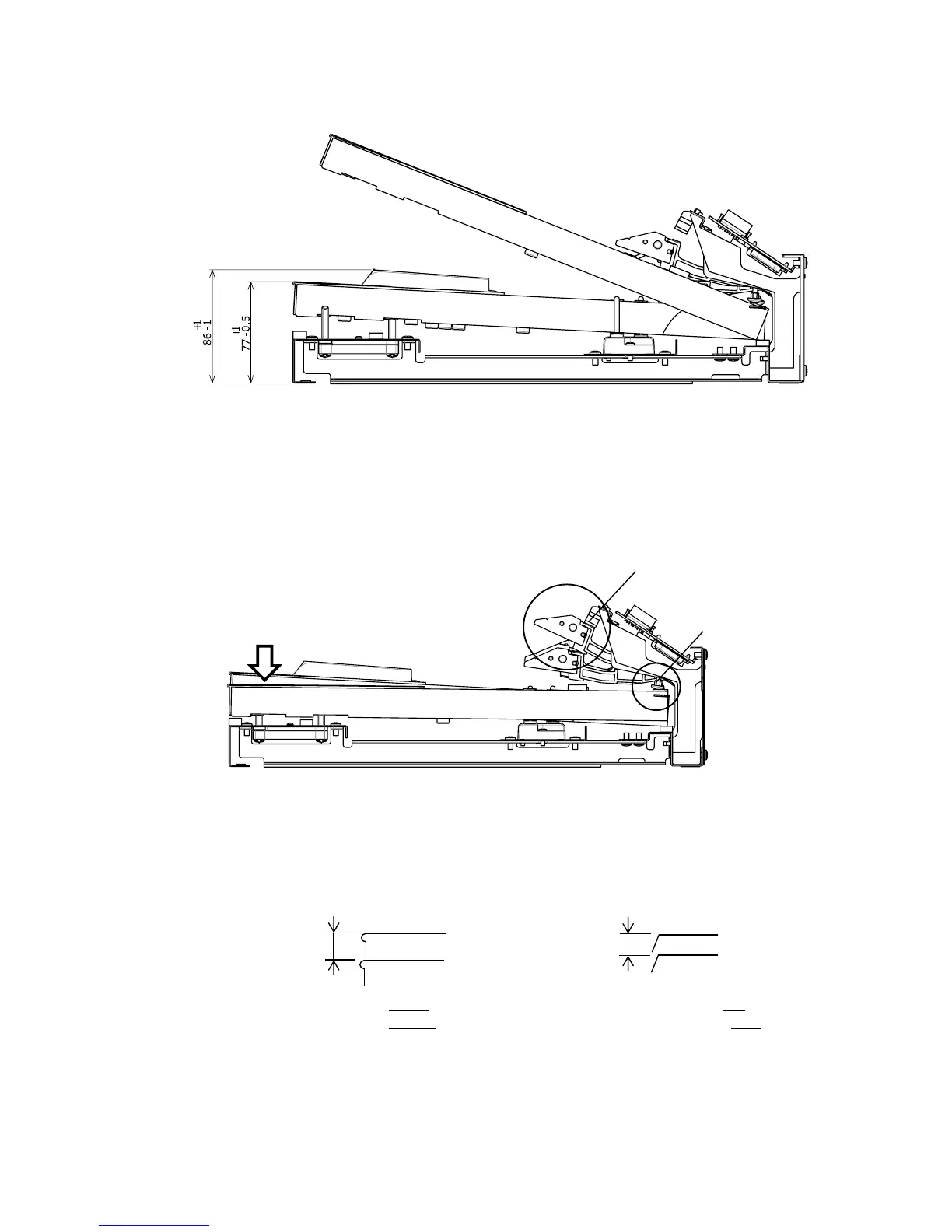
P31 Key Height Adjustment
Lift the keys and insert or remove paper balance punching.
[Key Height Standard]
White key : 77 +1/-0.5mm
Black key : 86 +1/-0.5mm
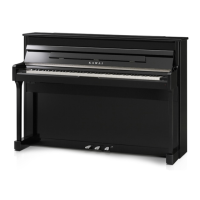
Key Stroke Adjustment
1. Press down a key with 200g weight.
2. Confirm whether the hammer touches the stopper cushion.
3. If it doesn't touch, adjust capstan by turning it left by spanner.
4.
Check full stroke of white / black keys.
[Full Stroke Standard]
White key : 10 +/-0.6mm Black key : 9 +/-0.6mm
5.
If full stroke is bigger than standard, adjust capstan by turning it left by spanner.
If full stroke is smaller than standard, adjust capstan by turning it right by spanner.
*. Please be careful so grease does not adhere to capstan.


 To Next Page