EasyManua.ls Logo

Kawai ES8 - User Manual

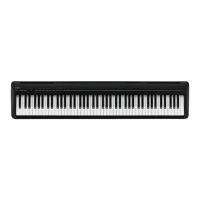
Kawai ES8
156 pages
Print Icon
To Next Page IconTo Next Page
Loading...
ES8
Owners Manual
Introduction
Playing the Piano
Rhythm Section
Recorder
USB Functions
Settings
Appendix

Table of Contents

Questions and Answers

  • A
    Amy LesterAug 17, 2025
    How to fix a Kawai ES8 that does not turn on?
    • J
      John BrockAug 17, 2025
      If the Kawai Musical Instrument does not turn on, ensure the AC power adapter is securely connected to both the instrument and the AC outlet. Also, verify that the ‘Auto Power Off’ setting is disabled.
  • C
    Catherine BrooksAug 19, 2025
    Why is the headphone volume too low on my Kawai Musical Instrument?
    • K
      Kelly DavisAug 19, 2025
      If the headphone volume on your Kawai Musical Instrument is too low, first check the technical specifications of your headphones. If the ‘Nominal Impedance’ is less than 100 ohms, set the ‘Phones Volume’ in the ‘Basic Settings’ menu to ‘High’.
  • W
    wileydanielleAug 22, 2025
    What to do if my Kawai Musical Instrument produces no sound?
    • D
      Danny BanksAug 22, 2025
      If your Kawai Musical Instrument produces no sound when keys are pressed, ensure the MASTER VOLUME slider isn't at its lowest setting. Also, check that headphones aren't connected to the PHONES jacks. Finally, verify that the Local Control setting in the MIDI Settings menu is set to On.
  • H
    Heather SmithAug 26, 2025
    Why does my Kawai ES8 sound distorted at high volumes?
    • F
      fvillegasAug 26, 2025
      If the sound from your Kawai Musical Instrument distorts at high volumes, reduce the MASTER VOLUME slider to a more appropriate level. If you're using the Line Out jacks to connect to an amplifier/mixer, decrease the ‘Line Out Volume’ in the Basic Settings menu.
  • S
    Sara BakerAug 28, 2025
    What to do if a USB device is not detected by my Kawai ES8?
    • R
      Richard RamosAug 28, 2025
      If a USB memory device isn't detected, can't be saved to, or doesn't function when connected to your Kawai Musical Instrument, ensure it's formatted to FAT/FAT32 and not in ‘Write Protect’ mode. Try disconnecting and reconnecting the device, and power cycle the instrument. If issues persist, the USB device may be incompatible or damaged; try a different one.
  • C
    Christie LeeAug 30, 2025
    How to adjust the recording volume on my Kawai ES8 Musical Instrument?
    • M
      Mrs. Brandi HamiltonAug 31, 2025
      If the volume is too low or too high (distorted) when recording MP3/WAV audio files on your Kawai Musical Instrument, adjust the ‘Audio Recorder Gain’ setting in the ‘Basic Settings’ menu.
  • R
    Rachael RomanSep 2, 2025
    Why does my Kawai ES8 make strange sounds when playing piano?
    • R
      Robert LewisSep 2, 2025
      If your Kawai Musical Instrument produces strange sounds or noises while playing piano sounds, this is due to the instrument attempting to accurately reproduce the rich variety of tones created by an acoustic grand piano, including string resonances, damper noises, and other subtle characteristics.
  • C
    christianelliottSep 5, 2025
    Why does my MP3/WAV file sound strange on my Kawai Musical Instrument?
    • V
      Veronica NguyenSep 5, 2025
      If an MP3/WAV audio file sounds strange or doesn't play back correctly on your Kawai Musical Instrument, verify that the audio file format is supported by checking the ‘Audio Player supported format specifications’ table.
  • A
    Alexander CastroSep 7, 2025
    Why can't I hear sound from MP3/WAV files on my Kawai Musical Instrument?
    • C
      Christina BakerSep 7, 2025
      If no sound is heard when playing an MP3/WAV audio file on your Kawai Musical Instrument, check that the format of the audio file is supported and listed in the ‘Audio Player supported format specifications’ table.
  • W
    williamsjessicaSep 12, 2025
    Why do the top notes sustain longer on my Kawai ES8?
    • L
      lisa31Sep 12, 2025
      If the top 18 notes of your Kawai Musical Instrument's keyboard sustain longer than others, you can reduce or disable these effects using the settings in the Virtual Technician menu to adjust the prominence of these additional tones, which are intended to enhance realism.

Summary

Introduction to Kawai ES8 Digital Piano

Welcome to the Kawai ES8

A brief welcome and overview of the manual's purpose.

Package Contents

Lists all items included in the ES8 digital piano package.

Feature Highlights

Details the key features and technologies of the ES8 digital piano.

Part Names and Functions

Identifies and explains the controls and displays on the ES8's panel.

Setting Up the Piano

Instructions on how to attach the music rest and connect pedals/headphones.

Basic Operation

Guide to connecting power, turning on, and adjusting volume.

Playing the Piano

Selecting Sounds

How to choose and change instrument sounds from various categories.

Demo Songs

Instructions on how to enter and navigate the instrument's demonstration songs.

Dual Mode

How to layer two sounds together for a richer, more complex tone.

Split Mode

Dividing the keyboard into two sections with different sounds.

Enhancing the Sound

Adjusting reverb, effects, and amp simulator for sound modification.

Metronome

Using the metronome for practice, adjusting tempo, beat, and volume.

Registration Memories

Storing and recalling instrument setups for quick access.

Rhythm Section

Rhythm Section Basic Operation

Introduction to the 100 built-in accompaniment styles and their patterns.

Rhythm Section Style

How to select and cycle through different rhythm styles and genres.

Rhythm Section Settings

Adjusting rhythm volume, auto fill-in, ad-lib, ACC mode, bass inversion, and preset chords.

Recorder Functions

Song Recorder (Internal Memory)

Recording, playing, and managing songs in the instrument's internal memory.

Audio Record;Playback (USB Memory)

Recording/playing MP3/WAV files, overdubbing, and converting MIDI to audio via USB.

USB Functions

USB Menu

Functions for loading/saving songs, registrations, renaming, deleting, and formatting USB devices.

Settings

Basic Settings

Adjusting pitch, tuning, EQ, volume, and other core sound parameters.

Virtual Technician

Fine-tuning instrument character with adjustments to touch, voicing, and resonance.

Key Settings

Adjusting instrument operation for Dual or Split playing modes.

MIDI Settings

Configuring MIDI communication and parameters for external devices.

Power Setting

Configuring power-related settings like auto power off.

Appendix

Connecting to Other Devices

Guide to connecting external speakers, MIDI devices, computers, and audio sources.

Troubleshooting

Common issues and their solutions for the ES8 digital piano.

Demo Song List

A list of all available demonstration songs with their titles and composers.

Rhythm Section Style List

A comprehensive list of all available rhythm section styles categorized by genre.

Specifications

Technical details and features of the ES8 digital piano.

Owner’s Manual Conventions

Explanation of symbols, button states, and text conventions used in the manual.

Kawai ES8 Specifications

General IconGeneral
Polyphony256 notes
Internal Sounds34 sounds
Amplifiers15 W x 2
Weight22.5 kg
Reverb6 types
Touch SensitivityLight, Normal, Heavy, Off
Keyboard88 keys, Responsive Hammer III (RHIII) action
Dimensions1362 (W) x 361 (D) x 149 (H) mm
ConnectivityLine In (L/MONO, R), Line Out (L/MONO, R), Headphones x 2, MIDI In/Out, USB to Host
MetronomeYes
Included AccessoriesMusic Rest, AC Power Adapter
DisplayLCD display

Related product manuals