EasyManua.ls Logo

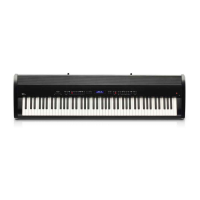
Kawai ES920 - User Manual

Kawai ES920
148 pages
Print Icon
To Next Page IconTo Next Page
Loading...
ES920
Owners Manual
Important Information
Preparation
Basic Operation
Adjustments & Settings
Appendix

Table of Contents

Other manuals for Kawai ES920

Questions and Answers

  • M
    mccarthylindseyAug 13, 2025
    How to fix a Kawai ES920 Musical Instrument that does not turn on?
    • L
      Laura KleinAug 13, 2025
      If your Kawai Musical Instrument isn't turning on, ensure the AC power adapter is securely connected to both the instrument and a working AC outlet. Also, verify that the 'Auto Power Off' setting is disabled.
  • F
    Felicia WilliamsAug 17, 2025
    What to do if my Kawai ES920 has no sound when pressing keys?
    • T
      Thomas YoungAug 17, 2025
      If your Kawai Musical Instrument is on but produces no sound when you press the keys, check these: * Ensure the MASTER VOLUME slider is not at its lowest setting. * Make sure headphones or a headphone adapter are not plugged into the PHONES jacks. * Confirm the SPEAKER ON/OFF switch (on the rear) is set to On. * Verify the Local Control setting in the MIDI Settings menu is set to On. * The MASTER VOLUME slider is at an appropriate level; reduce the volume if you hear distortion. * If using Line Out jacks to connect to an amplifier/mixer, lower the 'Line Out Volume' in the Basic Settings menu.
  • V
    vhartAug 21, 2025
    What to do if a USB device is not detected on my Kawai ES920 Musical Instrument?
    • K
      Kelly TaylorAug 21, 2025
      If your Kawai Musical Instrument isn't detecting a USB memory device, won't save to it, or the device isn't functioning, ensure the USB drive is formatted to FAT/FAT32 and is not in 'Write Protect' mode. Try disconnecting the USB, turning the instrument off and on, and then reconnecting the USB. If it still fails, the USB device may be damaged or incompatible; try a different USB device.
  • D
    Dr. Angel MurphyAug 25, 2025
    Why is the headphone volume too low on my Kawai ES920?
    • S
      Sandra HardinAug 26, 2025
      If the headphone volume on your Kawai Musical Instrument is too low, check the headphones' technical specifications. If the 'Nominal Impedance' is less than 100 ohms, set the 'Phones Volume' setting in the 'Phones Settings' menu to 'High'.
  • B
    Becky VillarrealAug 28, 2025
    How to adjust audio recording volume on Kawai Musical Instrument?
    • A
      Amber AtkinsonAug 28, 2025
      To adjust the recording volume on your Kawai Musical Instrument when recording MP3/WAV audio files, use the 'Audio Recorder Gain' setting found in the 'Basic Settings' menu.
  • A
    Aaron WatersSep 1, 2025
    Why does my MIDI file sound strange on my Kawai ES920 Musical Instrument?
    • T
      Tammie RobinsonSep 1, 2025
      If an SMF MIDI file sounds strange when played back from a USB device on your Kawai Musical Instrument, the file transfer speed of the USB device might be too slow. Try using a different USB memory device that conforms to USB2.0 Hi-Speed standards.
  • B
    Brandon WestSep 5, 2025
    What to do if no sound when playing MP3/WAV file on Kawai Musical Instrument?
    • S
      Sarah SilvaSep 5, 2025
      If you hear no sound when playing an MP3/WAV audio file from a USB device on your Kawai Musical Instrument, check that the audio file format is supported and listed in the “Audio Player supported format specifications” table.
  • C
    Charles LopezSep 8, 2025
    Why does my MP3/WAV file sound strange on Kawai ES920?
    • J
      johngallagherSep 9, 2025
      If an MP3/WAV audio file sounds strange or doesn't play correctly from a USB device on your Kawai Musical Instrument, check that the audio file format is supported and listed in the “Audio Player supported format specifications” table.

Summary

Important Information

Important Safety Instructions

Essential safety guidelines for operating the instrument.

Preparation

Setting Up the Piano

Instructions for physically setting up the digital piano and connecting accessories.

Basic Operation

Connecting the power adaptor

Steps for connecting the power supply and turning the instrument on.

Adjustments & Settings

Basic Settings

Adjusting core sound parameters like tone, volume, and tuning.

Virtual Technician

Fine-tuning individual key characteristics and acoustic piano simulations.

Appendix

Troubleshooting

Common issues and their solutions for the ES920 digital piano.

Kawai ES920 Specifications

General IconGeneral
FinishingMatte
Product colorBlack
Housing materialPlastic
Built-in displayYes
Display resolution128 x 64 pixels
Sound effectsChorus, Delay, Phaser, Reverberation
Pedals quantity3
RMS rated power20 W
Chorus effects quantity2
Metronome beats per bar10
Maximum polyphony (notes)256
Reverberation effects quantity6
Temperament typesEqual, Meantone, Pythagorean, Werckmeister
Demo songs quantity33
Equalizer bands quantity4
Power source typeAC
Power consumption (max)18 W
Bluetooth version4.1
Headphone outputs1
USB connector typeUSB Type-A
Keys quantity88 keys
Weight and Dimensions IconWeight and Dimensions
Depth375 mm
Width1340 mm
Height145 mm
Weight17000 g

Related product manuals