EasyManua.ls Logo

Kawai ES520 - User Manual

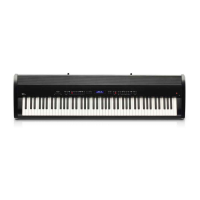
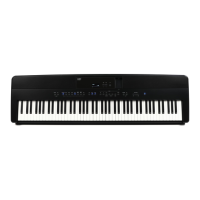
Kawai ES520
100 pages
Print Icon
To Next Page IconTo Next Page
Loading...
ES520
Owners Manual
Important Information
Preparation
Basic Operation
Adjustments & Settings
Appendix

Table of Contents

Other manuals for Kawai ES520

Questions and Answers

  • K
    Keith LewisJul 29, 2025
    What to do if my Kawai Musical Instrument doesn't turn on?
    • M
      Marcus WilsonJul 29, 2025
      If your Kawai Musical Instrument isn't turning on, first ensure the AC power adapter is securely connected to both the instrument and a working AC outlet. Also, verify that the 'Auto Power Off' setting is disabled.
  • S
    Samuel WilsonAug 5, 2025
    What to do if my Kawai Musical Instrument is on but there's no sound when pressing keys?
    • D
      David SosaAug 5, 2025
      If your Kawai Musical Instrument is on but produces no sound when you press the keys, check the following: * Ensure the MASTER VOLUME slider isn't at its lowest setting. * Make sure headphones or a headphone adapter aren't plugged into the PHONES jacks. * Verify the SPEAKER ON/OFF switch (located on the rear connectors) is not set to Off. * Confirm that the Local Control setting in the MIDI Settings menu is set to On. * Check the MASTER VOLUME slider is at an appropriate level, reducing the volume if you hear distortion.
  • K
    knelsonAug 13, 2025
    What to do if my USB device isn't detected by my Kawai ES520 Musical Instrument?
    • S
      sheila59Aug 13, 2025
      If your Kawai Musical Instrument isn't detecting your USB memory device, or if you can't save to it, try these steps: 1. Ensure the USB device is formatted to the FAT/FAT32 filesystem and isn't in 'Write Protect' mode. 2. Disconnect the USB device, turn the instrument off and then on again, and reconnect the USB device. 3. If it still doesn't work, the USB device might be damaged or incompatible. Try using a different USB device. 4. Note that using very large capacity USB memory devices may cause this behavior.
  • N
    Nicholas ButlerAug 20, 2025
    Why does my SMF MIDI file sound strange on my Kawai Musical Instrument?
    • J
      Jose TorresAug 20, 2025
      If an SMF MIDI file sounds strange when played back on your Kawai Musical Instrument, it might be because the ES520 digital piano doesn't contain the complete General MIDI sound bank selection. As a result, some SMF song files may not be reproduced with complete accuracy.

Summary

Important Information

Important Safety Instructions

Crucial guidelines to prevent fire, electric shock, and injury during use.

Preparation

Setting Up the Piano

Instructions for assembling the instrument, connecting pedals, and headphones.

Basic Operation

Initial Setup and Basic Play

Steps to connect power, turn on, adjust volume, and start playing.

Adjustments & Settings

Settings Menus Overview

Introduction to various menus for adjusting instrument operation and sound settings.

Basic Settings Configuration

Adjusts pitch, tuning, EQ, power, and startup settings.

Virtual Technician Adjustments

Fine-tunes piano sound characteristics like touch, resonance, and hammer response.

Bluetooth Settings

Appendix

Connecting to Other Devices

Guide to connecting external audio sources, MIDI devices, and computers.

Troubleshooting Common Issues

Solutions for common problems encountered while using the ES520 digital piano.

Kawai ES520 Specifications

General IconGeneral
Product colorBlack
Keys quantity88 keys
Sound effectsChorus, Delay, Phaser
Pedals quantity3
RMS rated power20 W
Chorus effects quantity2
Maximum polyphony (notes)192
Demo songs quantity23
Recorder/sequencer number of tracks1
Display resolution128 x 64 pixels
Bluetooth version4.1
Power source typeAC
Power consumption (max)18 W
Weight and Dimensions IconWeight and Dimensions
Depth375 mm
Width1340 mm
Height145 mm
Weight14500 g

Related product manuals