8
2 . G E T T I N G S T A R T E D
2. 1 INSTALL ING C AR DS
Please switch off your device before inserting or removing the
battery/ SIM card or memory card.
Installing SIM Card
Your device is provided with two SIM slots for two different SIM
cards. In order to install battery and SIM card in the device, please
follow the steps mentioned below:
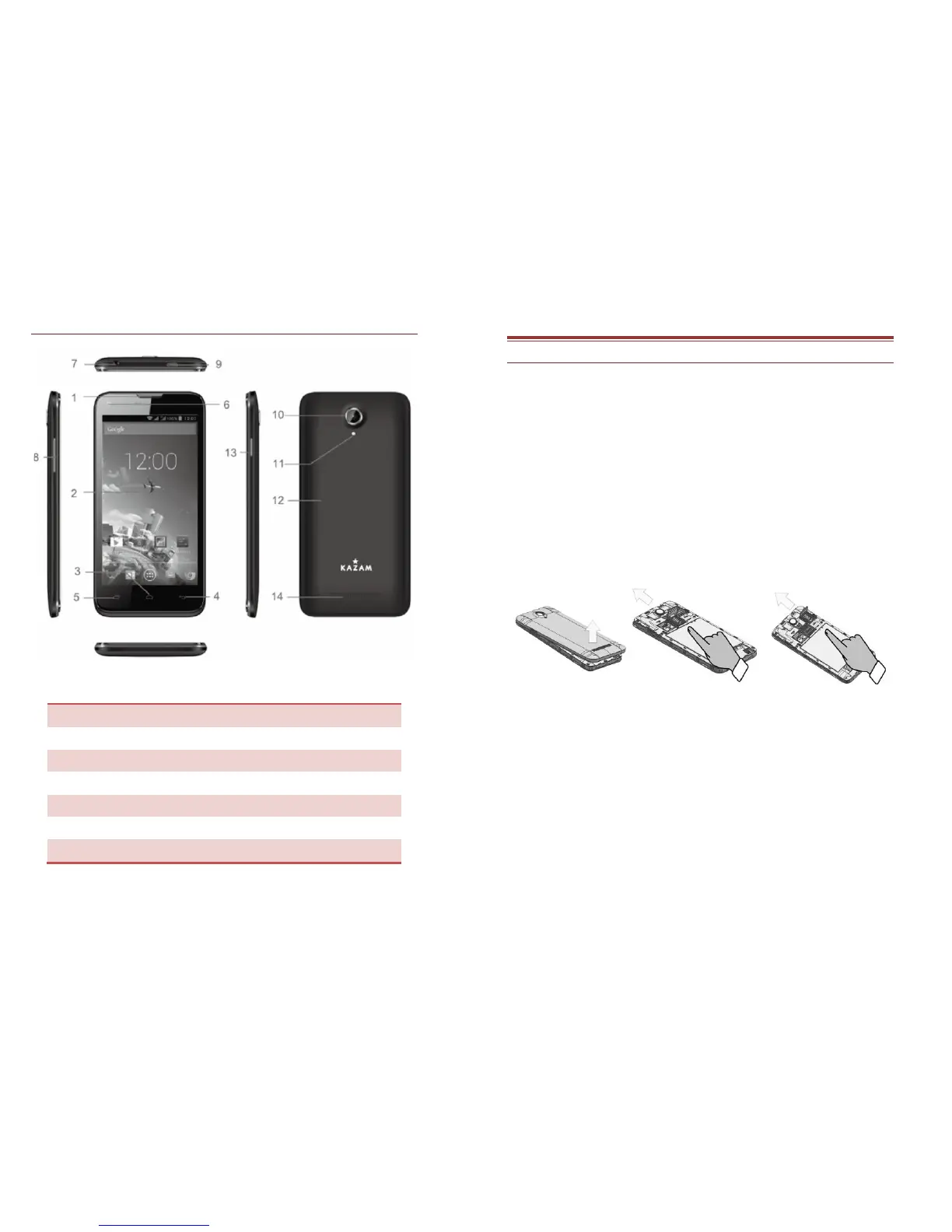
Remove the back cover of the device.
Hold the device with the front facing downwards and pull
the battery cover.
Insert the SIM cards in the device.
Installing Memory Card
Your device supports T-Flash card, which is a multimedia memory
card used to multiply the memory of the device. The T-flash card is
small and should be pulled out and installed carefully and prudently
in order to avoid any kind of damage. Please follow the steps
mentioned below to install the memory card in the device:
Switch off your device.
Remove the battery cover.
Slot the T-Flash memory card into the slot.



 To Next Page