24412 Main St. Suite 105, Carson, CA 90745
Empty the ice bin and water reservoir following instructions in Section 2.
Fill the water reservoir with 1 teaspoon of 5% food grade chlorine bleach.
Fill the water reservoir with clean potable water to MAX WATER FILL.
Mix them well.
Plug the unit into power. You will hear 5 beeps if the reservoir is full.
Press and hold the Clean button for 3 seconds to start the cleaning cycle
for sanitizing process. The Clean LED will start flashing slowly (it takes
30 minutes to complete and the Clean LED goes off).
Drain water following instructions in Section 1.
Fill the water reservoir with clean potable water to MAX WATER FILL.
Plug the unit into power. You will hear 5 beeps if the reservoir is full.
Press and hold the Clean button for 3 seconds to start the cleaning cycle
for rinse process. Press and hold the Clean button again for 3 seconds in
5 minutes to stop rinsing.
Drain water following instructions in Section 1.
Repeat the rinse process 2~3 times.
12-How to clean the air vent every 3 months to prevent condenser
from blocking
Unplug the unit.
Use a condenser brush or a vacuum cleaner with an
extended attachment to clean the air vent.
Plug the unit into power.
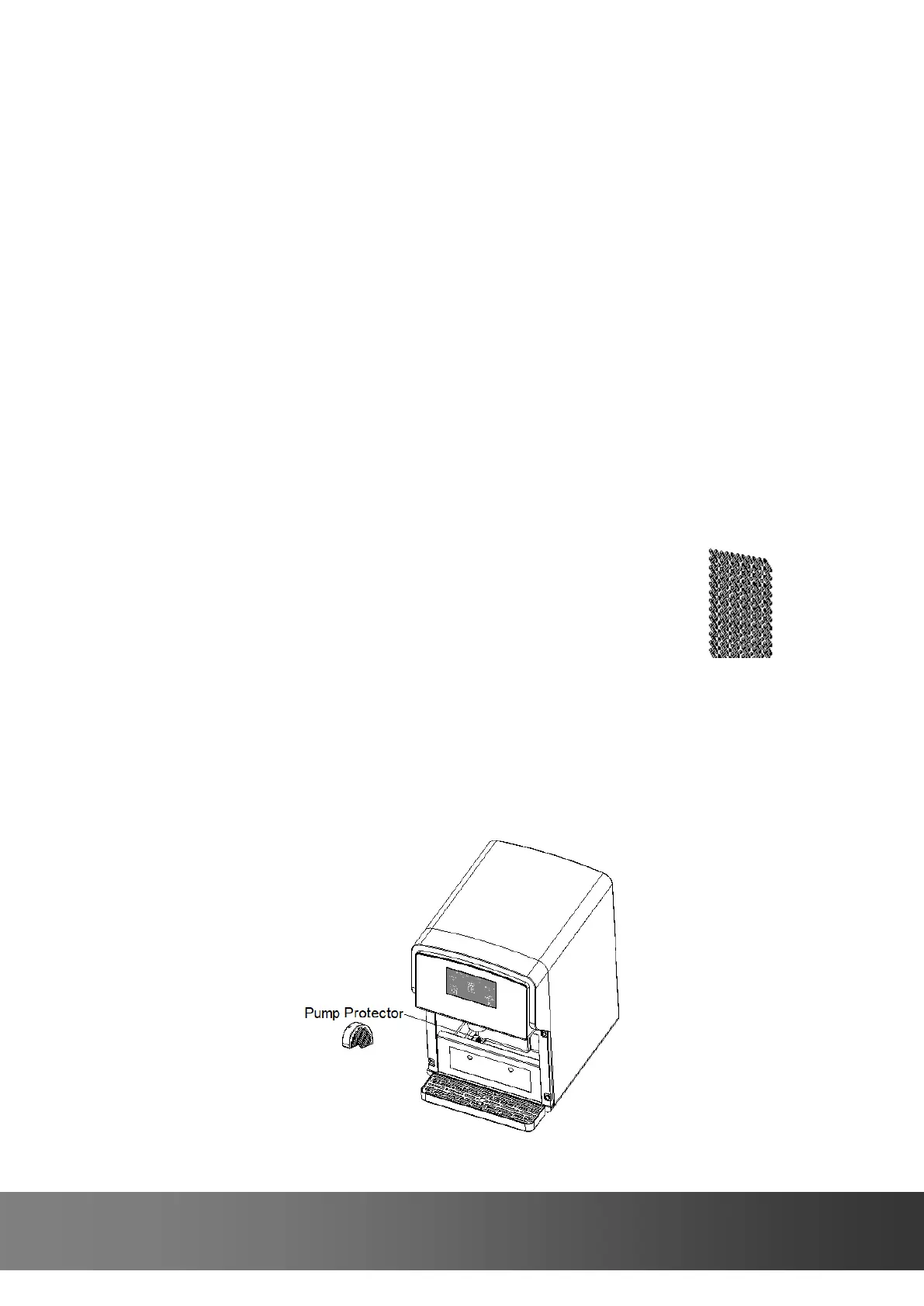
13-Cleaning the pump protector when it is dirty
Drain water following instructions in Section 1.
Remove the water reservoir door and lift up the pump protector.
Clean the pump protector with dishwashing liquid and rinse it with
potable water.
Replace the pump protector and press it down.


 To Next Page