Contact us:John@kbsmbj.com
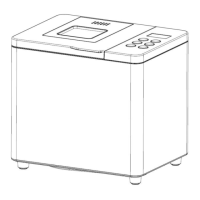
4.INTRODUCTION OF CONTROL PANEL
1. “Menu”
:
When select one from the menus 1-19 displayed in Control Panel, LCD indicator
will show the corresponding setting:
2.”LOAF”
:
In setting status, pick one of 1.0LB/1.5LB as bread weight. Except
for 1 to 9 and 16 “loaf” can’t be adjusted. And two weight 1.0LB/1.5LB choice.
3. “COLOR”
:
for selection braking color in setting mode. Light/Medium/Dark
colors will be displayed, and the color selected will be indicated.
4. “START/STOP/PAUSE”
:
press the button to turn on, turn off or pause the
bread maker, and buzzing sound will be given. When the bread maker is at
operating state, to prevent touch by accident, the button is protected from
“False Stop”. That is to say, the bread maker will stop operation only if the button
is pressed for 2 seconds and the buzzer makes a sound. After the bread maker
is started, pressing the button momentarily will cause it to pause and current
process will be restored automatically after 3 minutes.
5.“+”: In setting status, each pressing this button will add 1,5 or 10minutes
delay. If press this button without releasing, the program would rapidly add the
time of delay up to the maximum time of delay. At this moment program would
return to the original minimum time of delay and continue to move like this in
circle.
6.“-” : In setting status, each pressing this button will reduce 1,5 or
10minutes delay. If press this button without releasing, the program would
rapidly reduce the time of delay up to the minimum time of delay. At this moment


 To Next Page