26
12.2 Check procedure with test arm set to 60
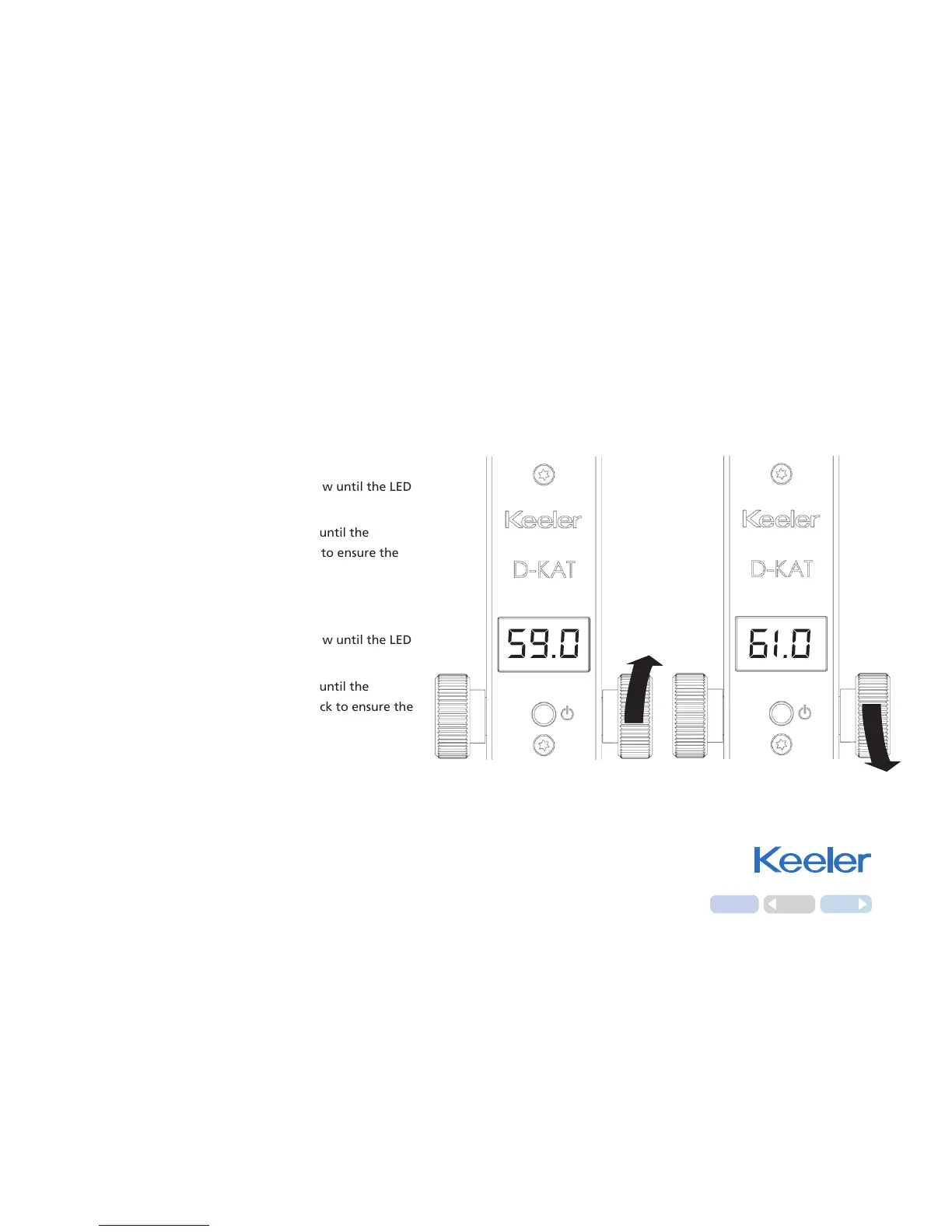
Check 59.0 limit
Turn the drum in the direction of the arrow until the LED
display reads 59.0.
Then continue to rotate the drum slowly until the
measurement arm moves forward. Check to ensure the
display reads between 59.0 and 61.0.
Check 61.0 limit
Turn the drum in the direction of the arrow until the LED
display reads 61.0.
Then continue to rotate the drum slowly until the
measurement arm moves backwards. Check to ensure the
display reads between 59.0 and 61.0.
Home
Back
Next
12. Routine Instrument Maintenance



 To Next Page